Best Valorant crosshairs settings
Author: Hawk Live LLC
Last updated:
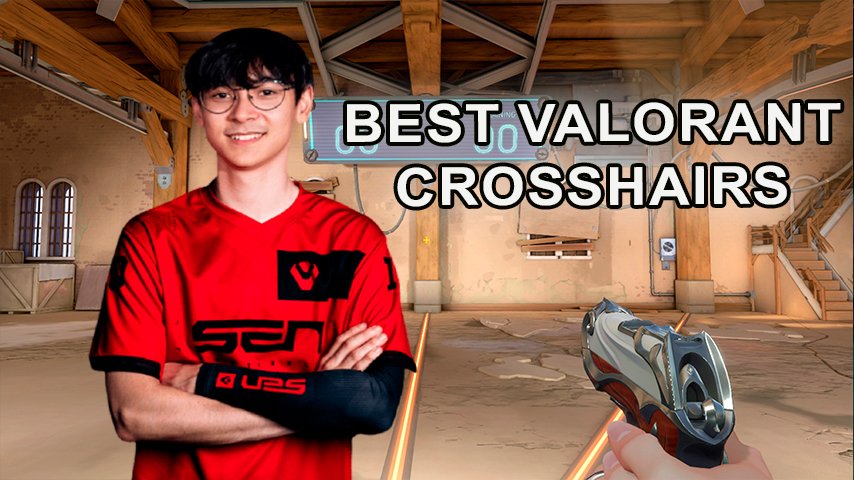
Valorant has a huge variety of crosshairs. Even for casual players, crosshair settings may matter, as a professional player might find the crosshair to be one of the most important aspects in his gameplay. A particular setup could get you to Radiant ranks or at least it could offer you an alternative view on shooting experience.
In this article, we will discuss top-rated pro player crosshairs and how to customize your crosshair so that you can look at the game from another side. To begin with, we will tell about crosshair settings that help you work with professional presets more effectively and without much effort.
How to Change Crosshair in Valorant
We previously published a detailed guide on how to change the crosshair in Valorant and its different types. There is given a simple step-by-step tutorial on how to change your sight and there is a table displaying its pictures and explanations.
You need to open the settings menu in the game and select the third section.
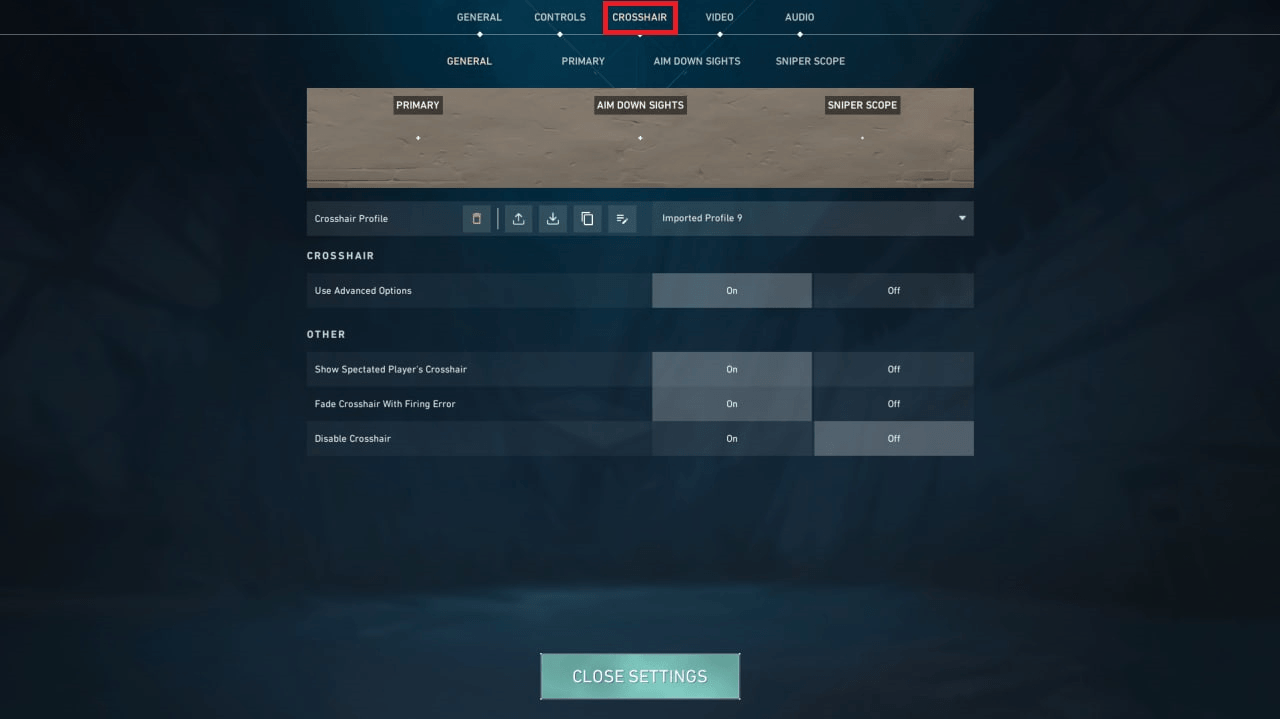 Credit: Riot Games
Now comes your working field. Here settings are divided into four subparts where everything can be customized almost down to the smallest detail. The most critical one goes next:crosshair height, width ,center dot setting , color , adjustable movement with running etc.
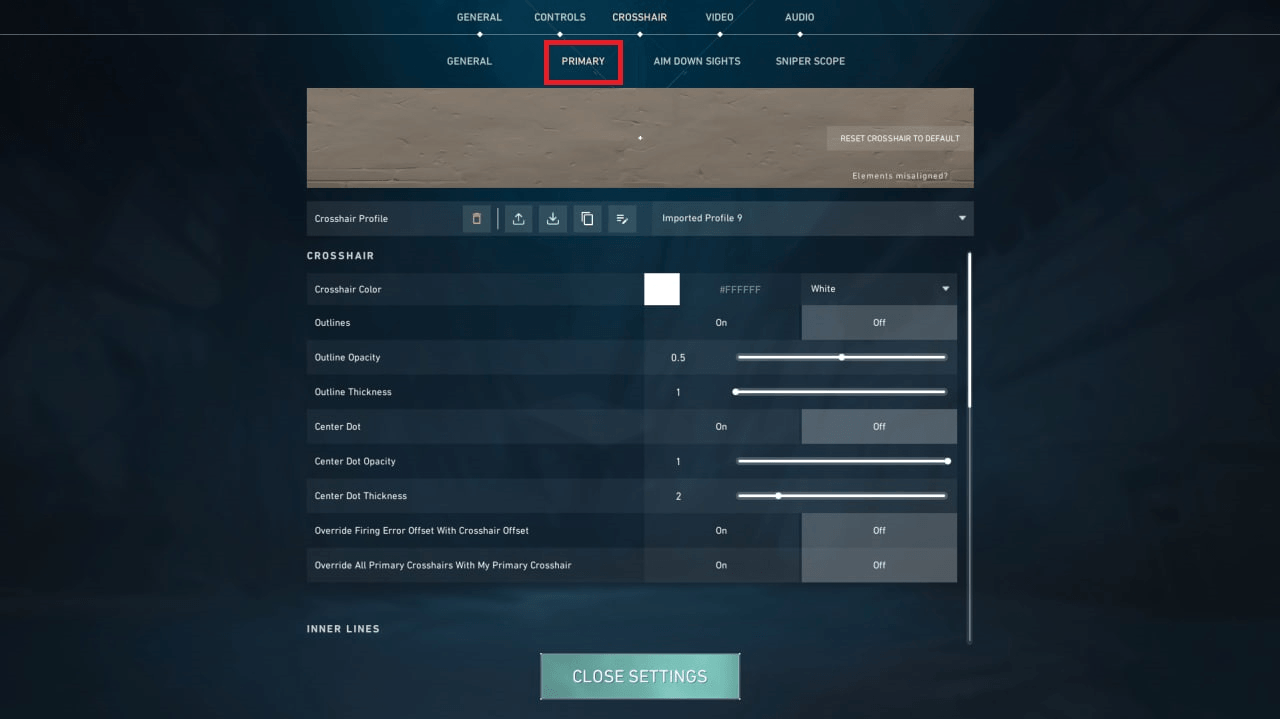 Credit: Riot Games
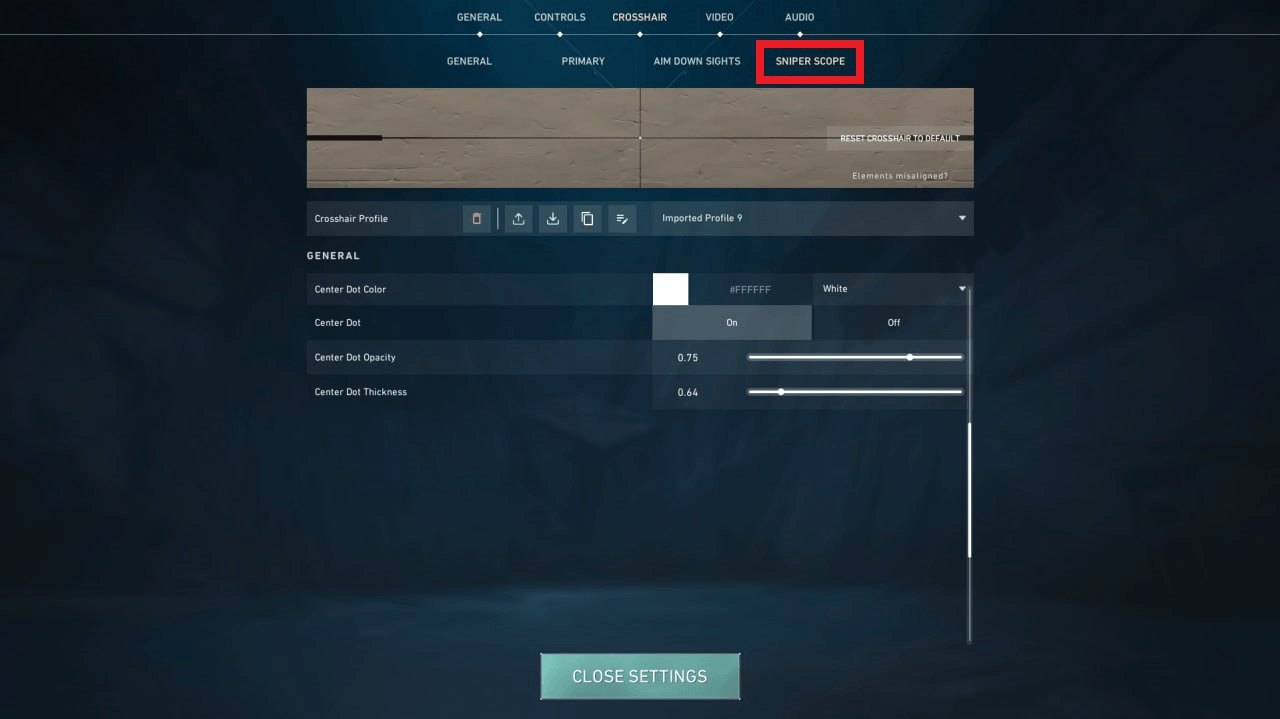
There is also another subsection number four concerning configs for sniper scopes in valorant. This is specifically designed for sniper rifle enthusiasts and those who want to set up weapons like Operator or Marshall themselves
 Credit: Riot Games
How to Copy a Crosshair in VALORANT
We've written how to copy a crosshair and offered several methods. You can take a crosshair from a teammate whose gameplay you admire or import a profile code.
To equip a teammate's crosshair, press Enter to open the chat window.
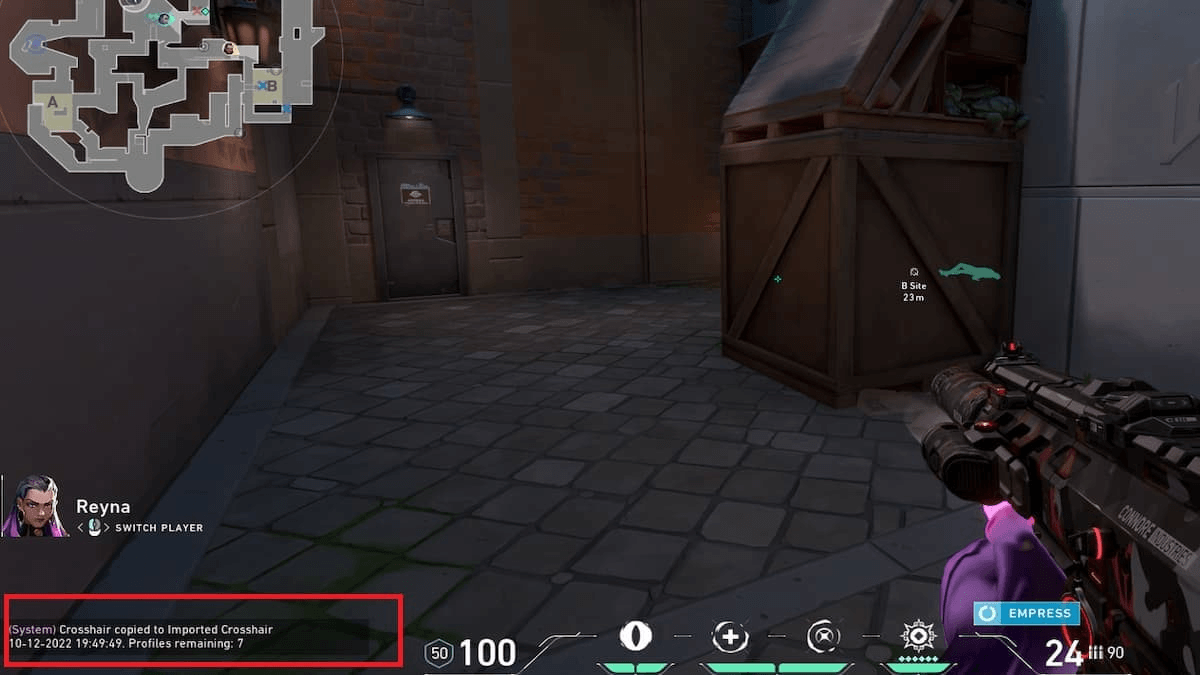
In the chat, type the command /crosshair copy or /cc while observing the teammate. They won't know about this.
 Credit: Riot Games
Firstly, please note that you cannot copy an enemy's crosshair because you cannot observe them. Secondly, make sure you're observing a player who has the crosshair you desire. You can copy their crosshair at the end of the round in which they die if there are still teammates left alive. Thirdly, the command for saving the crosshair does not change it to the saved one.
How to Use a Copied Crosshair in Valorant
Go to the crosshair settings.
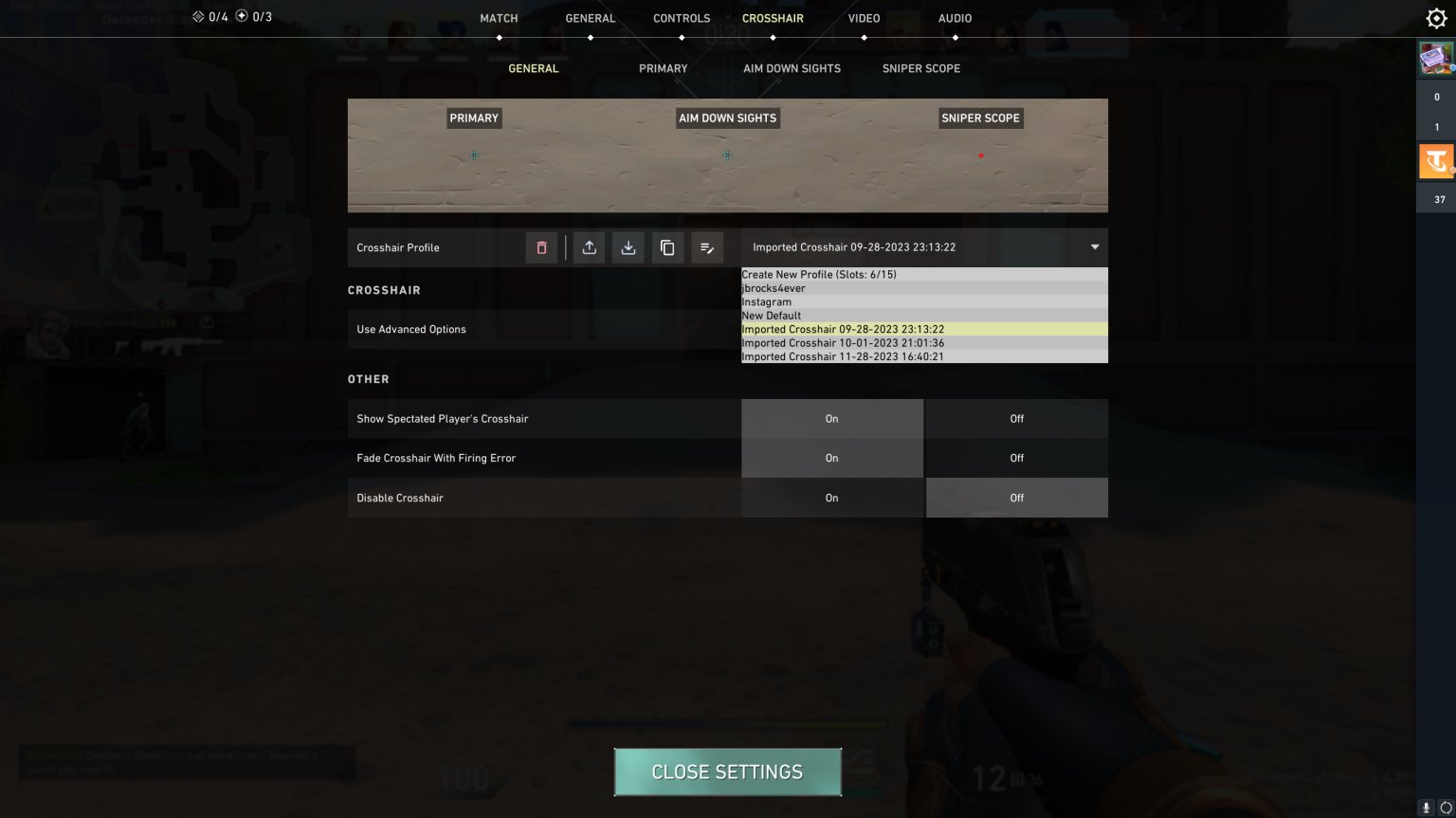
In the main section, click on the long import panel on the left.
Select the crosshair profile you borrowed from your teammate in the opened crosshair menu.
 Credit: Riot Games
By the way, in this menu, you can choose your saved crosshair, rename it or customize as you wish.There is a possibility of saving up to 15 presets for this sight.You will need an empty slot for adding someone else’s sight or for importing one.When highlighted over it click down on trash button and delete someone else’s sight
You cannot copy a teammate’s crosshair when playing instant respawn modes like Escalation or Deathmatch.
How to Import a Crosshair Code in VALORANT
Just type code into your game-sight section. Suppose no one among your teammates has an interesting sight which could be cloned by yourself and then turn to pros.
Copy the crosshair code (you can use this one 0;P;c;1;o;1;d;1;0b;0;1b;0).
You'll know you're copying the correct code if it looks like a combination of letters, numbers, and semicolons.
Open the settings, then the crosshair menu in VALORANT, as mentioned above.
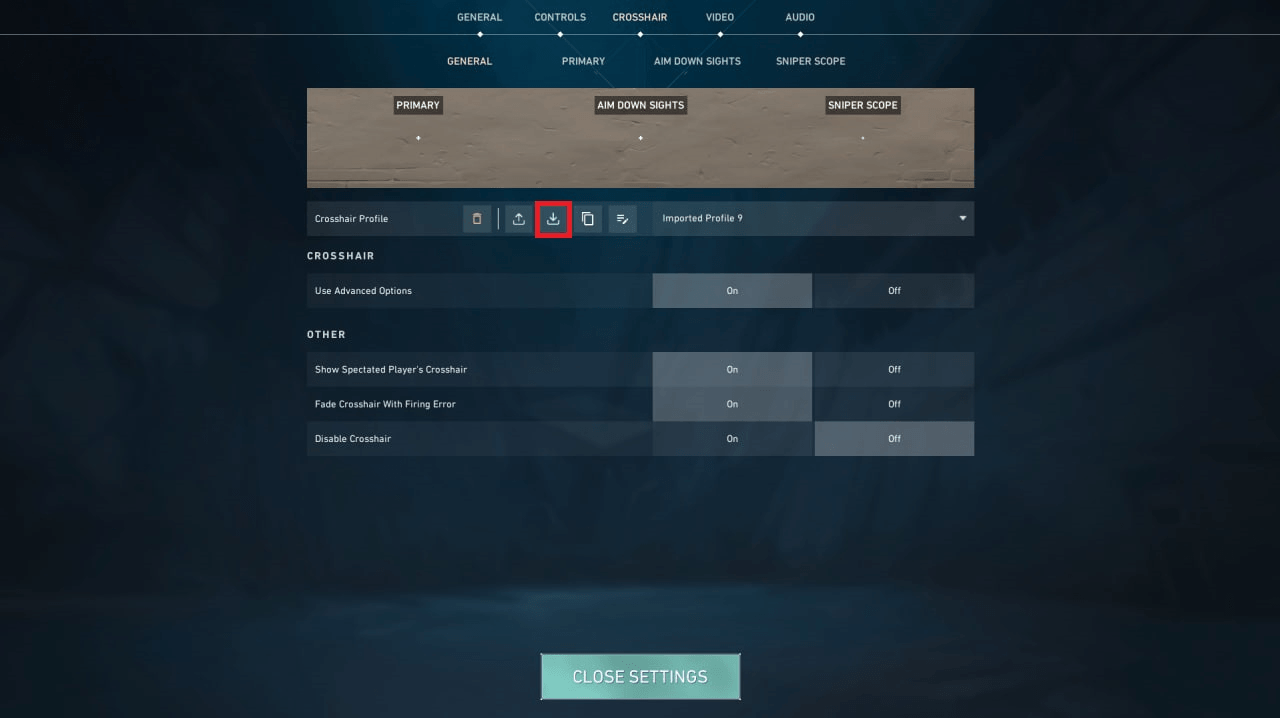
Click on the arrow icon pointing downwards to open the import screen.
 Credit: Riot Games
Paste the crosshair code into the "Profile Import" section in the in-game crosshair menu and click "Import."
After saving the crosshair as your profile, you can modify it, including adding new features, colors, and personal vertical/horizontal line settings.
Best Valorant crosshair codes used by professional
We fully acknowledge that even after reading our guide, you may not have found your crosshair settings in the game options despite trying. Therefore, we offer you crosshair codes from the best players in Valorant. We hope they will be a helpful support for you.
PLAYER (TEAM) | VALORANT CROSSHAIR CODE |
Tyson “TenZ” Ngo (Sentinels) | 0;s;1;P;c;5;h;0;0l;5;0v;0;0g;1;0a;1;0f;0;1l;0;1v;4;1g;1;1o;2;1a;1;1m;0;1f;0;S;c;5;o;1 |
Zachary “zekken” Patrone (Sentinels) | 0;c;1;P;c;7;t;3;o;1;f;0;0t;10;0l;1;0v;0;0g;1;0o;4;0a;1;0f;0;1t;9;1o;0;1a;1;1m;0;1f;0 |
Jake “Boaster” Howlett (Fnatic) | 0;s;1;P;c;5;u;FF2B52FF;o;1;d;1;z;4;f;0;s;0;0l;0;0v;0;0o;2;0a;1;0f;0;1t;0;1l;0;1o;0;1a;0;1f;0;S;c;1;o;1 |
Nikita “Derke” Sirmitev (Fnatic) | 0;s;1;P;u;FFA500FF;o;1;d;1;f;0;s;0;0b;0;1t;0;1l;1;1o;0;1a;1;1m;0;1f;0;S;o;1 |
Juan “NagZ” Miranda (RETA Esports) | 0;s;1;P;c;1;o;1;d;1;0l;0;0o;2;0a;1;0f;0;1t;0;1l;0;1 |
Emir Ali “Alfajer” Beder (Fnatic) | 0;s;1;P;c;5;o;1;d;1;z;3;f;0;0b;0;1b;0;S;s;0.628;o;1 |
Leo “Leo” Jannesson (Fnatic) | 0;s;1;P;h;0;0l;3;0v;4;0o;0;0a;1;0f;0;1b;0;S;c;0;s;0.64 |
Timofey “Chronicle” Khromov (Fnatic) | 0;P;c;7;o;1;f;0;0t;1;0l;2;0v;2;0g;1;0o;2;0a;1;0f;0;1b;0 |
Gustavo “Sacy” Rossi (Sentinels) | 0;P;h;0;f;0;0t;1;0l;4;0o;1;0a;1;0f;0;1t;3;1o;2;1a;1;1m;0;1f;0 |
James “Mistic” Orfila (Team Liquid) | 0;s;1;P;o;1;f;0;0t;1;0l;2;0o;2;0a;1;0f;0;1b;0 |
Enzo “Enzo” Mestari (Team Liquid) | 0;s;1;P;c;5;h;0;f;0;0t;1;0o;1;0a;1;0f;0;1b;0;S;s;0.8 |
Dom “soulcas” Sulcas (Apeks) | 0;s;1;P;h;0;f;0;0l;4;0o;2;0a;1;0f;0;1b;00;s;1;P;o;1;d;1;z;3;f;0;0b;0;1b;0;S;s;0.762 |
Ayaz “nAts” Akhmetshin (Team Liquid) | 0;P;c;1;o;1.000;m;1;0a;1.000;0l;2;0t;1;0o;2;0f;0;1b;0;1m;0;1f;0 |
Adil “ScreaM” Benrlitom | 0;s;1;P;c;5;o;1;d;1;z;3;f;0;0t;6;0l;0;0a;1;0f;0;1b;0;S;c;6;s;0.949;o;1 |
Kim “stax” Gu-taek (DRX) | 0;P;c;4;h;0;f;0;s;0;0l;4;0o;2;0a;1;0f;0;1b;0 |
Goo “Rb” Sang-min (Titan Esports Club) | 0;s;1;P;c;5;h;0;f;0;0l;4;0o;2;0a;1;0f;0;1b;0;S;o;1 |
Kim “Zest” Gi-seok (Bleed eSports) | 0;s;1;P;c;1;o;1;f;0;0l;4;0a;1;0f;0;1b;0 |
Yu “BuZz” Byung-chul (DRX) | 0;P;c;5;o;1;f;0;0t;1;0l;2;0o;2;0a;1;0f;0;1b;0 |
Itthirit “foxz” Ngamsaard (FULL SENSE) | 0;P;c;1;h;0;f;0;0l;5;0o;2;0a;1;0f;0;1b;0 |
Kim “MaKo” Myeong-kwan (DRX) | 0;s;1;P;c;1;o;1;f;0;0l;4;0a;1;0f;0;1b;0 |
Panyawat “sushiboys” Subsiriroj (FULL SENSE) | 0;P;c;5;h;0;f;0;0l;5;0o;2;0a;1;0f;0;1b;0 |
Rory “dephh” Jackson | 0;s;1;P;h;0;f;0;s;0;0l;5;0o;2;0a;1;0f;0;1t;0;1l;0;1o;0;1a;0 |
Bryan “pANcada” Luna (inactive roster of Sentinels) | 0;P;h;0;f;0;0l;3;0o;2;0a;1;0f;0;1b;0 |
Pujan “FNS” Mehta | 0;P;c;1;o;1;0l;3;0o;5;0a;1;0f;0;1b;0 |
Victor “Victor” Wong (NRG) | 0;P;h;0;f;0;0l;4;0a;1;0f;0;1b;0 |
Austin “crashies” Roberts (NRG) | 0;s;1;P;c;1;h;0;f;0;0l;4;0o;2;0a;1;0f;0;1b;0 |
Sam “s0m” Oh | 0;P;h;0;f;0;0l;4;0a;1;0f;0;1b;0 |
Ardis “ardiis” Svarenieks (NAVI) | 0;s;1;P;h;0;0l;3;0o;0;0a;1;0f;0;1b;0 |
Michael “Shroud” Grzesiek | 0;P;h;0;0l;5;0o;0;0a;1;0f;0;1b;0 |
Shahzeb “ShahZaM” Khan (G2 Esports streamer) | 0;P;c;1;o;1;f;0;0l;5;0a;0.5;0f;0;1b;0 |
Juan “NagZ” Miranda (RETA Esports) | 0;s;1;P;c;1;o;1;d;1;0l;0;0o;2;0a;1;0f;0;1t;0;1l;0;1 |
Nicolas “Klaus” Ferrari (KRÜ Esports) | 0;P;c;1;o;1;0t;1;0l;3;0o;1;0a;1;0f;0;1t;0;1l;0;1a;0 |
Roberto “Mazino” Bugueño (Leviatán Esports) | 0;P;c;1;h;0;0l;4;0o;2;0a;1;0f;0;1b;0 |
Nikita “Derke” Sirmitev (Fnatic) | 0;s;1;P;u;FFA500FF;o;1;d;1;f;0;s;0;0b;0;1t;0;1l;1;1o;0;1a;1;1m;0;1f;0;S;o;1 |
Best Crosshair settings Used by Professional Players in Valorant
Incorrectly chosen crosshairs can deceive you: obstruct your target, give a wrong impression of your weapon's shooting, or simply a low-quality crosshair can clash with your gameplay. As mentioned earlier, crosshair settings can consume hours of your life. If you don't want to spend that much time, professionals can help. Maybe you'll find your perfect crosshair, and thus, the game.
Tenz’s Crosshair
Crosshair Detail | Setting |
Color | Aqua |
Outlines | Off |
Outline Opacity | 1 |
Outline Thickness | 1 |
Center Dot | Off |
Center Dot Opacity | 1 |
Center Dot Thickness | 2 |
Override Firing Error Offset | On |
Show Inner Lines | On |
Inner Line Opacity | 1 |
Inner Line Length | 4 |
Inner Line Thickness | 2 |
Inner Line Offset | 2 |
Movement Error | Off |
Firing Error | Off |
Show Outer Lines | Off |
Outer Line Opacity | 1 |
Outer Line Length | 2 |
Outer Line Thickness | 2 |
Outer Line Offset | 10 |
Yay’s Crosshair
Crosshair Detail | Setting |
Color | White |
Outlines | Off |
Outline Opacity | 1 |
Outline Thickness | 1 |
Center Dot | Off |
Center Dot Opacity | 1 |
Center Dot Thickness | 2 |
Override Firing Error Offset | Off |
Show Inner Lines | On |
Inner Line Opacity | 1 |
Inner Line Length | 4 |
Inner Line Thickness | 2 |
Inner Line Offset | 2 |
Movement Error | Off |
Firing Error | Off |
Show Outer Lines | Off |
Outer Line Opacity | 1 |
Outer Line Length | 2 |
Outer Line Thickness | 2 |
Outer Line Offset | 10 |
Nukkye’s Crosshair
Crosshair Detail | Setting |
Color | White |
Outlines | Off |
Outline Opacity | 1 |
Outline Thickness | 1 |
Center Dot | Off |
Center Dot Opacity | 1 |
Center Dot Thickness | 2 |
Override Firing Error Offset | Off |
Show Inner Lines | On |
Inner Line Opacity | 1 |
Inner Line Length | 4 |
Inner Line Thickness | 1 |
Inner Line Offset | 1 |
Movement Error | Off |
Firing Error | Off |
Show Outer Lines | On |
Outer Line Opacity | 1 |
Outer Line Length | 2 |
Outer Line Thickness | 3 |
Outer Line Offset | 2 |
Zekken’s Crosshair
Crosshair Detail | Setting |
Color | Green |
Outlines | On |
Outline Opacity | 1 |
Outline Thickness | 1 |
Center Dot | On |
Center Dot Opacity | 1 |
Center Dot Thickness | 2 |
Override Firing Error Offset | Off |
Show Inner Lines | Off |
Inner Line Opacity | 1 |
Inner Line Length | 6 |
Inner Line Thickness | 2 |
Inner Line Offset | 3 |
Movement Error | Off |
Firing Error | Off |
Show Outer Lines | Off |
Outer Line Opacity | 1 |
Outer Line Length | 2 |
Outer Line Thickness | 2 |
Outer Line Offset | 10 |
Mwzera’s Crosshair
Crosshair Detail | Setting |
Color | Aqua |
Outlines | Off |
Outline Opacity | 1 |
Outline Thickness | 1 |
Center Dot | On |
Center Dot Opacity | 1 |
Center Dot Thickness | 1 |
Override Firing Error Offset | On |
Show Inner Lines | On |
Inner Line Opacity | 1 |
Inner Line Length | 2-1 |
Inner Line Thickness | 1 |
Inner Line Offset | 1 |
Movement Error | Off |
Firing Error | Off |
Show Outer Lines | Off |
Outer Line Opacity | 1 |
Outer Line Length | 2 |
Outer Line Thickness | 2 |
Outer Line Offset | 10 |
Cryo’s Crosshair
Crosshair Detail | Setting |
Color | White |
Outlines | Off |
Outline Opacity | 1 |
Outline Thickness | 1 |
Center Dot | Off |
Center Dot Opacity | 1 |
Center Dot Thickness | 2 |
Override Firing Error Offset | Off |
Show Inner Lines | On |
Inner Line Opacity | 1 |
Inner Line Length | 4 |
Inner Line Thickness | 2 |
Inner Line Offset | 0 |
Movement Error | Off |
Firing Error | Off |
Show Outer Lines | Off |
Outer Line Opacity | 1 |
Outer Line Length | 2 |
Outer Line Thickness | 2 |
Outer Line Offset | 10 |
ScreaM’s Crosshair
Crosshair Detail | Setting |
Color | White |
Outlines | On |
Outline Opacity | 1 |
Outline Thickness | 1 |
Center Dot | Off |
Center Dot Opacity | 1 |
Center Dot Thickness | 2 |
Override Firing Error Offset | Off |
Show Inner Lines | On |
Inner Line Opacity | 1 |
Inner Line Length | 1 |
Inner Line Thickness | 1 |
Inner Line Offset | 4 |
Movement Error | Off |
Firing Error | Off |
Show Outer Lines | On |
Outer Line Opacity | 0 |
Outer Line Length | 1 |
Outer Line Thickness | 1 |
Outer Line Offset | 3 |