Shox CS2 sensitivity and other pro player settings
Author: Hawk Live LLC
Last updated:
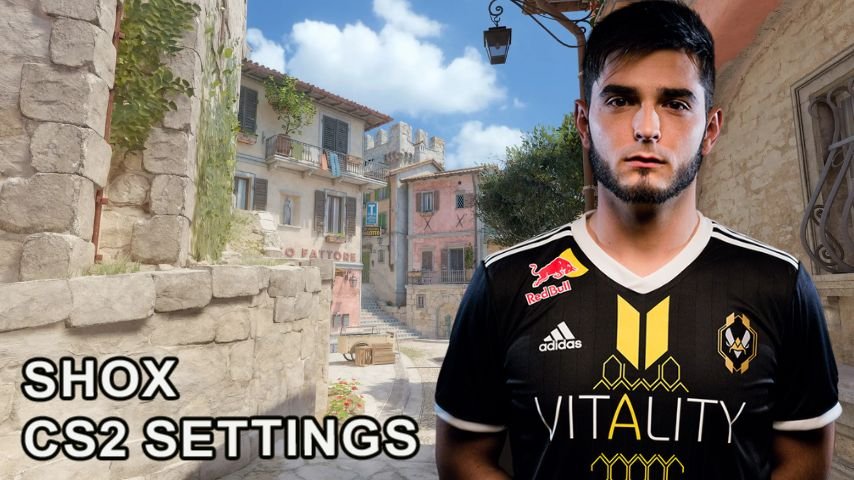
Changing settings in Counter-Strike 2 helps to get better performance so each one can be successful in the game. The settings of Richard shox Papillon, who is known in the gaming world as one of the pros in CS2, allow for good performance even on low specs devices. In this article, let’s check some of the parameters that the cyber athlete plays on since so many of the fans would like to know this.
Who is Shox?
Richard ‘Shox’ Papillon is one of the best players in the professional Counter-Strike scene. Compeating for various teams including Team Vitality and G2 Esports, he has won many titles in his career.
 Credit: Reddit
What settings does shox use in CS2?
Now, let’s go over all the settings of the esports player in detail, so that new players are able to replicate the parameters or some aspects of them.
CS2 Shox sens and other mouse settings
Shox utilizes the ZOWIE FK1+ C mouse which is one of the many commonly used models by professionals due to its superior accuracy and ergonomic design.
Parameter | Value |
|---|---|
DPI | 400 |
Sensitivity | 2 |
eDPI | 800 |
Zoom Sensitivity | 1 |
Polling Rate (Hz) | 1000 |
Windows Sensitivity | 5 |
These settings provide the perfect balance between aiming speed and accuracy, which is especially important for weapon control in CS2.
Crosshair
Shox captures sights as crisp and simple in design getting rid of distractions which helps to sight target better.
Parameter | Value |
|---|---|
Style | Classic |
Length | 2 |
Thickness | 1.15 |
Gap | -2 |
Color | Yellow |
Red | 0 |
Green | 255 |
Blue | 0 |
Alpha | Yes |
Alpha Value | 800 |
Split Distance | 7 |
Inner Split Alpha | 1 |
Outer Split Alpha | 0.5 |
Shox CS2 Crosshair: CSGO-cAw7z-JeFxu-VBcmx-3OpsJ-MRD3J

Credit: CS2
This sight is recommended for games at short/medium distances.
Viewmodel
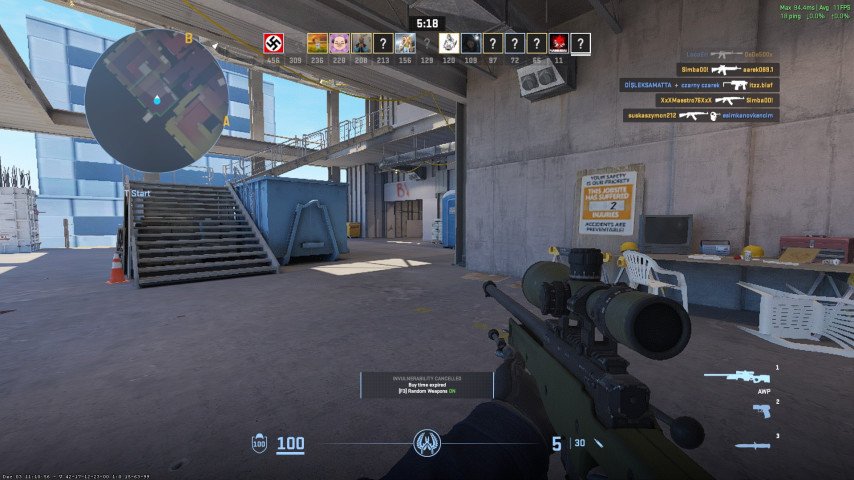
It is comfortably adjusted to give a better view around the player.
 Credit: CS2
Parameter | Value |
|---|---|
FOV | 60 |
Offset X | 1 |
Offset Y | 1 |
Offset Z | -1.5 |
Presetpos | 1 |
Viewmodel console commands:
viewmodel_fov 60; viewmodel_offset_x 1; viewmodel_offset_y 1; viewmodel_offset_z -1.5; viewmodel_presetpos 1;
Video settings
Shox uses settings for visibility alongside good performance.
Main settings:
Parameter | Value |
|---|---|
Resolution | 1440x1080 |
Aspect Ratio | 4:3 |
Scaling Mode | Black Bars |
Brightness | 100% |
Display Mode | Fullscreen |
Advanced Settings:
Parameter | Value |
|---|---|
Boost Player Contrast | Enabled |
V-Sync | Disabled |
NVIDIA Reflex Low Latency | Enabled + Boost |
Global Shadow Quality | High |
Model/Texture Detail | Low |
Texture Filtering Mode | Trilinear |
Shader Detail | High |
These settings maximize the visibility during smooth gaming.
What kind of PC can handle shox settings in CS2?
A medium setup PC or higher is comfortably enough to play with shox settings in CS2. The main point is to have a decent frame rate and stability in the system.
Component | Recommended Specifications |
|---|---|
Processor (CPU) | Intel Core i5-12400 / AMD Ryzen 5 5600X |
Graphics Card (GPU) | NVIDIA GTX 1660 / AMD RX 5600 XT |
RAM | 16 GB DDR4 |
Storage | SSD, at least 512 GB |
Monitor | 144 Hz, Full HD |
Such configuration would indeed give you the much needed calm environment at 200+ FPS which is required for even professional level games, but weaker systems too could run it, but at a lower FPS.
Conclusion
Shox has been a dominant force in Counter-Strike for years, and his CS2 settings offer a balance of performance and playability. His crosshair, mouse sensitivity, and video configurations allow for smooth gameplay even on mid-range setups. If you're looking to compare settings with other esports legends like DONK, s1mple, and ZywOo, take a look at our guide on the best professional configurations in CS2.