The Best Ways to Track Damage in Counter-Strike 2
Author: Hawk Live LLC
Last updated:
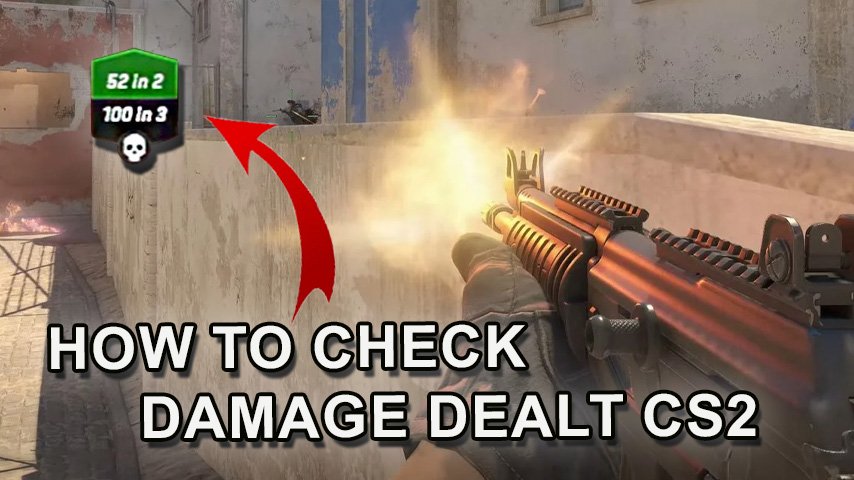
In the case you didn’t notice, it’s been a while since ‘you dealt zero damage’ has been said in the game, hold on a second if you are in the middle of an Online Competition, this may probably be critical for you. In order to make it easier for you in future sessions. All the information and more on how to see damage dealt in CS 2 will be provided in this article.
How to check damage in CS2 using the console
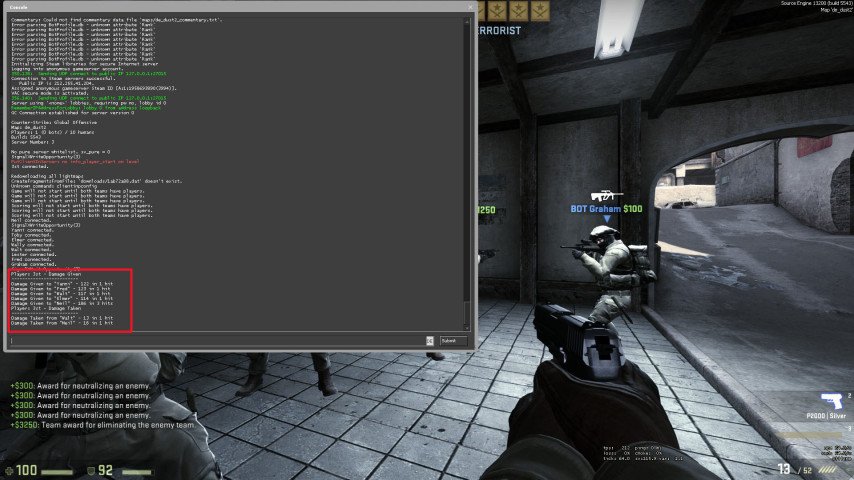
A direct and obvious way to know how much damage you did in the ESport title is through the use of the game console: To do so, Enter the game settings and enable the console. Use the specific key that you are assigned to open the console. This is typically ‘~’. Then Enter a command that allows you to display damage information after you die – this is usually developer 1 and then con_filter_enable 2, con_filter_text_out “Player:” and con_filter_text “damage”.
 Credit: Valve Corporation
How to check damage dealt in CS2 using plugins and mods
The CS 2 community has been developing plugins and mods that can greatly help you in easier tracking of damage done.
HUD Mods: Some mods alter the user’s interface by adding real time damage tracking through the Head Up Display (HUD).
Server Plugins: These are unique server plugins that can enable display of damage done to all players or specific admin users.
 Credit: Valve Corporation
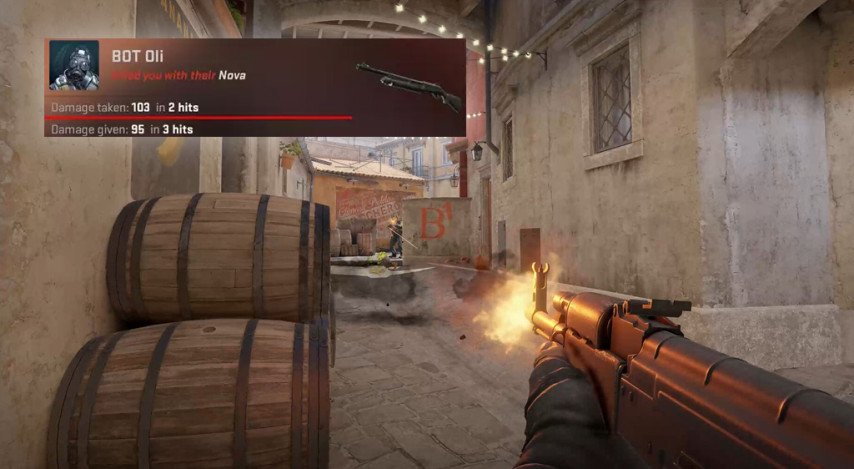
Examples of Plugins: Advanced Damage Indicator: This plugin allows damage dealt to be displayed to the user directly on screen. Damage Reports: This plugin allows detailed damage reports to be sent to the chat log after a customer dies.
These plugins can frequently be found on sites like AlliedModders which provides many plugins for different Source engine games.
How to check the damage in CS2 using post-match reports
 Credit: Reddit
CS 2 has included in its great features, a post-match report which constitutes various statistics at your disposal such as damage dealt. All these elements make it easy to understand how you are fairing in a game when looking for aspects to improve on. After the match, go to the ‘Statistics’ section. Find the ‘Damage Dealt’ one where the total amount of damage you were able to inflict over the course of the game is shown.
Assess how well your personal performance was and compare how well or poorly other players did on your team. And look in how your different styles of play impacted the game.
 Credit: Valve Corporation
These types of reports aid you in gauging how efficiently you were able to work out what needs to be done and which weapon and tactics were successful in a game. Regularly doing so can improve your gaming curve and how you approach the game itself.
Additional Tools for Damage Analysis
During a match, apart from in-game reports and plugins, improvements can be made in-game through various other means. There are many popular services out there such as Faceit and ESEA which actually provide additional features to players who are more of a professional or semi-professional level. Websites like these give you valuable information on each of the games played such as amount of damage dealt, number of headshots and many key points of interest.
Conclusion
It is very important for a player who wishes to reach high scores and improve in the game to do tracking damage dealt with in CS 2. This may be even done through the use of console commands, plugins, and while scrolling through match reports so as to assist the player understand better his strengths and weaknesses in the game. With time and statistical analysis, you will be able to improve your effectiveness and lethal capabilities as an active member of the team on the battle front.