How to Play Retakes on CS2: detailed guide
Author: Hawk Live LLC
Last updated:
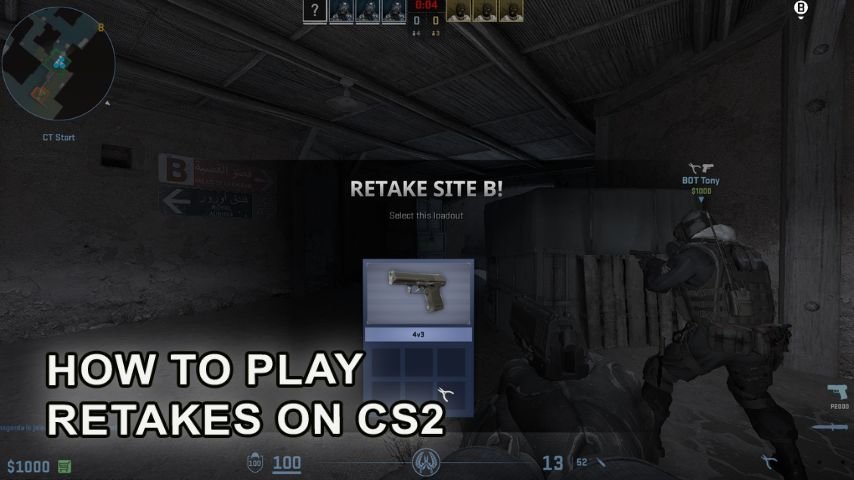
In the retake mode in Counter-Strike 2, one of the two important mechanics of the game is used the most which is either defending or capturing a bomb site. It gets the players ready for the important moments of any combat. Even though after the launch of cs2, Valve has removed the option to launch Retake directly from the menu, you can still play this mode. Detailed guide offers step-by-step instructions related to question how to play retakes on CS2.
How to launch Retakes in CS2
Follow these steps in order to activate the retake mode:
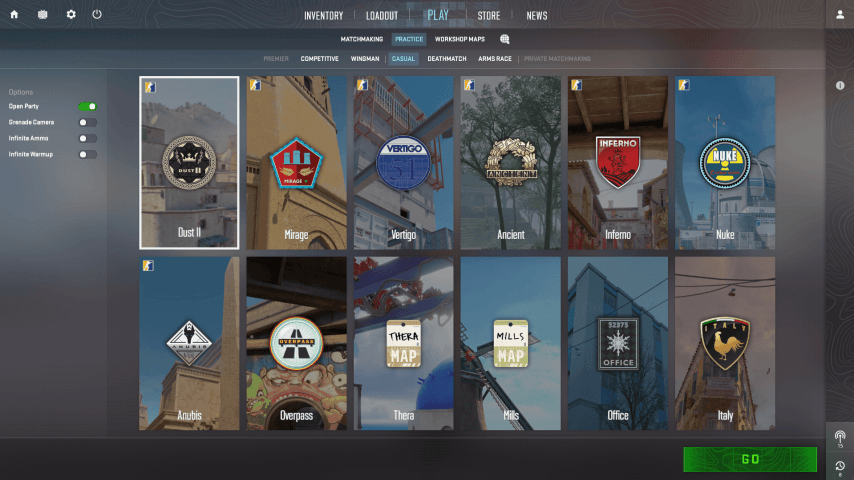
Activating Training mode: From the main screen click on the Practice then click on the casual option, this is important as this only works in this mode.
Select a Map: When prompted you can choose a map then press select a map to get the desired map, then click on “Go”.
 Credit: CS2
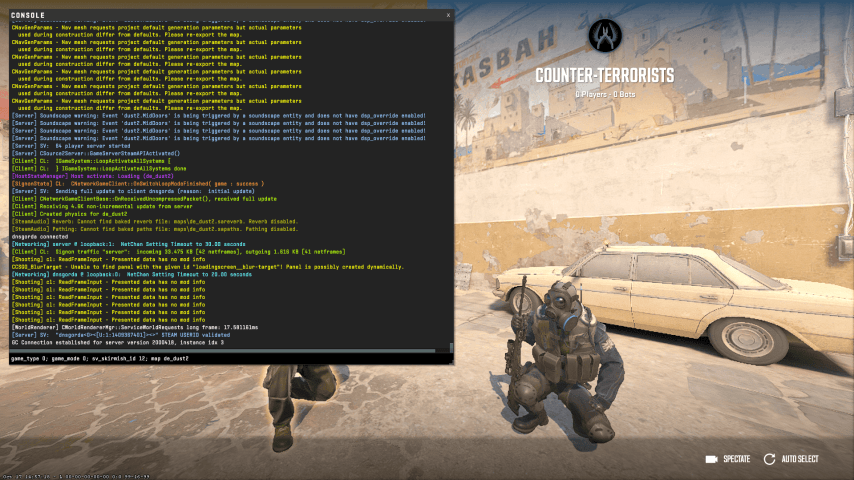
Finally open the console. After the map loads click on the console and type in this command:
game_type 0; game_mode 0; sv_skirmish_id 12; map <map_name>
Replace the map_name with the ID that corresponds to the map you selected from the list below.
 Credit: CS2
Wait for the game to load and then Go ahead and start playing. You can either play with bots or invite real people to your server.
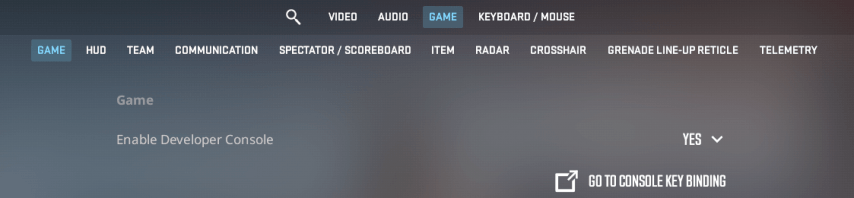
Important notice: In CS2 the developer console is disabled by default. You have to enable it in the game settings before using it.
 Credit: CS2
Retake Map IDs for CS2
Use the following IDs in the console to activate Retake mode in Counter-Strike 2:
Mirage – de_mirage
Overpass – de_overpass
Vertigo – de_vertigo
Ancient – de_ancient
Inferno – de_inferno
Nuke – de_nuke
Anubis – de_anubis
Dust 2 – de_dust2
Office – cs_office
Italy – cs_italy
Baggage – ar_baggage
Shoots – ar_shoots
Prefix meaning:
de – Bomb defusal map
cs – Hostage rescue map
ar – Arms race map
dz – Danger zone map
How to connect to a CS2 Retake servers
Retake mode operations cannot be performed by the player without first signing into the game and going to training. You can’t just set up your own lobby and bring friends along to the server either or jump into the match yourself. In case friends are going to play Retake mode on the same server with you, you will have to make a server and make sure every one of the participants has a good connection. Playing with friends in Retake mode is quite simple, just do the following.
Create a virtual local area network. When friends are invited to connect to the server which was created, all players must belong to the same network. For this purpose any service which allows the hosting of virtual area networks remotely will suffice. In this case, friends can connect to the server using an IP address as though there were a physical local area network.
Create a server with the relevant mode. Set up the server so that players can engage in Retake mode as illustrated in the instructions. You can now start dialing your friends right away as soon as you are done loading the game.
Let your friends know your IP address so they can sit down with you. To do this, simply enter the status command in the console.
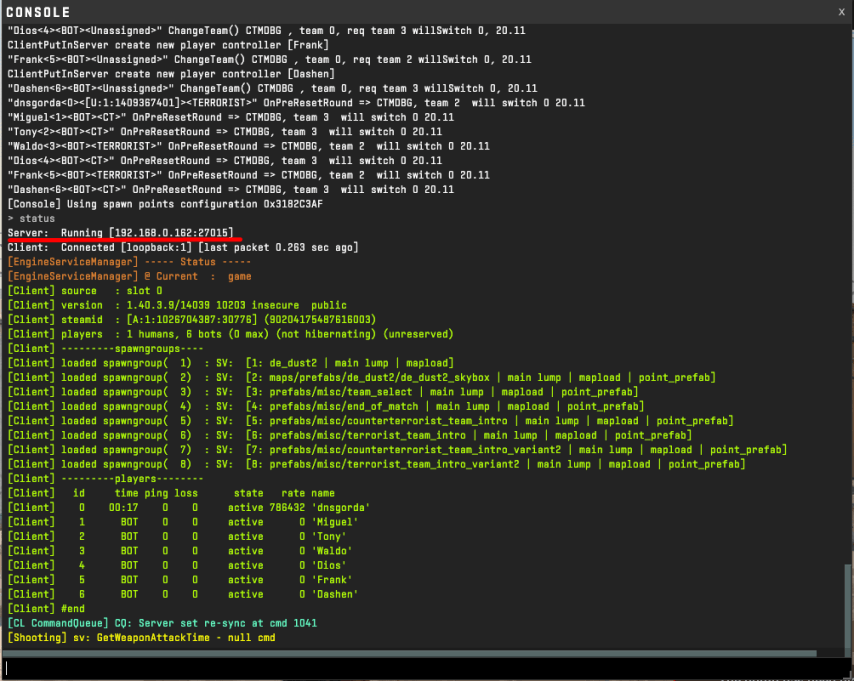 Credit: CS2
When the server is established, anybody who is aware of its address will be able to join it by typing the command connect <IP> in the console.
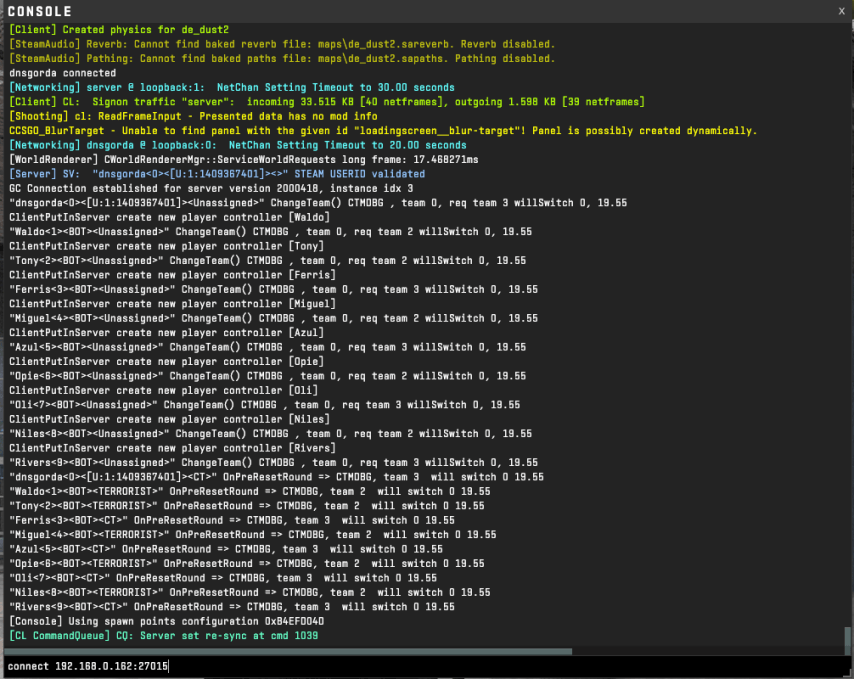 Credit: CS2
This way you can play with your friends even if you do not have a dedicated server.
If you are not interested in creating your own server, various external services offer a directory of many servers with different game modes such as Retake in Counter-Strike 2. Again, to connect <IP> to such a server use the console as above in the instructions.
Conclusion
With retake mode, players go straight to the interesting part of the game, and thus they work on their reactive and tactical skills. Other than hiccups that are common with most applications, this mode is still relevant training for gamers at all levels. If you feel like improving your skills don’t hesitate to play Retake mode online with friends or alone.


![Team Spirit’s manager spoke about negotiations with No[o]ne](https://hawk.live/storage/images/posts/korb3n-spoke-team-spirit-prospects-24052.jpg)