How to Play Dota 2 on Mac?
Author: Hawk Live LLC
Last updated:

Yes, it is possible for you to play Dota 2 on your Mac but there are certain ways of installation that can influence your gaming experience. This guide will take you through different methods of game installation and how each method affects your Dota 2 experience on a Mac.
System Requirements for Dota 2 on Mac
Considering the system requirements for Dota 2 before installing it via Steam ensures smooth installation and optimal performance. For instance, Macs produced since 2016 are good enough to play the game in more than lowest settings. The game should automatically detect and set the optimal parameters suitable for Mac.
Minimum Requirements
OS: macOS 10.9
Processor: Intel Dual core
Memory: 4 GB RAM
Graphics: nVidia 320M or higher, or Radeon HD 2400 or higher, or Intel HD 3000 or higher
Hard Drive: 15 GB
Metal-compatible GPU
How to Install Dota 2 on a Mac
There are three installation methods with their pros and cons that influence gameplay. Note that Dota 2 runs natively on Mac, including Intel and M1 macs.
Installing Dota 2 on Mac via Steam
Install Steam on Mac: Download Steam from the official website.
Create or log into your Steam account: If you don't have a Steam account, create one. If you're registered, simply log in.
 Credit: Valve Corporation
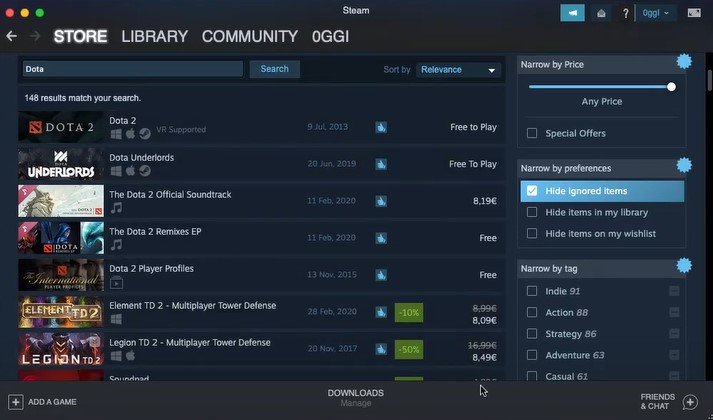
Access the Steam store: After logging in, you can browse and purchase games.
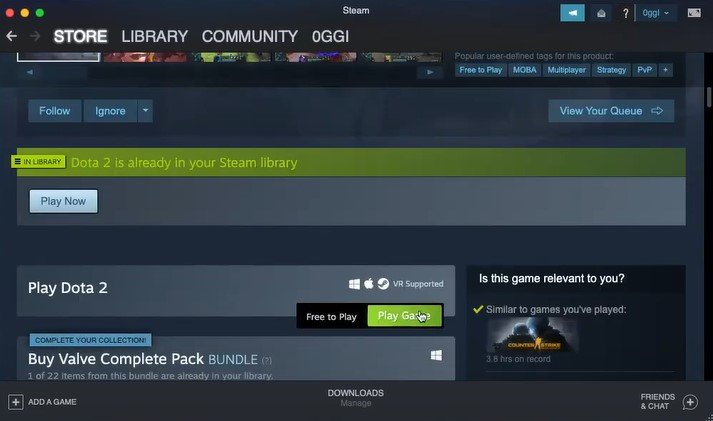
Download Dota 2: Find Dota 2 in the store, click on it for details, and add it to your library (the game is free, so this step is formal).
 Credit: Valve Corporation
Install and play: Find Dota 2 in your library, click "Install," and after the installation, click "Play."
Configure your game: Adjust graphics, controls, and other settings in Steam to optimize your gaming experience.
This native installation method is optimal if your Mac meets the game's requirements, ensuring smooth gameplay on both Intel and Apple Silicon-based Macs. The Steam installation method is reliable and straightforward.
Installing Dota 2 via Boosteroid Cloud Storage
Boosteroid offers stable connection at 1080p resolution with a minimum bandwidth requirement (15 Mbps) allowing you to enjoy a large variety of AAA titles that are available on this platform.
Pros:
Most affordable cloud gaming option compared to other services.
Compatible with all Mac devices.
Game installation and quality are independent of your computer's specs.
Cons:
Requires a good internet connection.
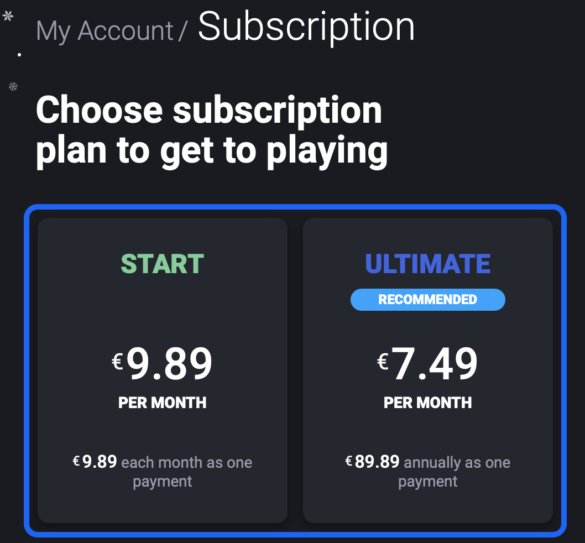
Paid service (minimum standard subscription costs around €10 per month).
How to Play Dota 2 with Boosteroid
 Credit: Boosteroid
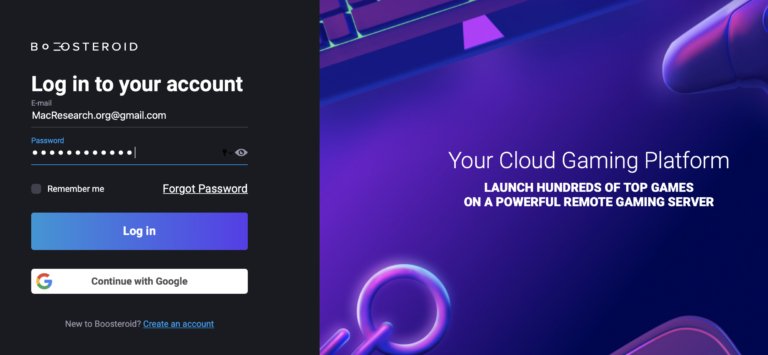
Visit the Boosteroid website: Create a new account or log in via Google.
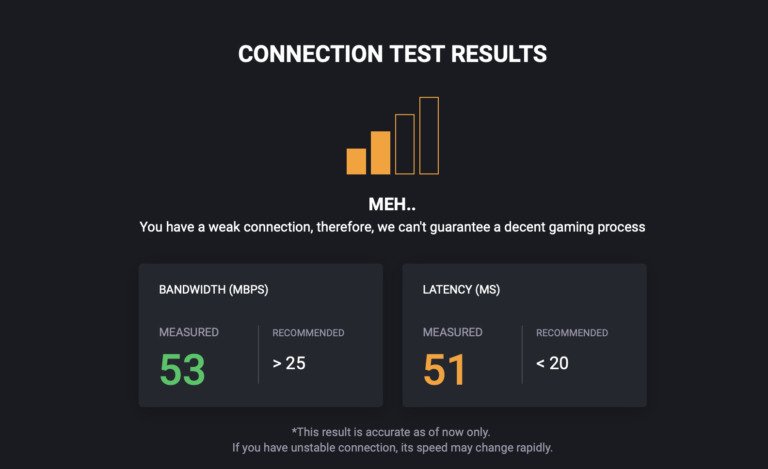
Check your internet connection: Use the "Network Test" button to ensure a good connection.
 Credit: Boosteroid
 Credit: Boosteroid
Activate your plan: Go to "My Account" and activate your chosen plan.
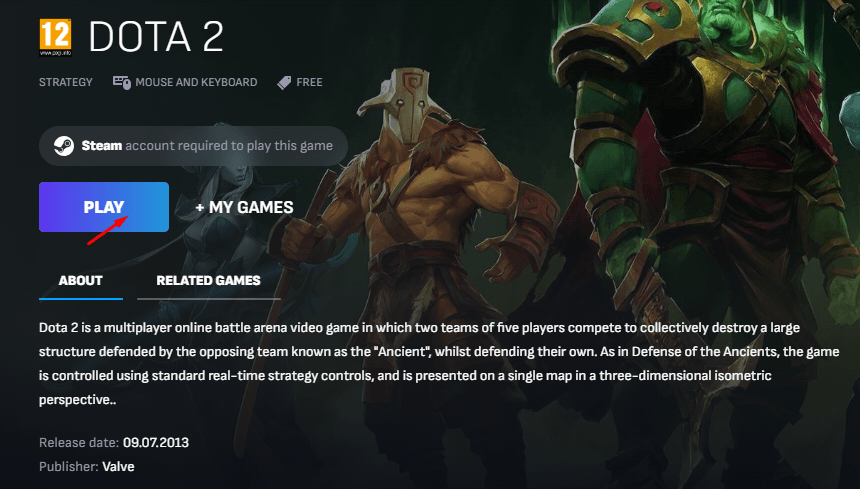
Find the game: Search for Dota 2 in the search bar. Ensure you have the game in your Steam library.
Subscribe and play: Click "Play," subscribe to the service, choose a subscription plan and payment method, and complete the subscription.
 Credit: Boosteroid
Launch the game: Enter your game store login details and follow any further prompts to start playing.
Credit: Boosteroid
Installing Dota 2 via GeForce Now
 Credit: GeForce Now
Pros:
No need for powerful hardware.
Good performance and quality graphics.
Large game library and cross-platform support.
Cons:
Requires a stable internet connection.
Potential lag in Dota 2.
Paid subscription required for higher performance and features.
Expect queues with the free subscription.
How to Play Dota 2 with GeForce Now
Register in Steam: Ensure you have a Steam account.
Visit the GeForce Now website: Click "Join Now" and choose your subscription.
 Credit: GeForce Now
Create an account: Complete the payment details if opting for a paid subscription.
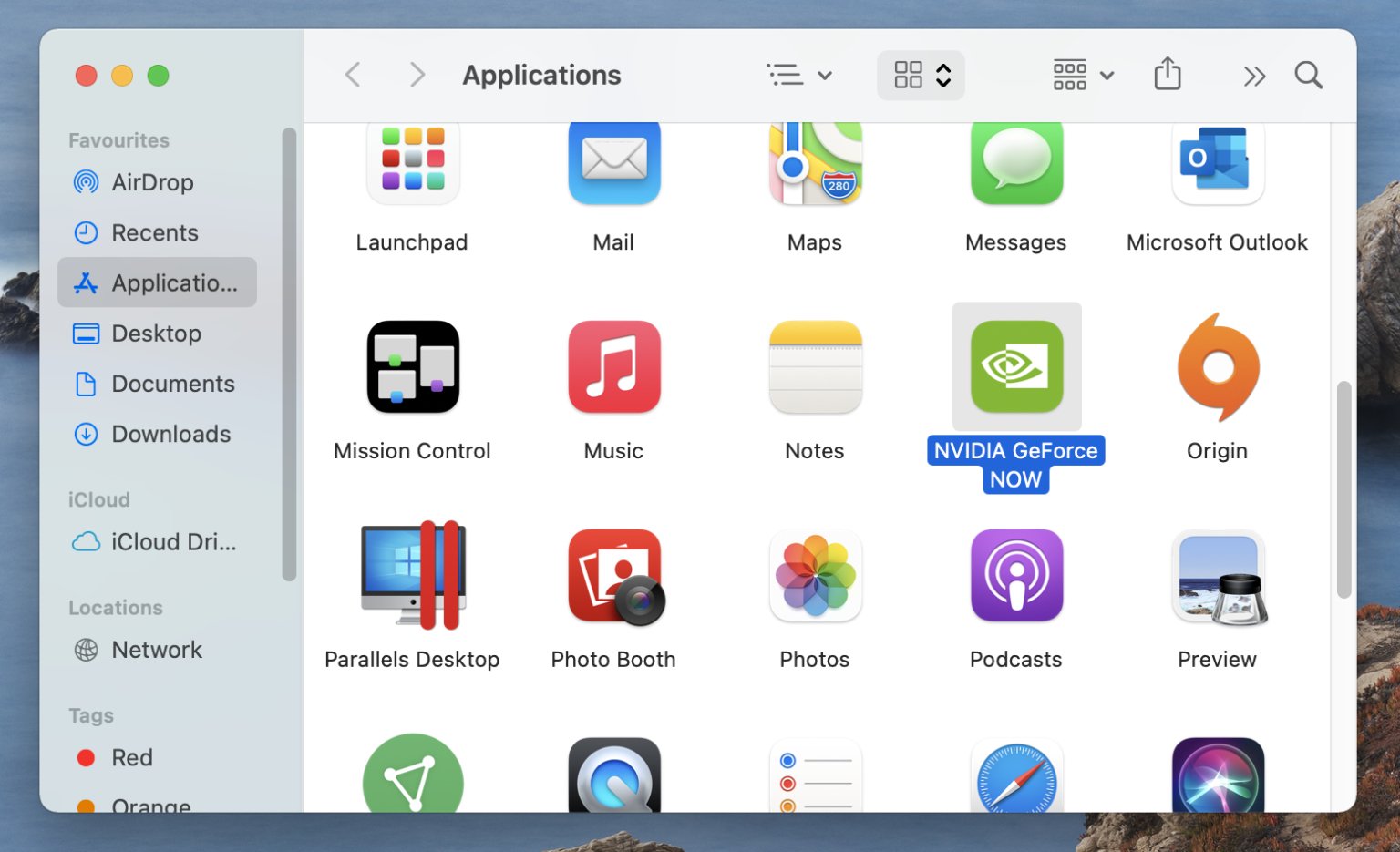
Download GeForce Now: Install the macOS app from the website.
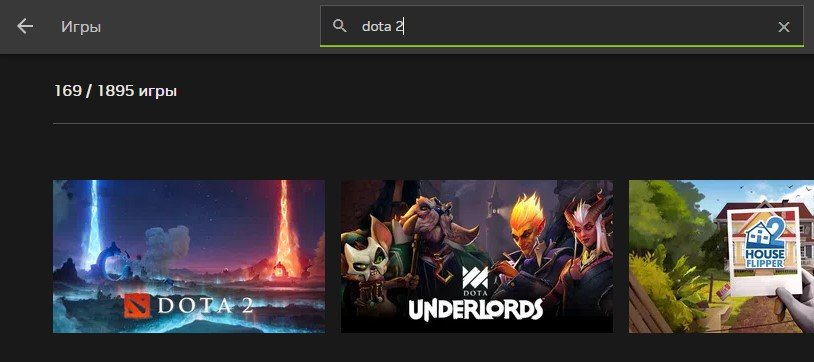
Log in and find the game: Search for Dota 2 in the GeForce Now app.
Play the game: Click "Play" and connect GeForce Now to your Steam account. The game will launch in GeForce Now.
Conclusion
It is quite easy and efficient to install and play Dota 2 using Steam. It does not depend much on speed of connection, providing stable internet connection.
For Boosteroid, which has a monthly cost of almost €10, it gives access to games quickly enough and works well with not very powerful computers or laptops.
Overall, Nvidia GeForce now requires a good internet connection as well as paid subscriptions that cost nearly €10 per month for better results.
Dota 2 runs natively on macOS, allowing players to enjoy the game without additional software. However, if you're looking to play another popular competitive title like Valorant, you'll need to install Windows on your Mac via Boot Camp. Our step-by-step guide will walk you through the process of setting up Windows so you can access and play Valorant seamlessly.