How to check and improve your ping in Dota 2
Author: Hawk Live LLC
Last updated:

Online gaming, especially rapid titles like Dota 2, is dependent on the performance of your internet connection. The word “ping” is often used in gaming conversations but not everyone knows how to check it or what effect it has on their game play.
What Does Ping Mean?
Ping measures latency, or the time that data takes to travel from your computer to the game server and back. It is usually measured in milliseconds (ms). Lower pings mean more responsive connections needed for timely responses in Dota 2. High pings can cause delays or lag that will greatly affect your ability to play well.
What is the average Ping in Dota 2?
The average ping varies depending on the region and internet connection used.
The typical normal ping is around 80-110ms, because the server/region is close to the country, 30 is also average in some states.
Excellent ping ranges from 0ms – 50ms.
A decent ping is from 51ms – 100ms.
If the ping is over 100, delay and lag will occur.
How to Check Ping in Dota 2
However before getting into the ways of how you can check ping in Dota 2 it’s important to understand why this parameter affects players so much. Sometimes response time matters as every second counts. Therefore, knowing your individual ping can give you an idea of how well you’re likely to perform during a given gaming session and take necessary steps if needed. Other than in-game checking mode there are other ways by which we can examine our connections towards server performances.
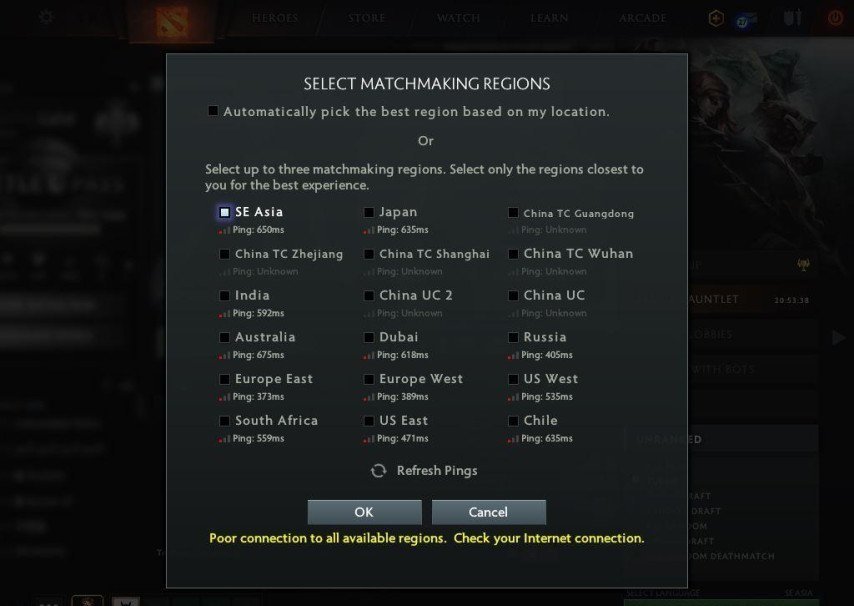
Check Ping In-Game
Start Dota 2 and open the settings from the main menu.
Go to the "Options" tab and scroll down to the "Network" section.
Enable the "Display Network Information" option. Your ping and other network-related stats like packet loss and FPS will now be displayed in the top left corner during gameplay.
This straightforward method gives you real-time feedback on your connection's performance as you play.
 Credit: Valve Corporation
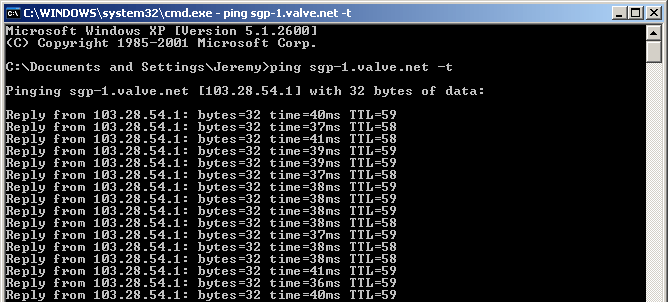
How to check ping in cmd Dota 2
For Windows 10 Users: Type "cmd" in the search bar and open Command Prompt. Enter "ping" followed by a space and the IP address of the Dota 2 server you're connecting to.
For Mac Users: Navigate to Applications/Utilities and open Terminal. Type "ping", add a space, then type the server's IP address, and hit Enter.
 Credit: Microsoft
These external methods allow you to test your connection's latency to Dota 2 servers without launching the game, providing a quick way to assess your internet's performance.
How to check ping in Dota 2 without playing
You can use the method above via CMD or Terminal to check your ping without needing to be in a game. This is particularly useful for troubleshooting connection issues or deciding the best play time.
Improving Your Dota 2 Ping
Reducing your ping can enhance your gaming experience. Here are practical steps to achieve lower latency:
Use a Wired Connection: Switch from Wi-Fi to a direct Ethernet connection for a more stable and faster internet connection.
Close Background Applications: Ensure that unnecessary programs, especially those using the internet, are closed before starting Dota 2.
Limit Network Traffic: Avoid heavy internet activities like downloading or streaming on your network while playing.
Choose the Optimal Server: Manually select the game server that offers the lowest ping for your geographical location.
Optimize Router Settings: Adjust your router's settings, such as Quality of Service (QoS), to prioritize Dota 2 traffic.
Conclusion
Understanding and managing ping in Dota 2 is key to better gaming experience. By checking and reducing ping as recommended in the above steps, you can guarantee yourself playing under optimum conditions. Remember that, in Dota 2’s fast paced environment, every millisecond is crucial.