How to Disable Help in Dota 2
Author: Hawk Live LLC
Last updated:
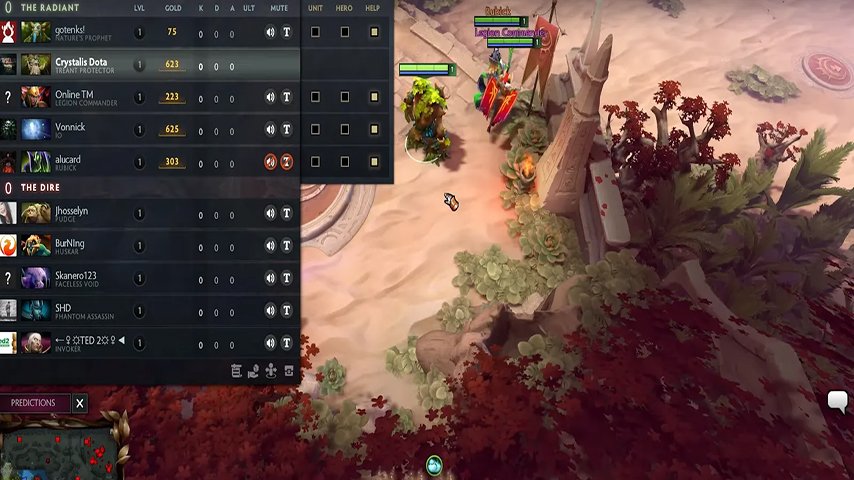
Valve Corporation developed and published Dota 2, a multiplayer online battle arena (MOBA) game known for its competitiveness and the need for team coordination and strategies. The ‘Disable Help’ feature can be found in the ‘Shared Unit Control Options’ menu. The complexity of this game is attributed to one of its aspects which allows players to use character abilities on hostile targets as well as on friendly ones simultaneously. This element can encourage quality teamwork as well as astonishing tactics but also trolls and griefers may misuse it.
The 'Shared Unit Control Options' Menu
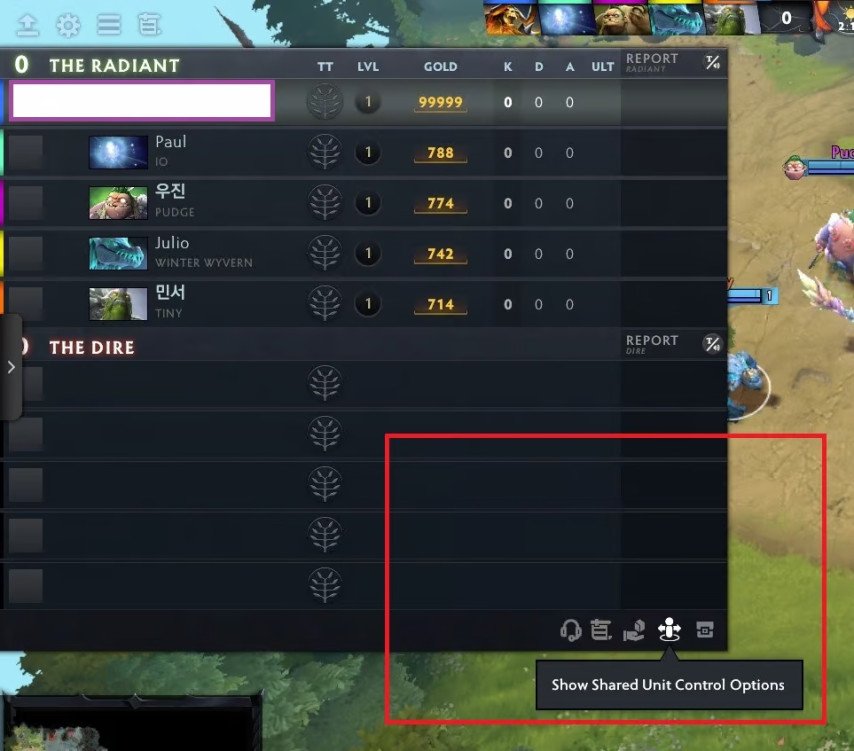
The “disable help” option is situated in the “Shared Unit Control Options” menu. Here are some choices provided by this menu that are adaptable to a player’s style or need for tactics. Besides “Disable Help,” there are two other significant options: “Unit” and “Hero.”
Unit control Unit control Another person can control your units (any unit under your command that isn't your hero) when you select the "unit" option. By doing so, highly skilled players would have an opportunity to guide newbies through training matches. However, if transferred to wrong parties, it turns out that the game becomes nothing else than frustrating experience rather than shared fun.
Hero control Hero control Another player may take over controlling your hero character using this mode which might be dangerous in certain situations. Careful consideration must be given before granting such authority since it could lead to unintended consequences if done incorrectly. Nevertheless, at times like high-level competitive matches, it could help quite a bit. Your team will always have an advantage if you can perform combos faster than individual response time allows yet don't forget that someone can easily abuse that right thus gaining trust should precede giving of it.
How to Disable Help in Dota 2

To disable help from allies in Dota 2, you need to take the following steps:
Open up the in-game main menu by clicking on the gear icon located in the top left of the screen.
Navigate to the 'Options' tab.
Within the options tab, find the 'Shared Unit Control' box.
Inside this box, you will find the 'Disable Help' option. By checking this box next to a player's name, you can stop that player from being able to use their abilities on your character.
This option to disable help is crucial to preventing abuse of the game's mechanics. However, it's important to remember that each player in the game has their own help option. If you wish not to receive any assistance from other players, you need to manually turn this off. Although it's generally recommended to keep these options enabled unless a player is griefing or trolling you.
Exceptions to the Disable Help Feature
Nevertheless, it should be noted that some abilities remain unaffected even if disable help has been activated. For instance, some spells are still active even when a player disallows it. Most likely because an ability would be too powerful if it could only affect enemies and would require unreasonable commitment making its abuse unlikely will limit its use on allies.
For instance, this ability called ‘Toss’ that Tiny has would be so overpowered if it couldn’t be done on your allies. If three players in a team disabled help from Tiny, this would mean that when facing the opponents only one player could be thrown by Tiny, thus increasing how strong the skill was. Consequently, its inability to disregard help disable option is aimed at not to overtly buffing it.
Furthermore, because of regular updating of the game mechanics, different heroes may interact differently with “Disable Help” option. Abilities which would make them too strong in case they are not included for disabling will probably remain unaffected although more adjustments may be made later.
Is it worth disabling ally help in Dota 2?
Additionally, this feature allows players deny help from allies so as to avoid unwanted interactions. The choice whether or not to switch-on such an alternative depends on personal preferences and style of gaming. While some prefer using assistance to improve team coordination others have a preference for greater control over their characters and items.
Disabling ally assistance can however benefit players seeking total control of their gameplay and avoiding interference from their teammates. On the other hand, turning off this option can cause problems with communication and teamwork without which success in Dota 2 cannot be achieved. Thus, enabling or disabling friend assistance depends on player’s taste and tactical approach.
Conclusion
Although Dota 2’s “Disable Help” mechanic and other shared controls options might work against you sometimes when applied appropriately they can greatly enhance your playing experience. These options allow you to control your game whether you are playing casually with friends or competitively at high stakes levels.Therefore use them wisely in order to get maximum enjoyment from this amazing game; it solely rests with you to make a decision like that one