How to put a bind on map cleanup in CS 2
Author: Hawk Live LLC
Last updated:
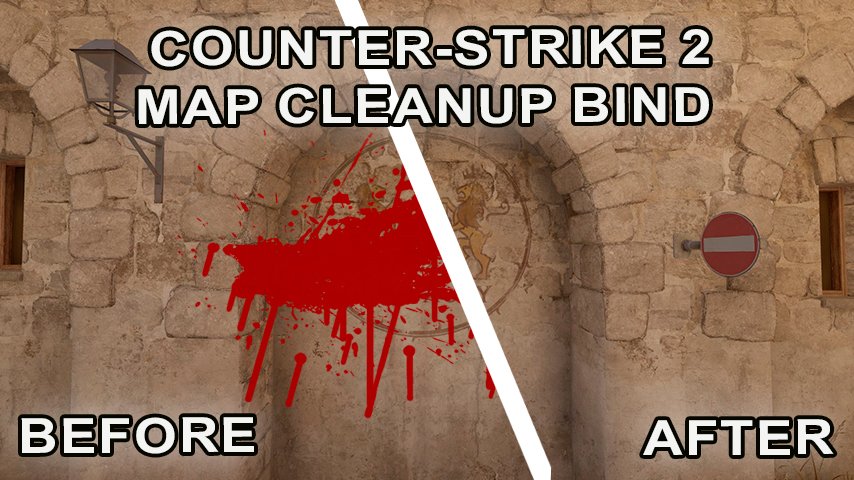
With the release of Counter-Strike 2 (CS 2), players faced the same challenges as in previous versions of the game, including Counter-Strike: Global Offensive (CS:GO). However, thanks to the updated engine and improved graphical capabilities, visual comfort and performance issues have become even more pressing.
What is a bind and why it is needed in CS2 ?
Bind in CS:GO is a command that binds a certain action to a key on the keyboard or mouse button. This allows players to quickly execute frequently used commands without having to type them into the console each time. The map clearing bind allows you to instantly "clear" a game area of various objects, which can be especially useful in practice sessions or when creating content.
How do I set up the CS2 map cleanup bind?
First of all, make sure you have the developer console enabled. You can enable the console in CS 2 using the settings. In our other article we explained in detail how to enable and how to open the developer console.
How to make a bind to clear a map using hotkeys
1. bind to clear blood by pressing Shift
The command to clear the map of blood and bullet traces when using the Shift key in CS 2 remains unchanged:
bind "shift" "+speed; r_cleardecals"
This allows players to move slowly and clear the map of visual effects at the same time.
2. bind to erase blood and bullet marks when walking.
To automatically clear the map when moving, the commands also remain the same:
bind "w" "+forward;r_cleardecals";
bind "a" "+moveleft;r_cleardecals";
bind "s" "+back;r_cleardecals";
bind "d" "+moveright;r_cleardecals";
3. bind to clean bullet marks clearing
If you want to bind map cleanup to another key, such as "ctrl", use:
bind "ctrl" "r_cleardecals".
4. automatic cleaning when shooting
For those who prefer maximum automation, the left mouse button bind for CS 2 is still relevant:
//bind "MOUSE1" "+attack;r_cleardecals"
Adding binds to the CS 2 configuration file
In CS 2, as in CS:GO, to save binds between game sessions, it is recommended to add them to the autoexec.cfg file, which is located in the cfg folder. If the file does not exist, you can create it manually. Don't forget to add the host_writeconfig command to the end of the file to ensure that the settings are applied every time the game is started.
Conclusion
The methods of cleaning the map from blood and bullet traces used in CS:GO are still relevant for CS 2 due to the similar game engine and console commands. These tweaks allow players to not only improve visual comfort, but also potentially improve performance on weaker systems, making gameplay more enjoyable and efficient.