Stewie2k CS2 settings: Sensitivity, aiming code and graphics settings
Author: Hawk Live LLC
Last updated:
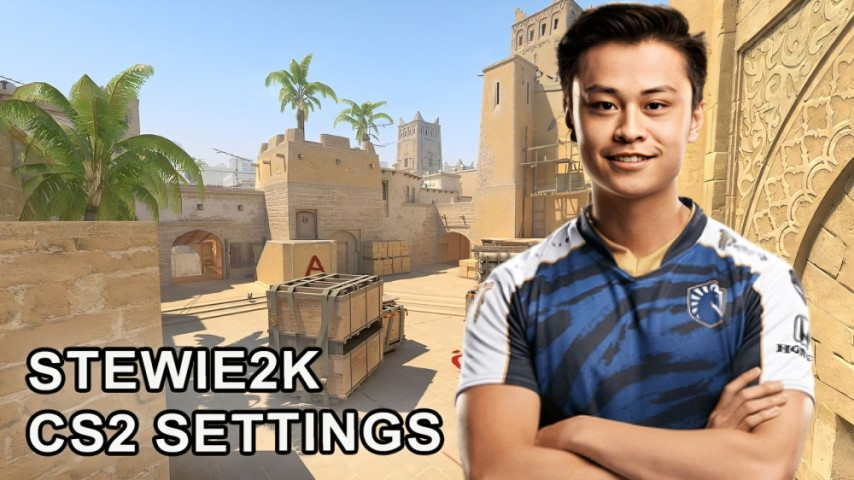
Tuning settings in any game can be a game changer, and in this article, we will talk about ranges in CS2 set by the player Jake “Stewie2k” Yip. Have a look at how he sets his settings and how when comfortable playing CS2 games to the max as well as what specs you will need in your gaming rig.
Who is Stewie2k?
As stated above, Stewie2k won the Major in 2018 when he was a part of Cloud9. Because of his aggressive style and winning mentality, he stunned the state of America and the state of CS:GO by being successful and winning more substantial tournaments. Even though that now, he is not part of any specific team, a lot of players still consider him an idol.
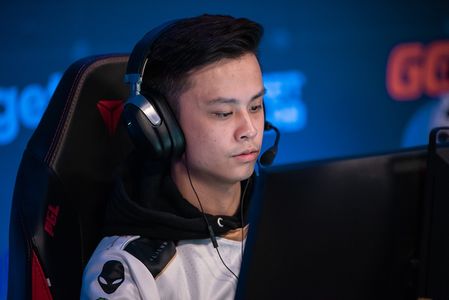
Credit: Liquipedia
What settings does Stewie2k use?
Stewie2k customizing his mouse and video settings makes him the player he is with his weapon model and sway. Let’s cover all the these types in more detail.
Stewie2k sensivity and mouse settings
Parameter | Value |
|---|---|
Mouse | VAXEE XE-S Wireless Yellow |
DPI | 400 |
Sensitivity | 2.1 |
eDPI | 840 |
Zoom Sensitivity | 1.15 |
Polling Rate (Hz) | 4000 |
Windows Sensitivity | 6 |
Low DPI helps you achieve good motion control. And optimal sensitivity settings ensure high shooting accuracy. Also, the player settings provide high responsiveness, which is especially important in intense gaming situations.
Crosshair
Parameter | Value |
|---|---|
Style | Classic Static |
Follow Recoil | No |
Dot | No |
Length | 2.5 |
Thickness | 1 |
Gap | -2 |
Outline | Yes |
Outline Thickness | 1 |
Color | Custom |
Red | 255 |
Green | 255 |
Blue | 255 |
Alpha | Yes |
Alpha Value | 255 |
T Style | No |
Deployed Weapon Gap | No |
Sniper Width | 0 |
Crosshair Code: CSGO-Tq4Pn-y8koA-2Xy3w-fKmr3-HpCxH

Credit: CS2
Classic style sight is always in the same position for a high level of accuracy.
Viewmodel
Parameter | Value |
|---|---|
Field of View (FOV) | 68 |
Offset X | 2 |
Offset Y | 1 |
Offset Z | -1.5 |
Presetpos | 0 |
Console commands:
viewmodel_fov 68; viewmodel_offset_x 2; viewmodel_offset_y 1; viewmodel_offset_z -1.5; viewmodel_presetpos 0;
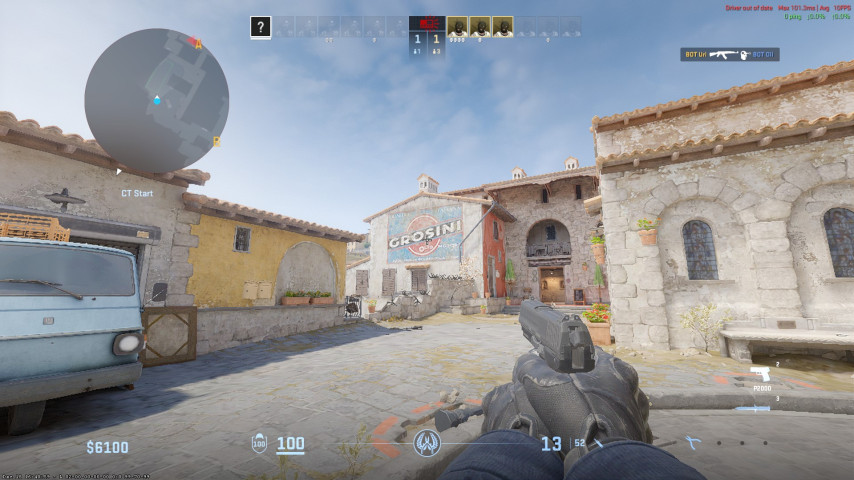 Credit: CS2
Stewie2k settings are characterized by a wide viewing angle. Custom offset settings allow you to see more space up close.
Launch parameters
Decreasing load times by disabling texture preloading (-nopreload) and the -forcenovsync command improves stability as well as game performance. Enabling this reduces lag caused by vertical synchronization thus ensuring a more responsive experience with the game controls.
Commands:
-allow_third_party_software -nopreload -forcenovsync -insecure
Video
Stewie2k settings help you achieve high performance while maintaining acceptable image quality and visibility.
Main settings
Parameter | Value |
|---|---|
Resolution | 1024x768 |
Aspect Ratio | 4:3 |
Scaling Mode | Black Bars |
Brightness | 103% |
Display Mode | Fullscreen |
Advanced Settings
Parameter | Value |
|---|---|
Player Contrast | Disabled |
V-Sync | Disabled |
NVIDIA Reflex Low Latency | Enabled |
NVIDIA G-Sync | Disabled |
Max FPS in Game | 0 |
Multisampling Anti-Aliasing | 8x MSAA |
Global Shadow Quality | High |
Dynamic Shadows | All |
Model/Texture Detail | High |
Texture Filtering Mode | Anisotropic 16x |
Shader Detail | High |
Particle Detail | Low |
Ambient Occlusion | Medium |
HDR | Quality |
FidelityFX Super Resolution | Disabled |
Settings like this strike a balance between image quality and performance. The 1024x768 resolution with 4:3 aspect ratio allows you to focus on the target and increases the size of enemy models on the screen.
Which PC will pull the Stewie2k settings in CS2?
Stewie2k customizations in CS2 require a fairly high performance processor and graphics card.
Component | Minimum Requirements | Recommended Requirements |
|---|---|---|
Processor | Intel i5-10400 | Intel i7-12700 or higher |
Graphics Card | NVIDIA GTX 1660 | NVIDIA RTX 3060 or higher |
RAM | 8 GB | 16 GB |
Storage | SSD 256 GB | SSD 512 GB |
OS | Windows 10 | Windows 11 |
The system with the minimum configuration will be able to provide stable ~120 FPS, which is enough for a comfortable game. The recommended system can achieve over ~200 FPS, which provides the smoothest possible gameplay and competitive advantage.
Conclusion
The Stewie2k settings are well suited for an aggressive and precise style of play. If you set yourself these parameters, as well as ensure the required system performance, you can repeat the experience of the legendary cyber athlete, taking a part of his professional approach.
Stewie2k’s settings in CS2 are tailored for aggressive and precise gameplay, making them a popular choice among aspiring players. His mouse sensitivity, crosshair, and video settings are designed to enhance accuracy and reaction speed. If you’re interested in how other top-tier professionals like DONK, s1mple, and ZywOo configure their settings for peak performance, check out our in-depth guide on pro player configurations.