How to zoom out in Dota 2
Author: Hawk Live LLC
Last updated:
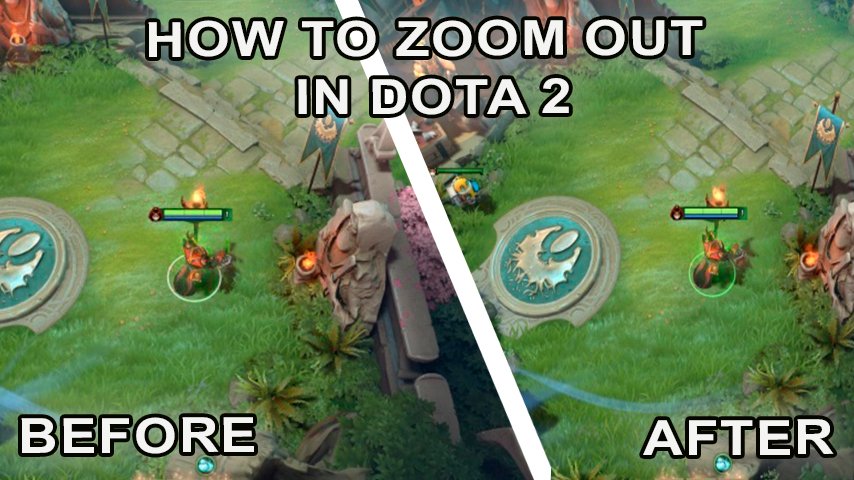
In the game of Dota 2, every move counts. For maximum comfort and efficiency of the game, it is important to customize the interface and camera view to your own preferences. The main advantage of the remote camera is a better view of the map, which gives the player a better control over what is happening on the location.
Why zoom out the camera in Dota 2
One of the main advantages of a remote camera in Dota 2 is an improved view of the map. Thanks to this, players can see more of the map, which gives them an advantage in controlling what is happening in the location. A wider view allows you to react faster to events on the map and make more informed decisions in game situations. In addition, a distant camera reduces the number of clicks during attacks and chases, which makes gameplay more comfortable and efficient.
How to zoom out the camera in Dota 2
 Credit: Vprognoze.ua
Find the folder with the Dota 2 game in the Steam client.
Navigate to the folder with the Dota 2 game.
Open the bin folder.
Locate and open the "client.dll" file.
Make a backup copy of the "client.dll" file before making any changes.
Use a text editor to open the "client.dll" file.
Use the search function (usually Ctrl+F) and find the value "dota_camera_distance".
Change the value to the desired value.
Save the "client.dll" file.
How to zoom out the camera in Dota 2 through the console
You can also change the camera settings in Dota 2 through the console. However, keep in mind that this method may not be effective in some game modes and may be considered a violation of the game rules. To do so, follow the steps below:
Open the command console in the game by pressing the "~" key.
Type the command "dota_camera_distance [value]" and specify the desired value for camera distance.
Press "Enter" to apply the changes.
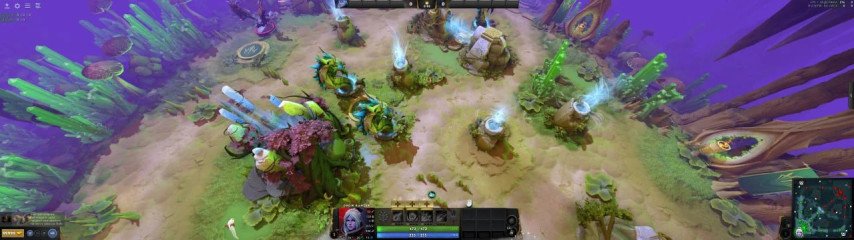 Credit: Reddit/pidaroqqww
Best value for camera zoom
The maximum distance value can be 1700. In most cases, players choose values between 1400-1600. The maximum value is not recommended, as you will be too distracted by the various textures of the game landscape and can miss some game details. The most common value for the game is 1550.
Valve's rules about camera commands
Is it considered a cheat in terms of the game when entering a command in the console? Rather yes than no. After all, to change the camera settings you need to enter the command "sv_cheats 1", and it triggers cheats. At the same time, if this is the only cheat code that the gamer uses in Dota 2, the administrator is likely to turn a blind eye to this "violation".
However, it is important to remember that changing camera settings through the console can be considered a violation of the game rules and can lead to account lockout. Therefore, it is recommended to use the official methods of camera settings to avoid possible negative consequences.