How to Practice Smoke in CS2 and Become a Pro
Author: Hawk Live LLC
Last updated:
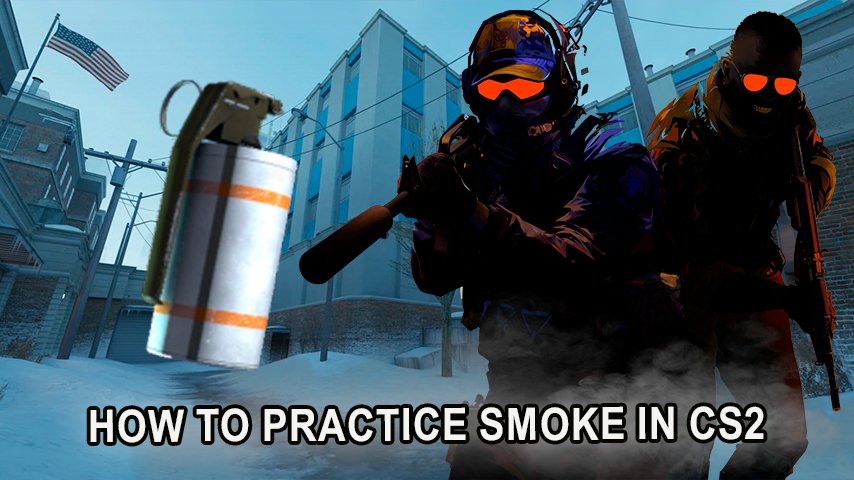
In Counter-Strike 2 smoke grenades are an important tactical tool that can affect the outcome of the game. Knowing the composition and behavior of smoke grenades in CS2 will set you apart from your opponents on the server, as it will allow you to run standard situations and implement all sorts of strategies.
How to run a private server for practice in CS 2 without a console
In order to practice the technique of throwing grenades, the easiest way is to create a special server. If you have no desire to mess with the console, there are several options that can be configured in advance. To do this, you need to:
Launch CS2.
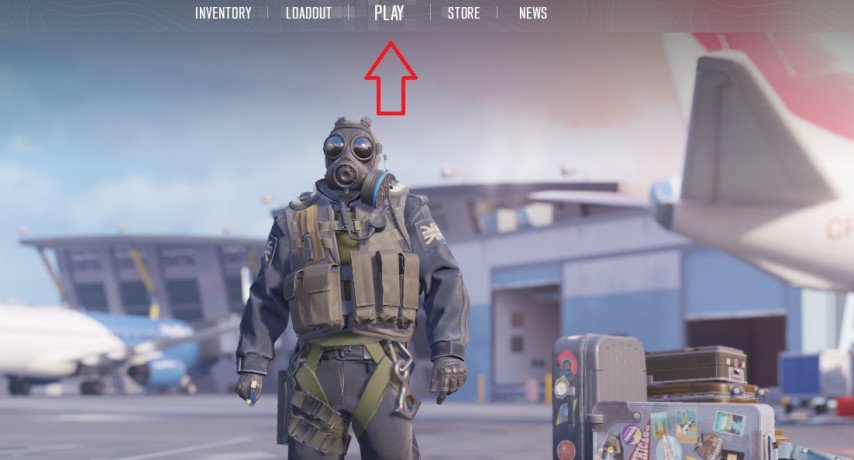
Press "Play" and then "Practice".
 Credit: Valve Corporation
Select "Casual."
Enable options: "Infinite Ammo", "Infinite Warmup" and "Grenade Camera".
 Credit: Valve Corporation
Using the console to work off smoke in CS 2
The above method does not include most of the actions that can be performed using console commands.
Best Console Commands for Practicing Smokes in CS 2
Console commands assist in streamlining the training process and enable a more efficient and effective training session. In this regard, here are the most applicable console commands for CS2:
sv_cheats 1 - Allows the inclusion of extra commands using cheats.
bot_kick — Removes all bots from the game.
mp_warmup_end — Terminates the warm up time.
mp_freezetime 0 — Removes the period of freeze at the outset of the round.
mp_roundtime 60 — Setting round time to 60 minutes.
mp_maxmoney 60000 — Grants Equipment worth set amount for $60,000.
sv_infinite_ammo 1 — Instant ammo and grenades.
sv_grenade_trajectory_prac_pipreview 1 — This allows you to see the path your grenade will take.
ammo_grenade_limit_total 5 — The limit to the grenade has been increased to five.
mp_restartgame 1 - The current game session is started afresh.
These training commands enable the practitioner to have full control over the practice and also to change rapidly to different types of grenades. For Smokes Practicing on Maps in CS 2
Best Maps for Practicing Smokes in CS 2
Training on maps created by the custom community allows you to practice your grenade throwing with the inclusion of a scenario structure. Below are the finest maps to use when practicing how to create a smoke shield:
Yprac Anubis Guide — Designed for specific smoke positions that are rather hard to put in when on Anubis for both the narrow pathways and an open area.
Yprac Ancient Guide — Smoke controlling mid and site B on Ancient.
Yprac Vertigo Guide — The best way to practice smokes on the multipurpose Vertigo specifically to whittle down the angles from which teammates can approach the bombsites.
Yprac Inferno Guide — Understand how to throw smokes at important choke points, such as banana or middle on Inferno.
Yprac Overpass Guide —Overpass’s extensive lines of sight and routes to bomb sites means that practicing smoke grenades is ideal on it.
Yprac Nuke Guide — Learn on Nuke’s many layered maps where to throw smokes for outdoor and site B areas.
Yprac Cache Guide — Focus on building your mid control as well as bomb sites smokes in Cache.
Yprac Mirage Guide — Mid control on Mirage is critical, so you need to perfect your smokes for mid and connector, and at the window as well.
Yprac Dust 2 Guide —Smokes throwing on long, short and middle sections on Dust 2, the iconic map.
Useful Tips and Tricks for Practicing Smokes in CS 2
Record Demos for Analysis To consolidate skills in grenade throwing it is prudent to practice with retakes recording what you do with the command record [filename]. Later on you can review your throws with playdemo [filename] for targeting purposes.
Combining Smokes with Flashes and Molotovs For maximum effectiveness use smoke grenades in conjunction with flashbangs and molotovs. For instance, after using a smoke to cover the enemy, you can throw a flashbang to disorient them and move forward without any fear.
Set Up Binds for Quick Grenade Throws Create binds that allow you to change to grenades fast. The command bind "key" "use weapon_smokegrenade" allows you to equip a smoke without spending time doing it when during an action packed game.
Using Commands to Change Viewing Angles For more accuracy when throwing grenades, you can use the command cl_righthand 0/1 to help change the angle from which you view. It is helpful when you are throwing from hard spots.
Practice on New Maps Regular smoke throws are needed for new maps to be mastered. Even the well known ones like Tuscan or Anubis can be different and lead to changes in gameplay. Therefore you need to train well to handle anything out of the blue.
Conclusion
In CS 2, smoke grenades can be considered as one of the grenades that are most important within the limits of the game, and so learning to use them can be decisive in the victory over matches. Practice smoke-throwing regularly on console commands and custom maps, it will eventually make you a pro thrower. Use smoke grenades in tandem with flashbangs and molotovs, and the results will be explosive.