How to make infinite ammo in CS 2
Author: Hawk Live LLC
Last updated:
Counter-Strike 2 continues to be one of the most popular games in the world of esports, attracting millions of players due to its intense gameplay and strategic depth. One of the key aspects of skill is knowing how to effectively manage your resources, including ammunition.
Introduction to console commands
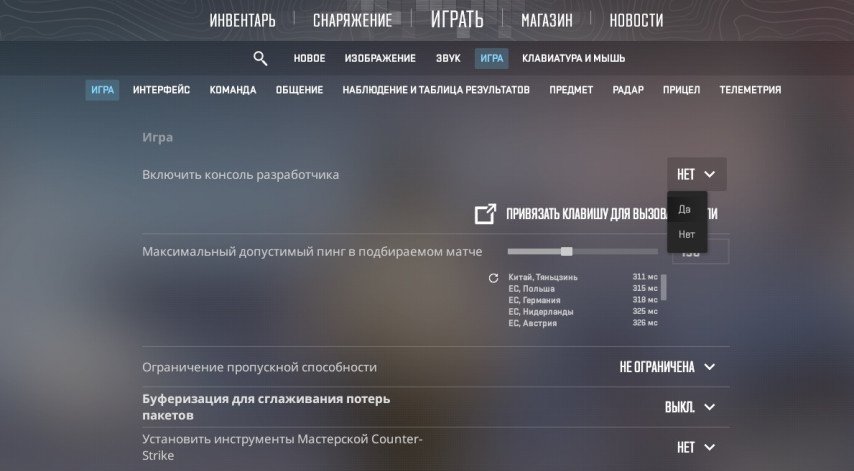
To take advantage of infinite ammo in Counter-Strike 2, you'll need to familiarize yourself with using the game's console. The console is a powerful tool that allows players to customize the game to their needs using special commands.
 Credit: Valve Corporation
Commands for infinite ammo
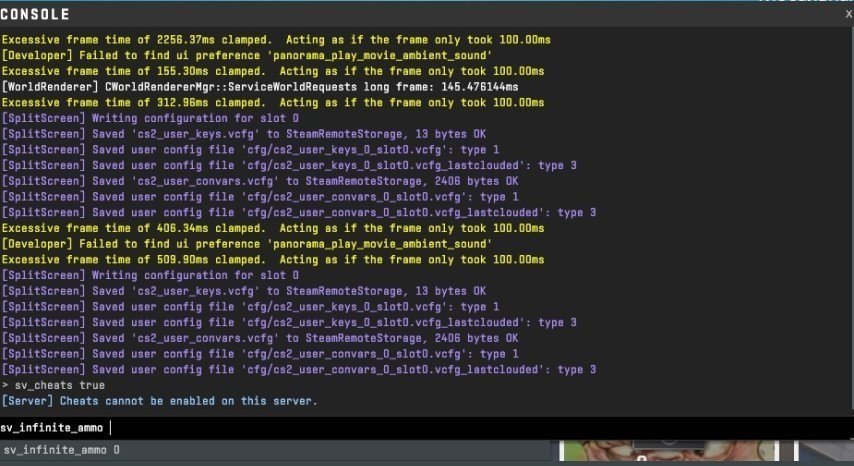
To activate infinite ammo, you need to enter the following commands into the console:
sv_cheats 1
This command activates the cheats mode, which is necessary for most commands that modify gameplay to work.
sv_infinite_ammo 1
This command enables infinite ammo without the need to reload.
 Credit: Valve Corporation
Please note that using these commands is only possible on servers where you are an administrator or in single player. Using cheats in online matches may result in account lockout.
Infinite ammo on private server
Open the console
Enter the command sv_infinite_ammo 1 (infinite ammo without reloading).
Or: Type the command sv_infinite_ammo 2 (infinite ammo with reload).
Press Enter
Infinite ammo in training mode
From the main menu, select "Training"
Select "Weapons"
Select the desired weapon
Press "Start"
In training mode, you will have an infinite amount of ammo.
Conclusion
Infinite ammo in Counter-Strike 2 can be useful for practicing, practicing spray, testing weapons, or just having fun. However, remember that the key to a successful game remains skill and strategy, not just unlimited ammo. Use this opportunity wisely and always with respect for other players.