How to install Dota 2
Author: Hawk Live LLC
Last updated:

Dota 2 is a sequel to the famous Dota (Defense of the Ancients) developed by Valve, an American corporation that started as a custom map modification of Warcraft III: The Frozen Throne. This game has a deep strategic component and addictive gameplay, which attracts players from all over the world.
During 2019, several updates were introduced by Valve with the intention of attracting new users. Among them are tutorial modes and playing with bots that make it much easier for beginners to start.
The most secure method to install Dota 2 is downloading it via Steam. Once you have installed Steam client and created an account, you will get access not only to this game but also other games along with services offered by Steam simplifiedly and promptly.
How to install Dota 2 via Steam
The best way of getting Dota 2 is by downloading it through official steam service. With steam you can do much more than installing games easily; such as sharing in-game items, participating in community of gamers or watching tournaments among others. Take these steps:
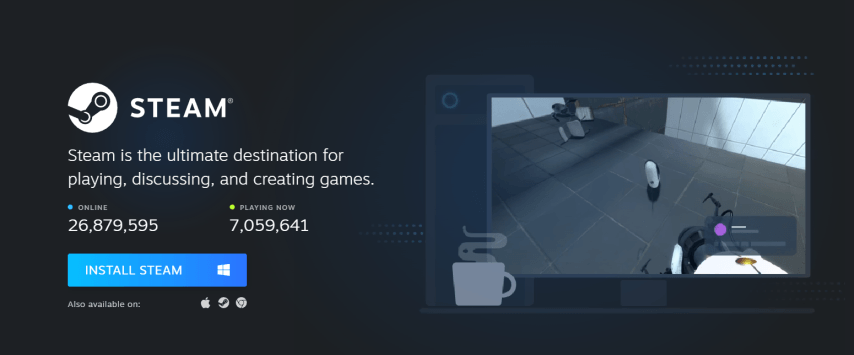
First of all, download and install the Steam client on your computer from the official website.
 Credit: Valve Corporation
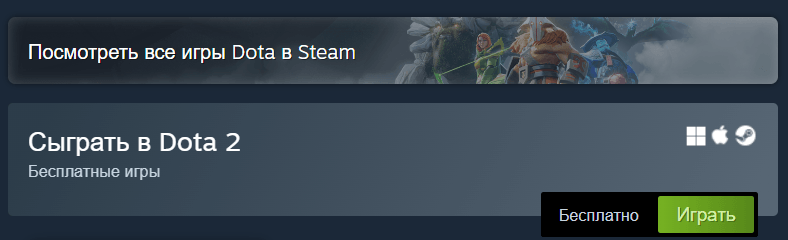
Launch Steam and use the search to find Dota 2 in the store.
 Credit: Valve Corporation
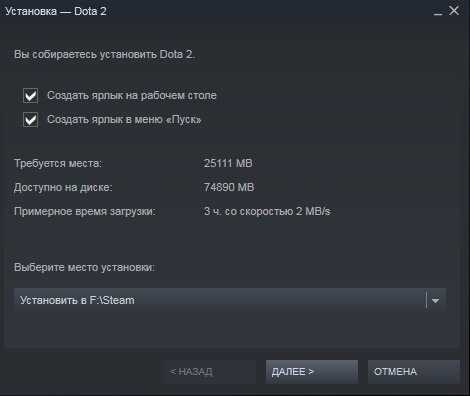
Click on the "Install Game" button on the Dota 2 page and wait for the game to finish downloading and installing.
Credit: Valve Corporation
Once installed, Dota 2 will appear in your game library on Steam and you can start playing.
While there are unofficial ways to download the game without using Steam, they may involve using pirated content, which can lead to various problems and rule violations.
How to uninstall Dota 2
If you need to uninstall Dota 2 from your computer, follow these steps:
Launch the Steam client on your computer.
From the Steam main menu, select the "Library" section, which displays all of your installed games.
Find Dota 2 in the list of installed games.
 Credit: Valve Corporation
Right-click on the Dota 2 icon and select "Manage" and then "Uninstall". Confirm your decision in the dialog box that appears.
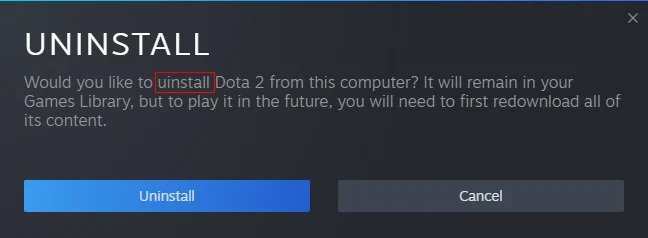
Credit: Valve Corporation
After confirming the uninstall, Steam will start the process of uninstalling Dota 2 from your computer. Wait for this process to complete.
Conclusion
Dota 2 installation and uninstallation are easy procedures that any player can perform. You can quickly start playing or uninstall the game as you see fit by following our comprehensive guide. Join your friends in playing Dota 2, lose yourself in tactical combat, and take in the game's atmosphere as you prepare to enter a world of competitions and adventures.