How to fix lags in cs 2
Author: Hawk Live LLC
Last updated:

In the field of esports, there is no time to waste because every millisecond counts and a small lag can decide the outcome of a match. But what do you do when your game in Counter-Strike 2 is delayed? Let’s talk about what CS2 lag is, why it happens and how to fix it.
Understanding CS2 Lag
CS2 lags can come in different forms such as slow response to other players’ actions, screen freeze or even disconnection from the server due to lost connection. If you have noticed any of these symptoms then it means that your problem is lagging.
Causes of Lag
Several factors may cause CS2 lag. These can be network problems, low-performance computer hardware, software conflicts or poor game optimization.
How to Fix CS2 Lag
Some players experience frame drops and lags which may be due to unoptimized settings in the game. However, there are ways in which this issue can be solved from your side as well as improving PC performance for running CS2.
Upgrade Graphics Drivers: Ensure your graphics drivers are up to date to avoid compatibility issues causing lag.
Adjust Graphics Settings: Lower graphical settings in CS2 to match your GPU's capabilities and run the game in fullscreen mode for optimal performance.
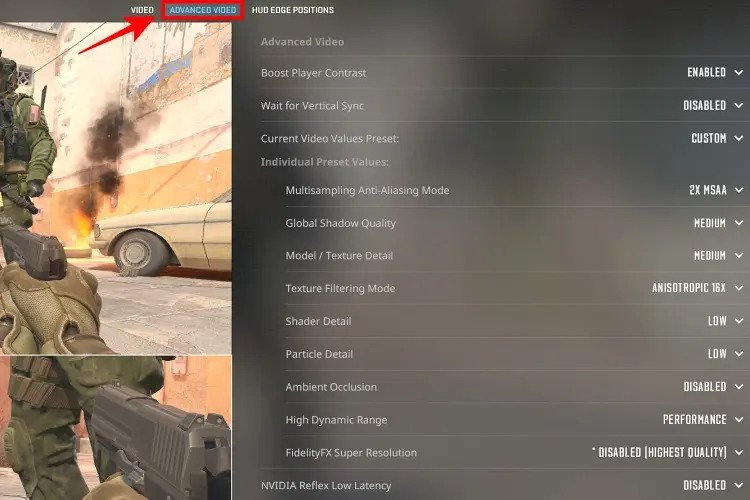 Credit: Valve Corporation
Optimize RAM Setup: Consider using a dual-channel RAM setup to improve FPS in CS2.
Utilize Ethernet Connection: Opt for a direct Ethernet connection over Wi-Fi to minimize ping and reduce lag.
Configure Windows Graphics Settings: Set CS2.exe to utilize high-performance GPU settings in Windows Graphics settings.
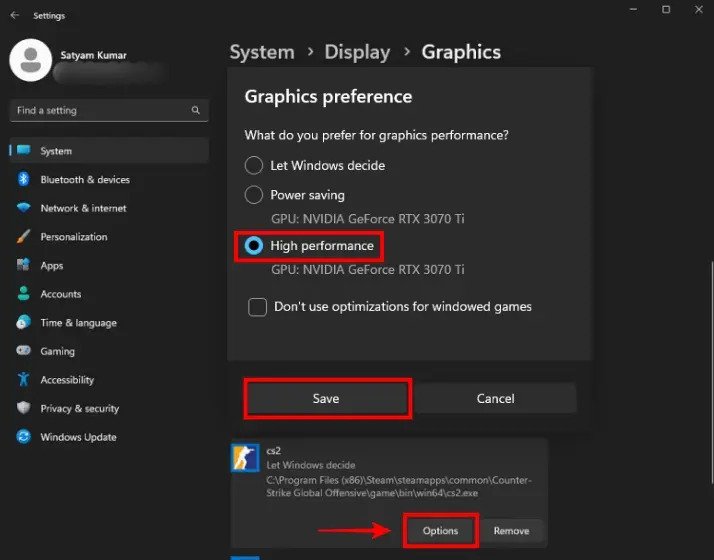 Credit: Microsoft
Set CS2.exe Priority in Task Manager: Prioritize CS2.exe to high priority in Task Manager to enhance game performance.
Adjust Matchmaking Ping: Set maximum acceptable matchmaking ping to improve server connection stability.
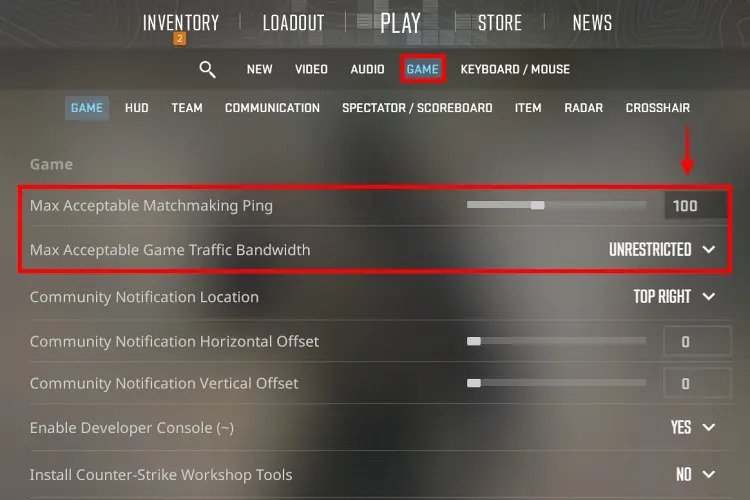 Credit: Valve Corporation
Close Background Apps: Minimize background processes and unnecessary startup apps to free up system resources.
Disable Nvidia Reflex: If experiencing FPS issues, consider disabling Nvidia Reflex to potentially boost performance.
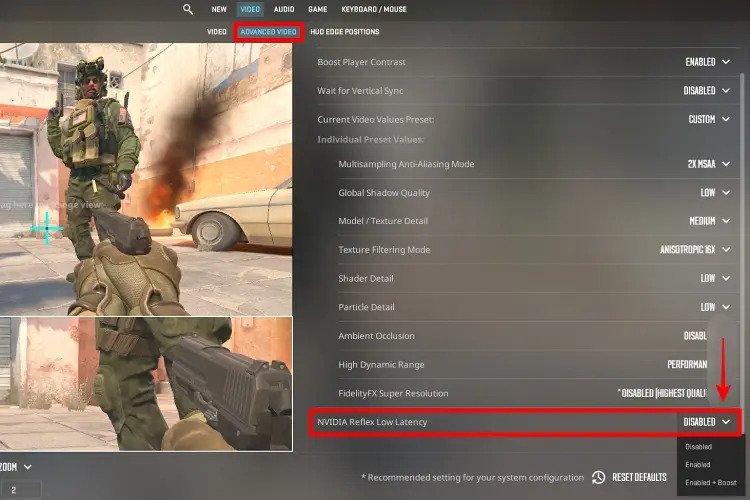 Credit: Valve Corporation
Enable AMD FSR: Utilize AMD FidelityFX Super Resolution to enhance FPS in CS2.
You can achieve a lot with these tips as far as performance is concerned while playing Counter-Strike 2.