How to add Polygon to Metamask
Author: Hawk Live LLC
Last updated:

What is a Polygon network and why you should know about it?
The polygon network is a low-fee affiliate network of Ethereum blockchain. The main purpose of this network is to interact with the objects of the WEB3 system without paying huge commissions. So how can you use it? To buy NFT with the ERC-20 network, you have to pay a huge commission. For example, the average gas in ETH for 2021 was $22, today it is about $3.

And this is only the average commission, when you are buying expensive NFTs, the gwei price will grow proportionally to NFT price. And if you keep using ERC-20 for such transactions, the amount spent on commission can easily exceed several thousand dollars. In this article, we will show you how to connect the polygon network to your Metamask wallet and not pay those huge commissions.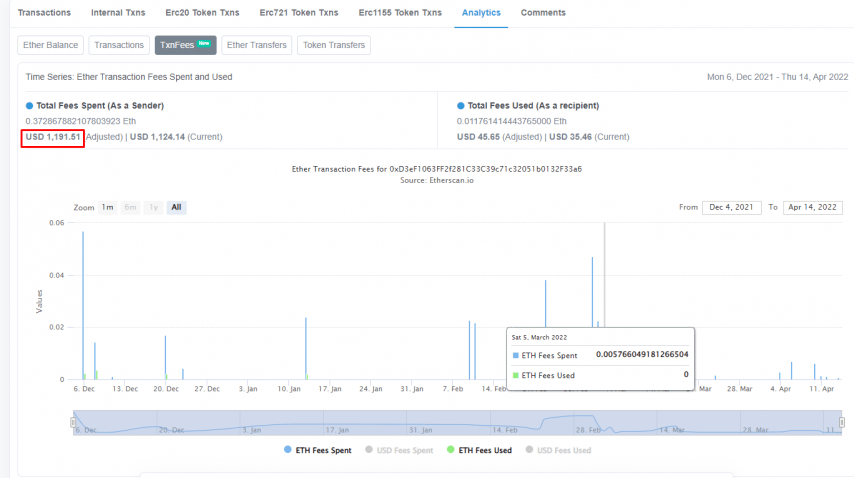
How to add Polygon network to Metamask
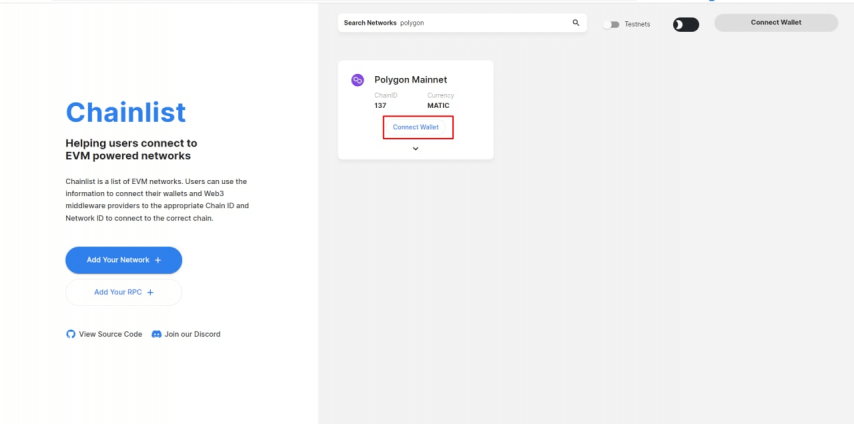
First, we need to go to chainlist.org

In the search input field, enter Polygon and select Connect wallet as in the screenshot below.
Next, you need to add it to Metamask, you can find a full guide to it in this article
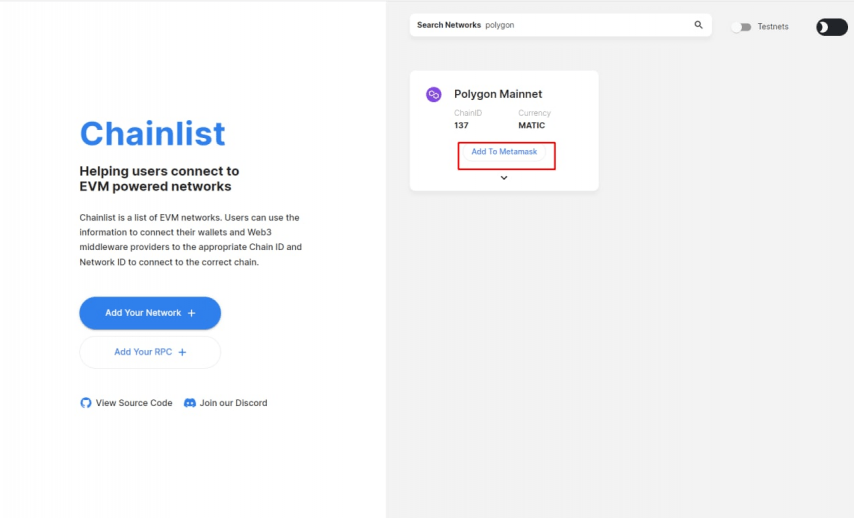
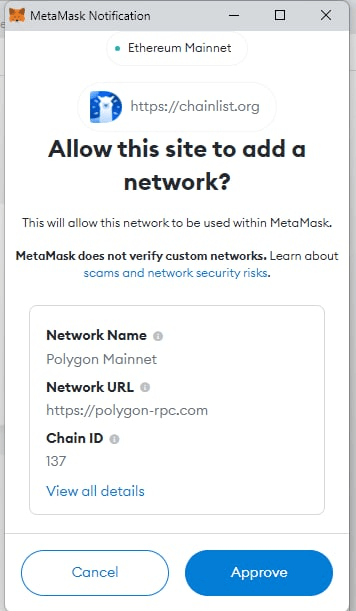
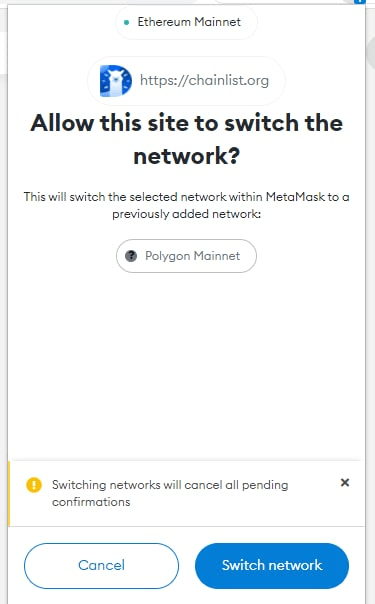
After this, a new network will be added to your Metamask, it will look like this.

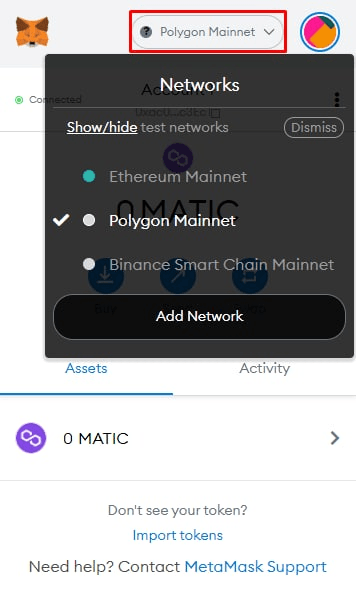
Excellent, the first stage is over, now to buy something with Polygon network, we need to have Matic or WETH on our account.
What is WETH
We know what the Matic is, but what is WETH? WETH is the same ETH but wrapped. The main difference between ETH and WETH is the following of the ERC-20 standard. WETH follows it ETH is not. It allows WETH to be used in a large number of ecosystems and DEFI. Generally, WETH is used for NFT trading and better interaction with other ecosystems. It has a 1:1 exchange rate to Ether and can be converted from ETH to WETH at any time without commission.
How to convert ETH to WETH with Opensea?
In order to get WETH, we will need to transfer our ETH from the Ethereum Mainnet network to WETH in the polygon network. It sounds complicated, but we need it to pay less money.
To do this, we need to go to the OpenSea and connect your Metamask.
After you have connected Metamask, a wallet icon will appear in the right corner, click on it
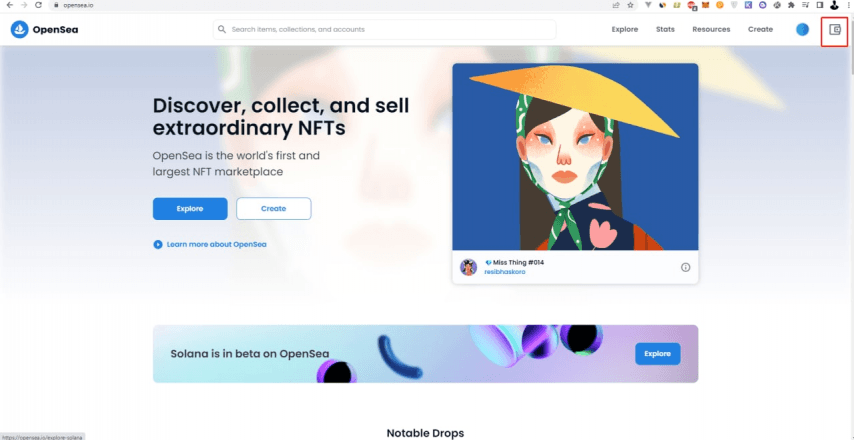
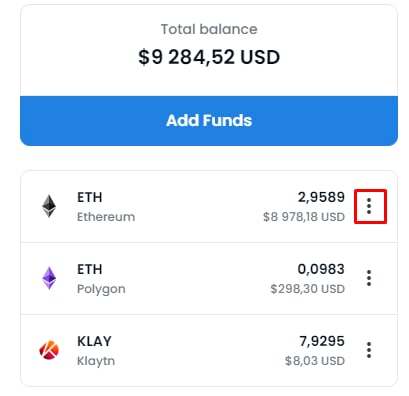
Select an ether from the list and click on the three dots
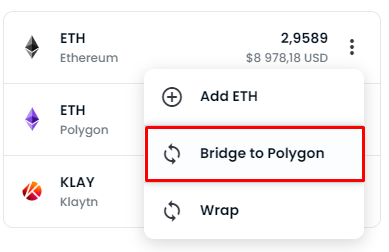
Then click on Bridge to Polygon
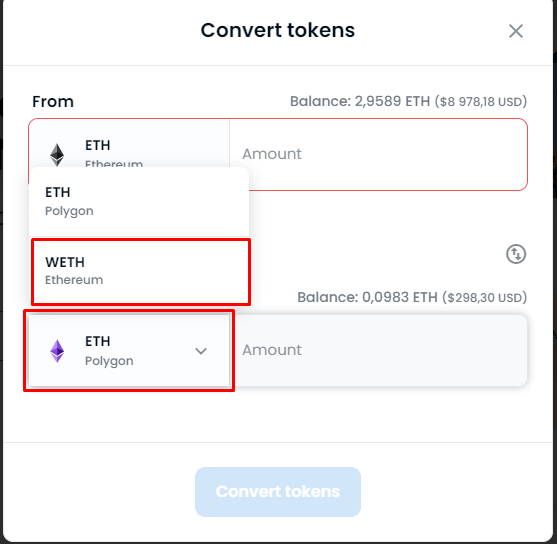
 And choose WETH right here
How to withdraw Matic to Metamask with Binance
How to withdraw Matic to Metamask with Binance
Well we have WETH, then we need some MATIC to pay the gas, unlike the ether, the commission will be approximately 0.001 matic, so 1 matic -1.38$, at the time of writing this article, should be enough. But where can we get Matic? In this article, we are withdrawing Matic to the wallet using the mobile version of Binance. How to deposit funds to Binance can be found here.
So we go into our Binance application on the phone.
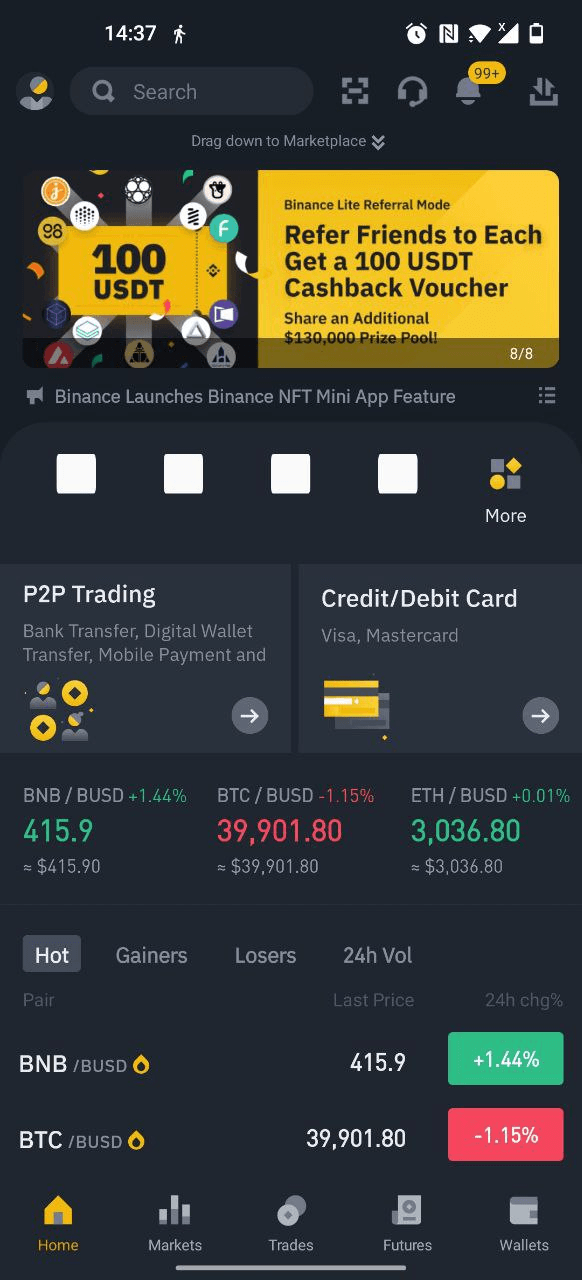
In the lower right corner, click on Wallet and select Spot at the top
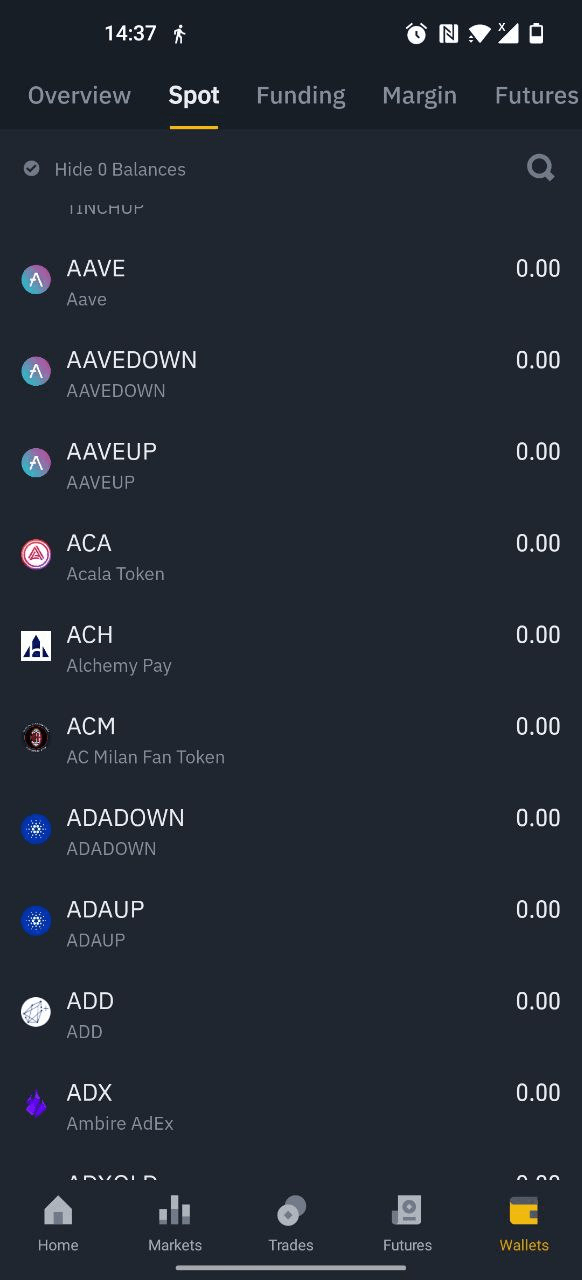
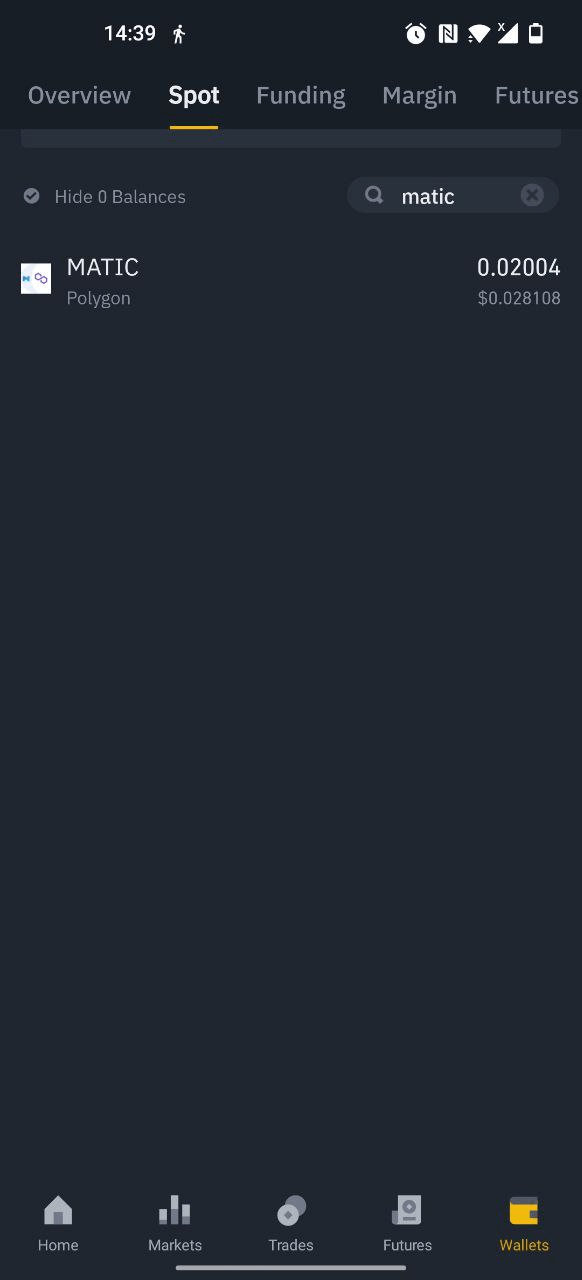
In the search bar, write Matic and click on it
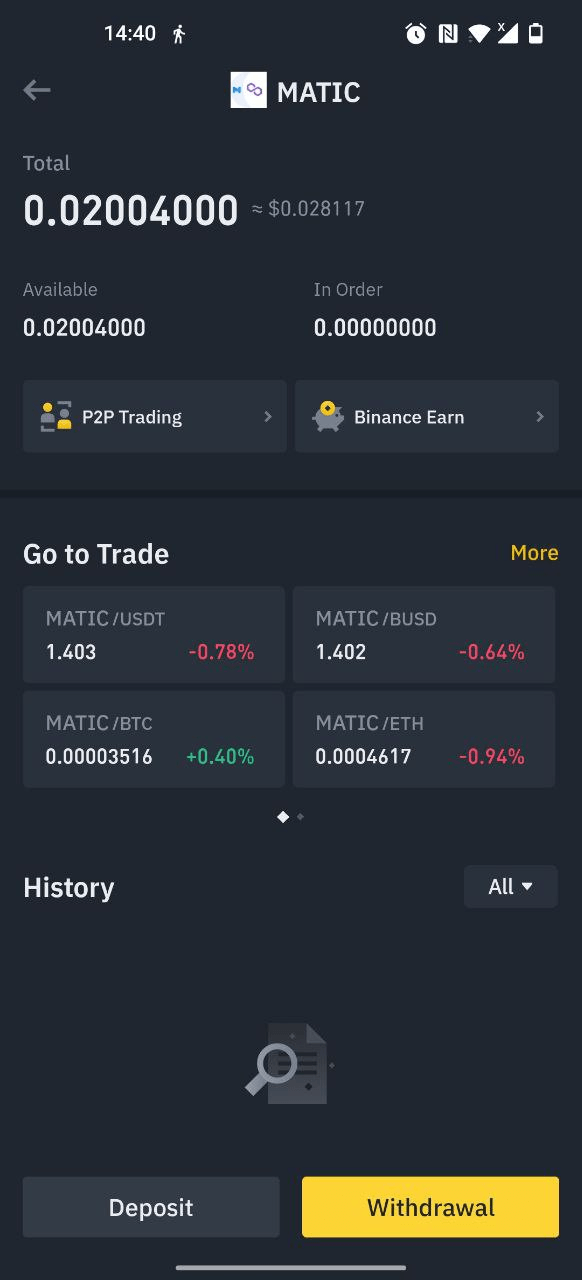
Then press Withdrawal
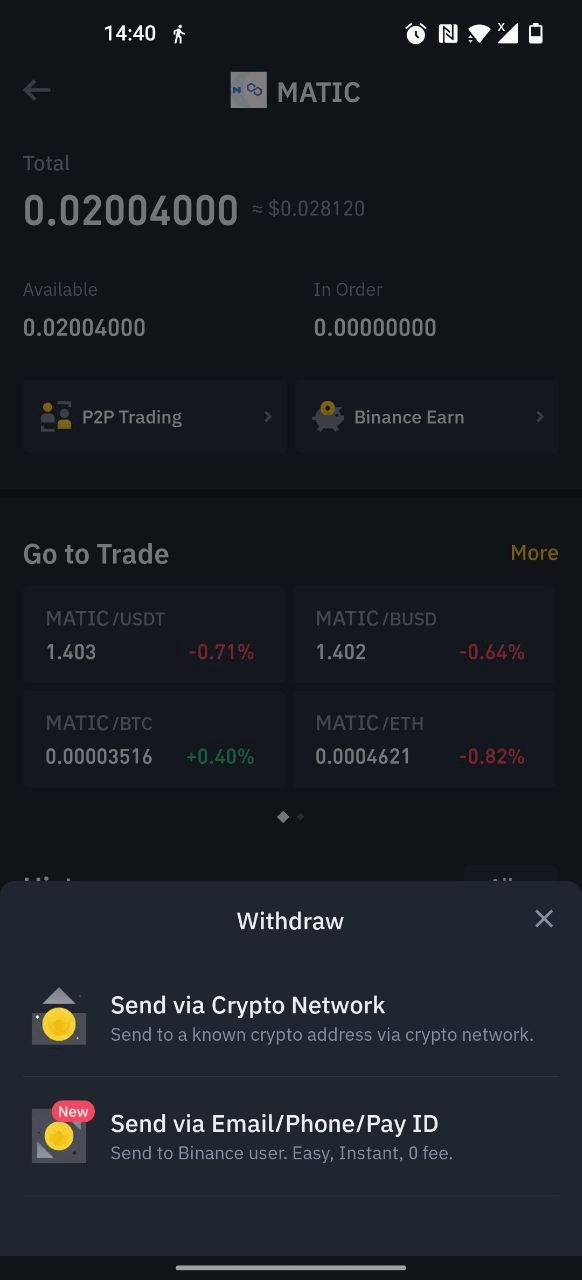
Select Send via Crypto next
After that enter the address of your Metamask here and select the Polygon network
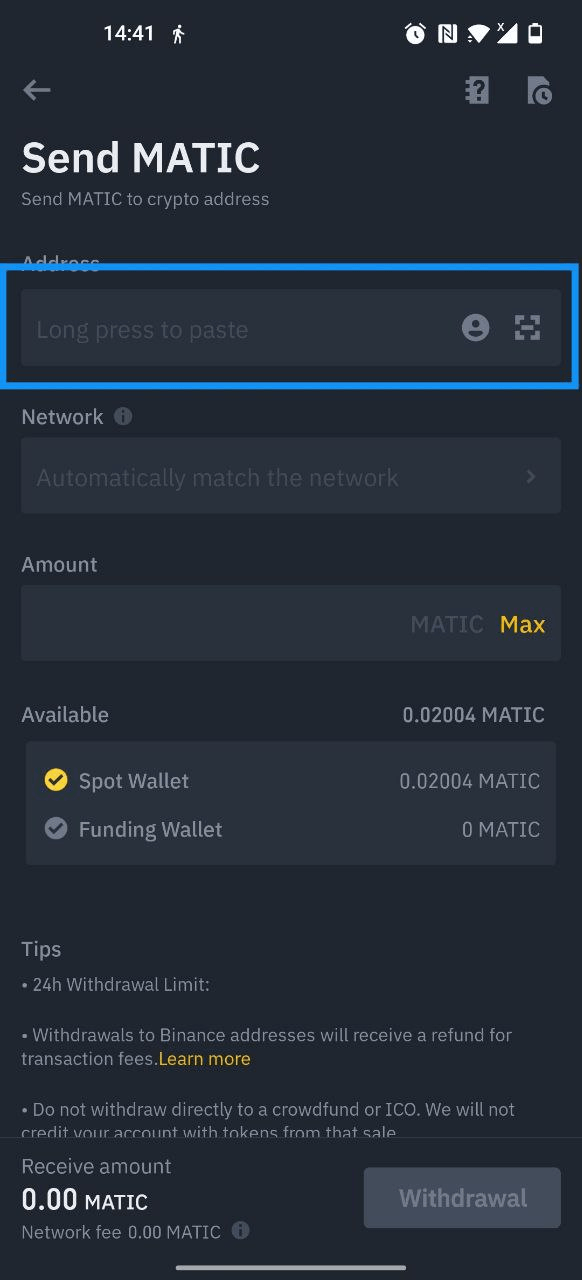
You can copy the Metamask address in your browser in the Metamask extension.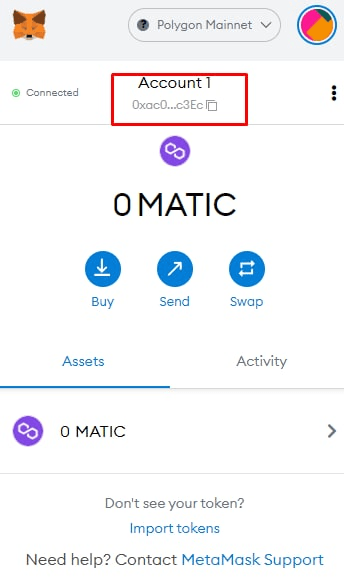
If you did everything correctly, the balance of your Metamask in the Polygon mainnet network will be credited with Matic and WETH
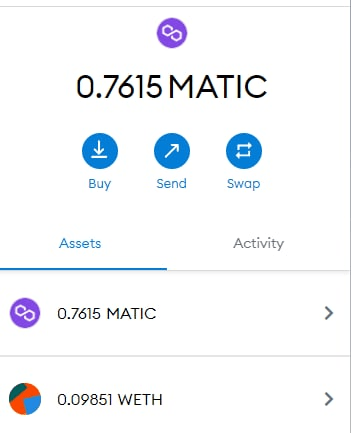
How to buy NFT using Polygon mainnet
Everything is ready, now let's try to buy something and see how much money we can save using this method. To do this, we will try to buy resources in the League Of Kingdoms game. On the Ethereum network, these resources cost some money and we will pay a serious commission for them.
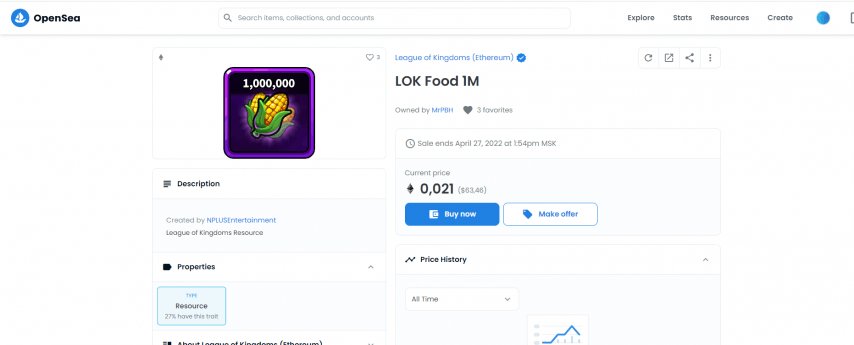
In the Polygon network, the same million corn will cost less than a million corn
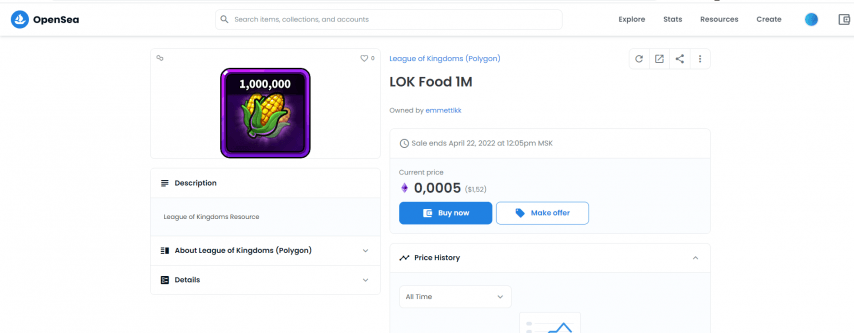
In the Polygon network, the same million corn will cost less than a million corn
But we do not want to overpay even a dollar, so we go to the secondary market and choose a polygon network here.

We can see the same resources, but the amount is x10 and the price has fallen from 1.5 dollars on Opensea to 50 cents
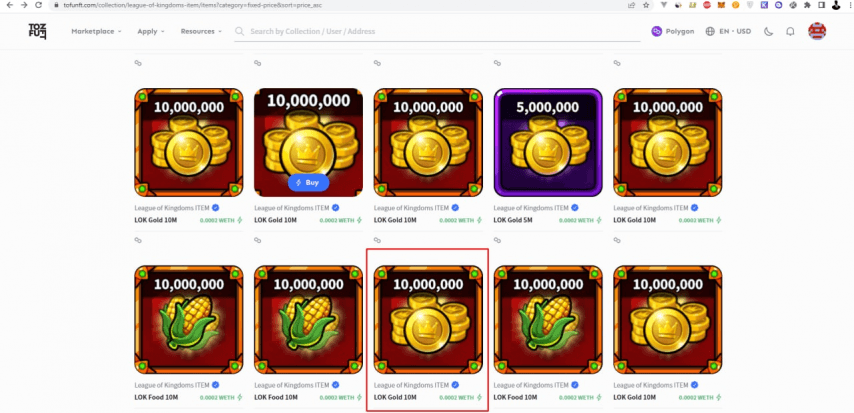
Select gold from the list and click buy
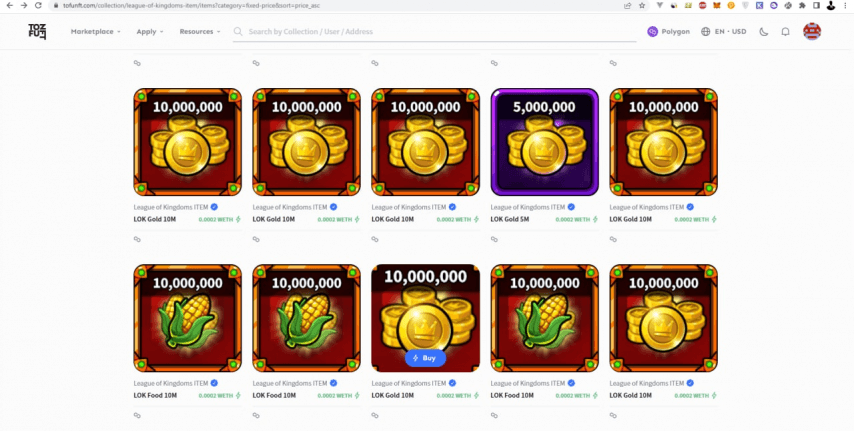
Buy now
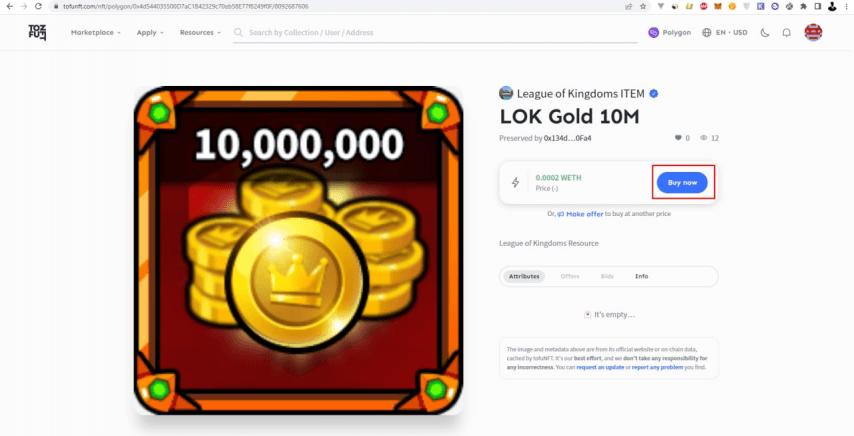
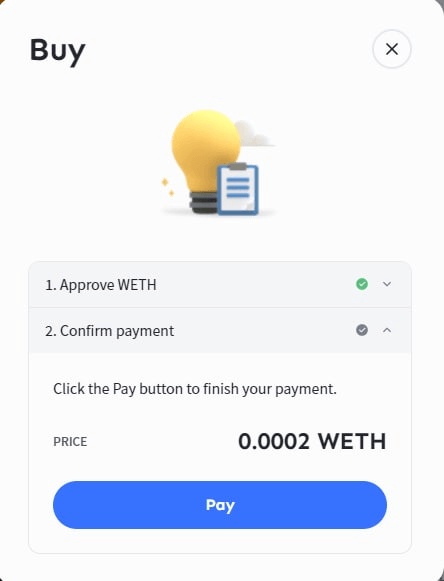
Next, click pay. If this is your first time buying something on tofu, then you will first need to click approve, and then “pay”
.
Then we confirm the transaction and wait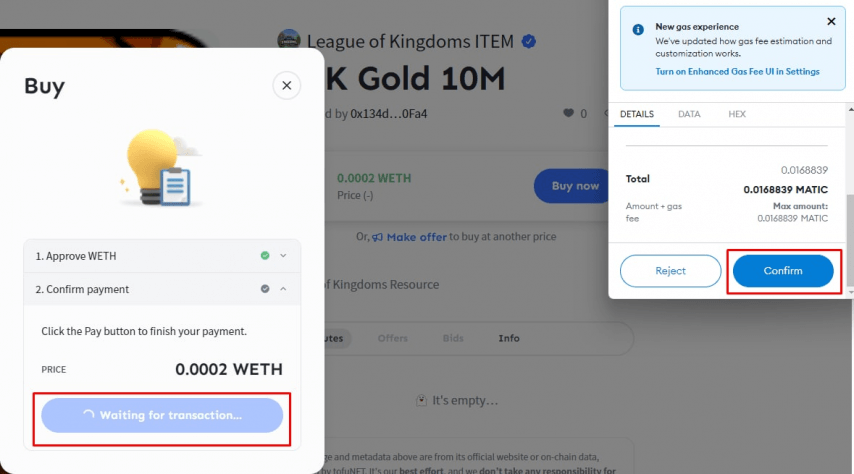
We can track the transaction in our Metamask extension on the activity tab
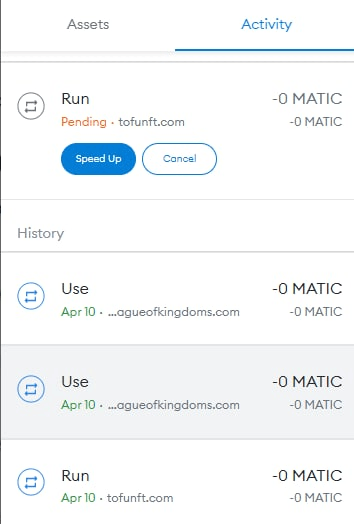
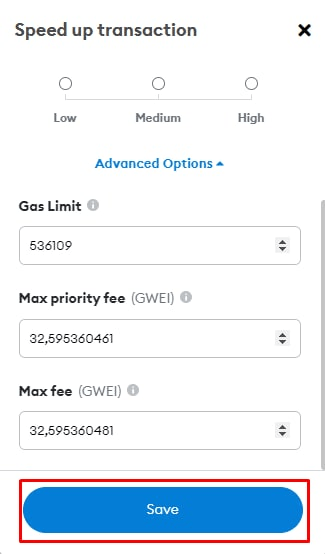
Approximately waiting time 1-10 minutes. If you want faster, you can speed up the transaction by paying a couple of cents. To do this, press Speed Up.
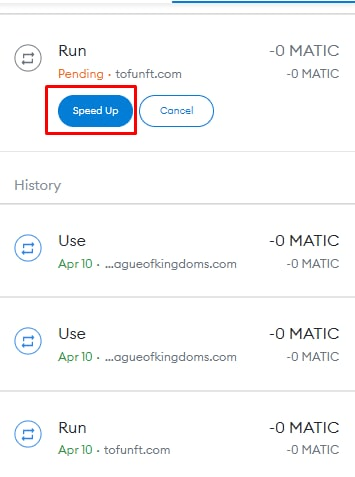
Then click save

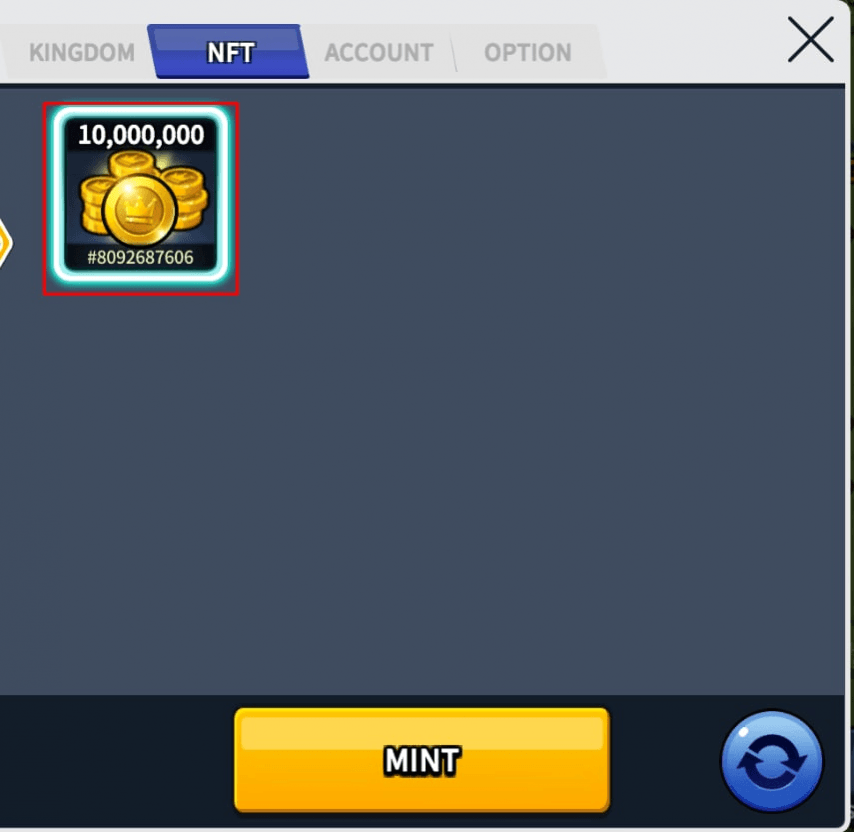
Then click on the resources and the use button
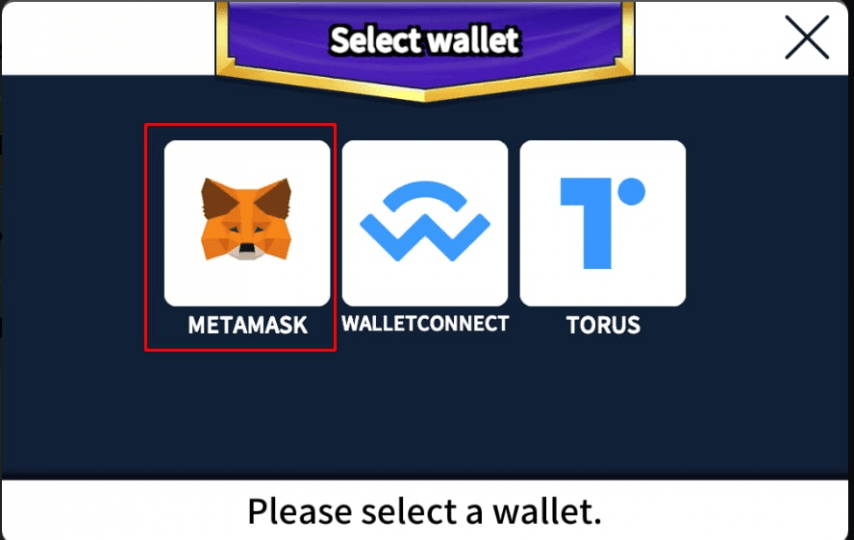
Select Metamask
<
We confirm the transaction by clicking on confirm in the Metamask pop-up window.
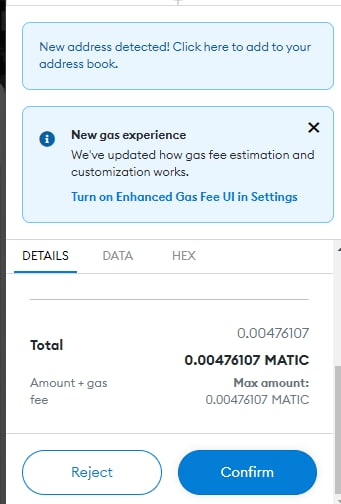
Then we wait until the transaction is completed or do Speed Up
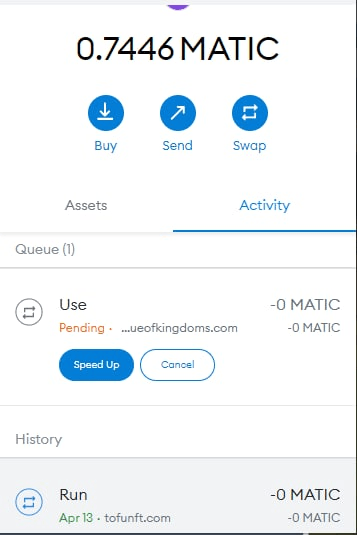
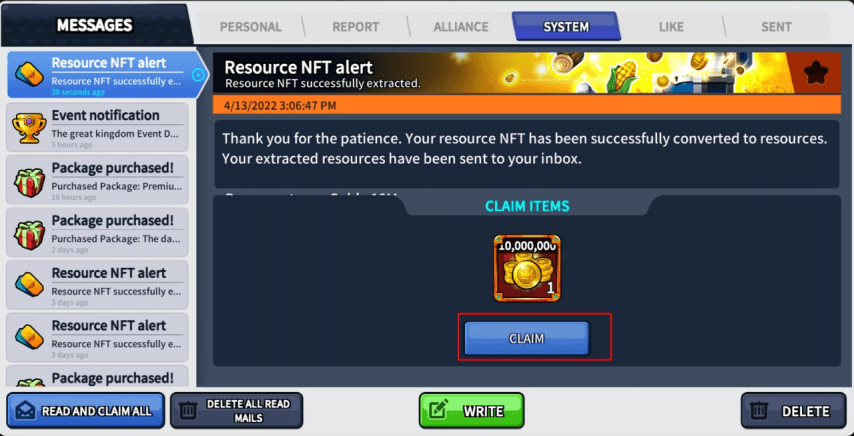
After that, you will receive a notification with resources in the game
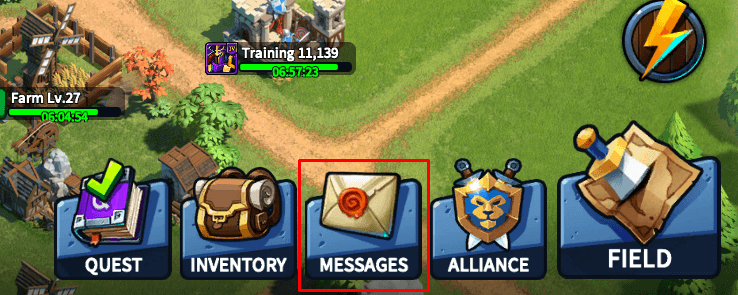
Open messages, and press claim
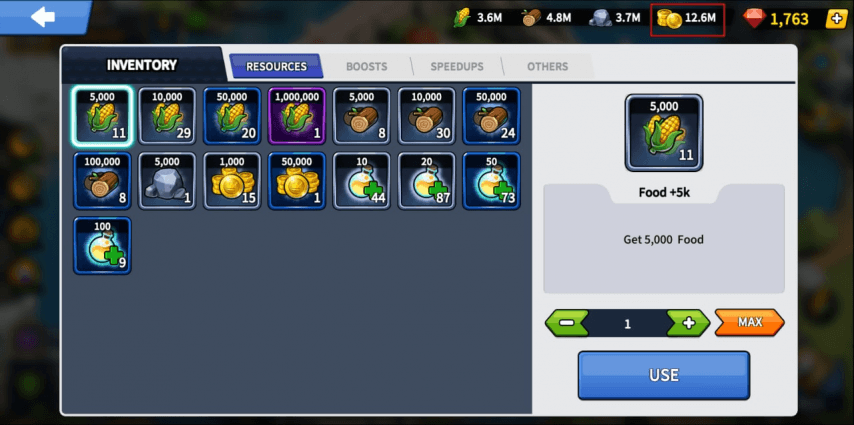
If you did everything right, resources should appear in your inventory
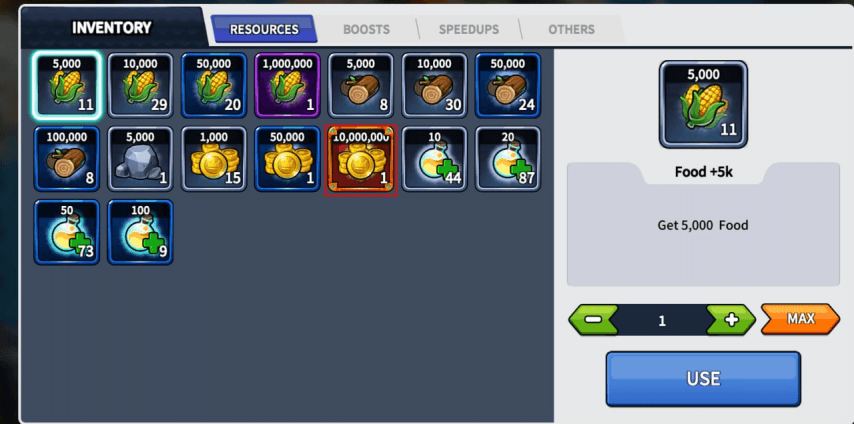
Click on gold, then the Use button and get resources
Advantages of the Polygon network
In this article, we analyzed the advantages of the Polygon network, working with MATIC and WETH tokens, and show a real example of how it can be used to save your money. If you will do the same action on the ETH network, you would pay about 2-5 cents, but with using the Matic we paid less than a cent, the transaction amount did not even cost a dollar. In other words, if we made a $50 purchase, we would pay $5 for an Ethereum fee, while the same transaction on the polygon network would charge us only a few cents.