How to fix packet loss CS2: detailed overview of the problem
Author: Hawk Live LLC
Last updated:
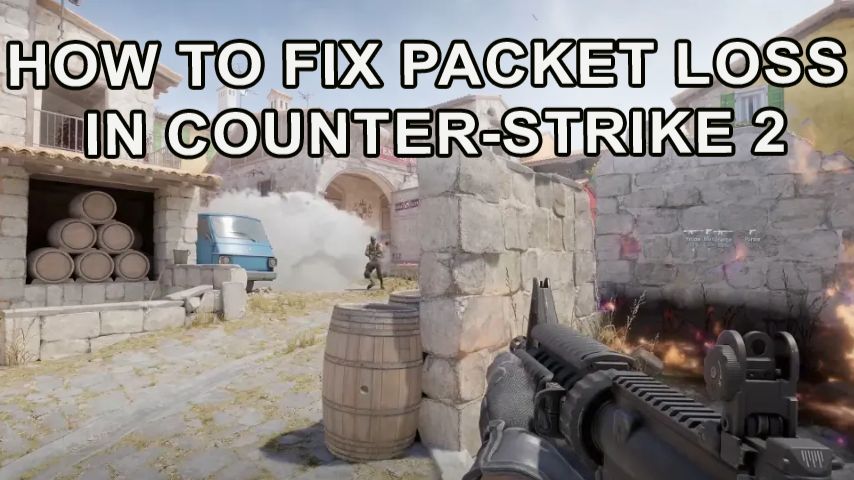
Packet loss in Counter-Strike 2 negatively affects the accuracy of shooting, which in some cases can make CS2 unplayable at all. In this article we will look in detail at how to detect and fix packet loss in Counter-Strike 2 to achieve a stable network connection.
How to detect packet loss in CS2
You can detect packet loss in CS2 using the network status check function. To use it, you need to perform a number of actions:
Open the console (~ key by default).
Type the net_status command to display the network parameters.
Pay attention to the “loss” indicator. If the value is above zero, then packet loss is occurring.
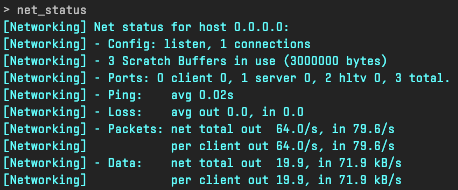
Credit: CS2
At the same time, the higher the loss value is, the more this problem will affect gameplay.
You can also indirectly assess the quality of the real-time connection. Packet loss can cause sharp fluctuations in frame rate, which is displayed on the screen during the game after entering the cl_showfps 1 command. However, you need to make sure that the problem is not caused by poor system performance.
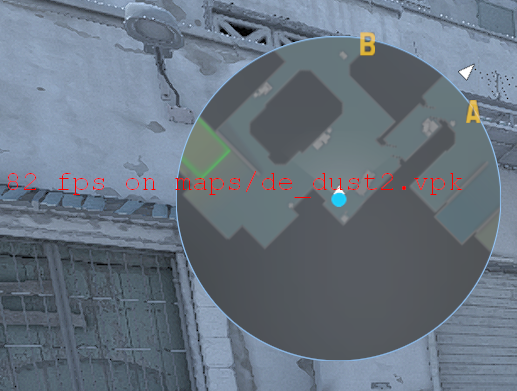
Credit: CS2
How to fix package loss in CS2
Understanding the cause of packet loss while playing Counter Strike 2 allows you to rectify the latency issue effectively. When approached in terms of the causes of loss of data packets and the available solutions, diagnosing the problem becomes easier.
Errors in Connections and Settings of the VPN
Usually with VPNs, if there is a connected router which is not optimally configured, the speed of data transfer is hampered, far below its capacity. These types of issues can also be incurred through VPN software. In cases like these, it is very important that you block all software that might monitor the connection as well as reboot the router.
Credible Signal Issues Inbound
Data loss during gaming because of the weak signal can come from distance with respect to the Access Point or interference from outside when using Wi-Fi. These problems with wireless connections are also evident when using cellular data with a mobile modem. Reduction in the rate of packet loss is guaranteed with the use of wired network and tremendously increases data transmission rate with low speed internet providers.
Underwhelming Connection Speeds
No matter the internet speed, it may not be enough to download several files simultaneously while one attempts to download a game. While streaming videos or downloading files, packet loss may occur too. In this case, one should turn off all applications using the internet and close the browser.
However, such a problem is more likely to occur if the connection speed is limited by your ISP or the hardware you are using. If the cause is due to the quality of the connection, the best way to solve the problem is to change the ISP or replace outdated equipment.
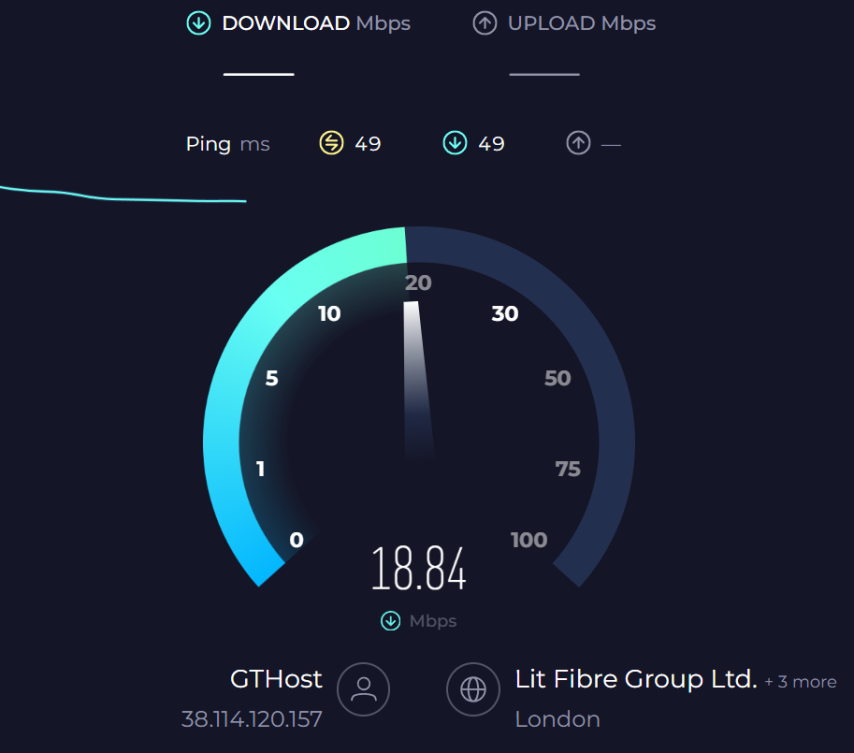 Credit: speedtest
You can optimize data transfer by entering commands in the game console:
rate 786432, cl_interp_ratio 1, cl_updaterate 128, cl_cmdrate 128
Low computer performance
On weak computers, whose characteristics do not meet the minimum requirements for playing CS2, packet loss can occur due to lack of system resources even if the game works stably in training mode. In this situation, you need to upgrade your system to at least the minimum requirements for running Counter-Strike 2.
Server problems
Not always the loss of packets is caused by problems on the part of the player. Such a problem can occur due to an excessive number of players on the server or technical failures. This problem is especially true for community servers. If everything is fine with the connection and there are no obvious reasons for packet loss, the reason may be in the server and you just need to change it.
Negative consequences of packet loss in CS2
Packet loss in Counter-Strike 2 leads to a number of significant problems in the game. Depending on the severity of the problem and the amount of lost data, various bugs can appear, which spoil the game experience, up to complete inoperability CS2. The most common problems manifest themselves in the following ways:
Control delays that greatly affect the quality of aiming. Shots can be registered with a delay.
Jerky movement and sudden frame rate fluctuations. Models of other players may disappear and load in a different location.
Loss of part of data and increased ping leads to incorrect perception of the game situation.
In case of excessive data loss, a complete disconnection of the player from the server may occur.
Conclusion
In CS2, performance issues during online gaming can be linked to packet loss. Minor hiccups in gameplay result in some information being lost but, in the long run, does not affect the game in any manner. However, frequent loss of packets is an entirely different problem and can lead to severe glitches. As is the case with many issues, packet loss is usually caused by a bad connection or a cheap and low-grade internet connection. Solving the problem of packet loss brings back effortless gaming in Counter Strike 2.