Dota 2 Packet Loss Got You Down? Learn to Spot and Stop it Now!
Author: Hawk Live LLC
Last updated:

Gaming can be thoroughly ruined by packet loss, making an otherwise smooth and fun experience into a cocktail of jerks, lags and intermittent reactions. In Dota 2 where every second counts, this kind of a situation can have very severe repercussions. To help you overcome this hurdle, we’ve put together a comprehensive guide on how to identify and combat packet loss in Dota 2.
Identifying Packet Loss in Dota 2
There are two ways to identify packet loss in Dota 2, Via the console and through the in-game settings.
Console:
Launch Dota 2 and open the console by pressing the "~" key (this is the default hotkey for opening the console in Dota 2).
Type the following command into the console: net_graph 1. This command will display network parameters on screen, including packet loss (loss).
Look at the loss value at the bottom of the screen during gameplay. If this value is more than 0%, this means you are experiencing packet loss.
To disable the network parameters display, enter the command net_graph 0 into the console.
Game settings:
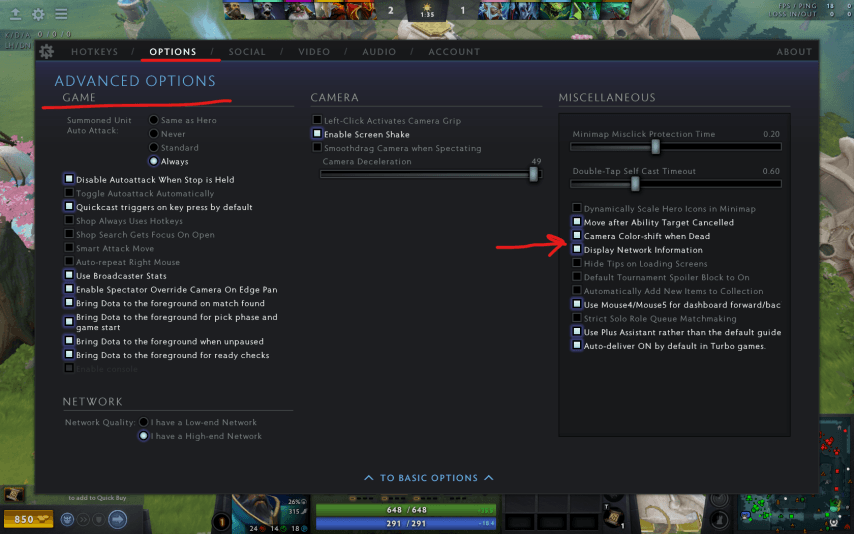
Click on gear
Click options
Click on "Display Network Information" checkbox
After that, you will see loss in/out packages in the right corner of your game screen
Negative Consequences of Packet Loss in Dota 2
Packet loss within computer network games like Dota 2 results from information such as data packets being sent from your computer not getting to its destination or becoming lost while still on its way. That is occurring because of connectivity problems such as poor quality internet provision due to bad connection lines among others. Packet loss occurs when playing Dota 2 which may result into several negative consequences such as:
Lag and Delays: Packet loss can result in delays and actions being skipped, which hinders the gameplay process and reduces the quality of the gaming experience.
Incorrect Display of Game Situation: Since some data fails to reach the game client, players may receive incomplete or distorted information about the current situation on the map, leading to erroneous decisions and defeats.
Disconnections from the Game Server: With excessively high levels of packet loss, a player may be disconnected from the game server due to the inability to maintain a stable connection. This leads to temporary loss of access to the game and possibly penalties from the player rating system (MMR).
Unfair Treatment: Packet loss may cause other players to perceive you as lagging or teleporting, which can lead to accusations of using illegal programs or complaints about improper behavior. However, in Dota, this is not as noticeable as in games like CS. Overall, packet loss is a serious issue for the gaming experience in Dota 2 and can significantly degrade the quality of the game for all participants in the match.
Internet Connection and Packet Loss
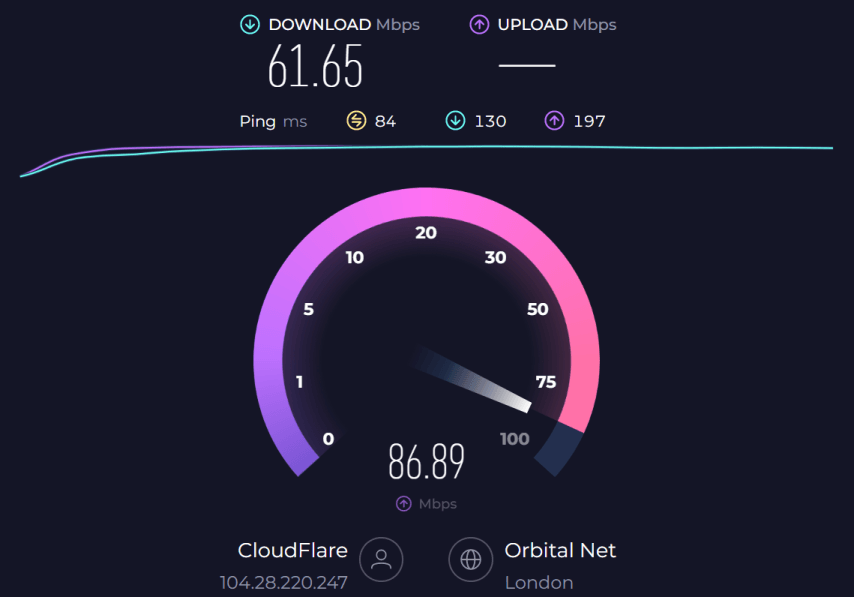 Packet loss while playing Dota 2 mostly arises due to an unstable internet connection. For clinic purposes try websites such as Speedtest.Therefore once you are on its website, launch a speed test so that you will get information about your network’s latency and ISP(Internet Service Provider). High ping times are generally indicative of a less-than-stable internet connection, which could be causing your packet loss.
Restarting Your Router
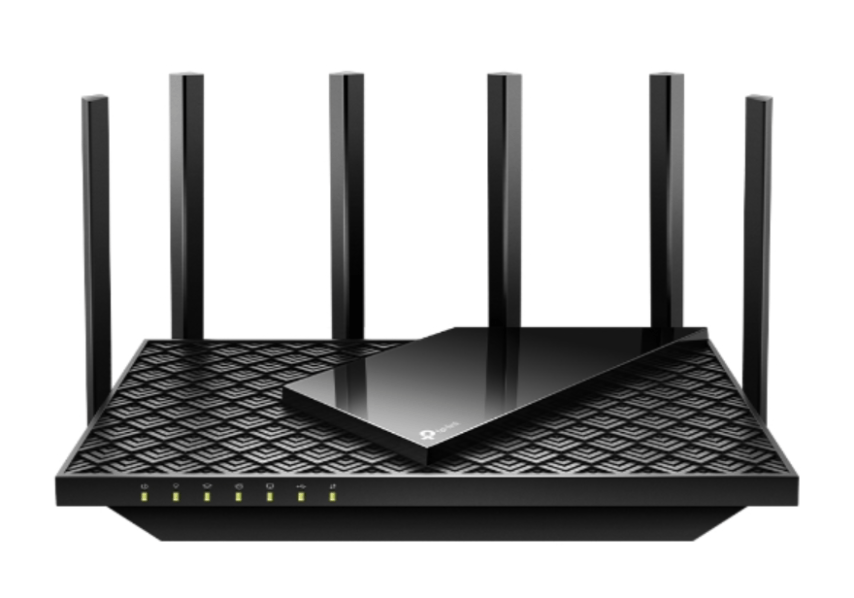 In case you determine that the problem lies in your internet connection, a simple way to fix it is by restarting your router. Simply turn it off, wait for about a minute and then turn it on again. It may sound too easy but you would be amazed how often restarting the router can help overcome network glitches and errors.
The Advantage of Wired Connections
Even after restarting your router, if you still experience packet loss, it might be worth considering wired connections. However, while the wireless ones seem more convenient they are prone to frequent interruptions and instabilities. By connecting via Ethernet cable directly into your computer, you can often get faster and more stable Internet access. That’s not all; although this solution may not be for everyone reducing packet loss should not be overlooked.
Dota 2 Game Server Status
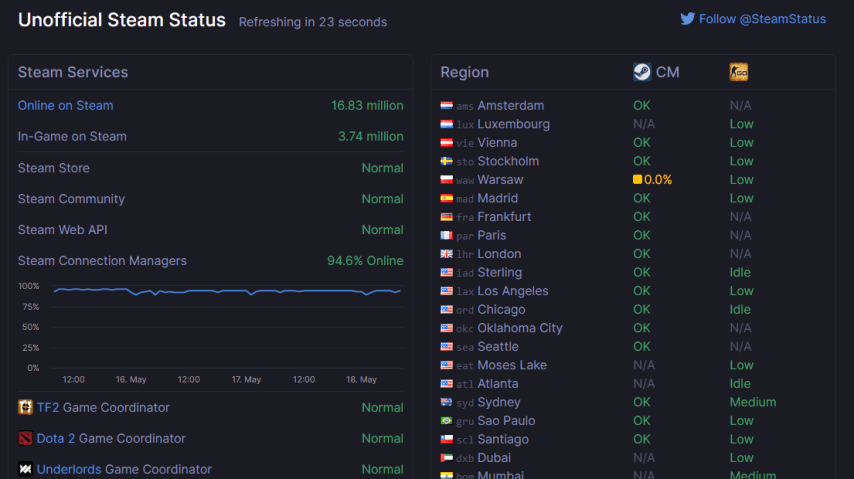
Occasionally, the issue isn't on your end but with the Dota 2 servers themselves. If the servers are under heavy load, they might underperform, leading to packet loss. You can check the status of the Dota 2 servers using a third-party website like Steam Status. If the Dota 2 Game Coordinator is shown to be anything other than normal, then the problem likely isn't on your end.
VPNs, Proxies, and Packet Loss
This is because many games use VPNs or proxy services when accessing game servers which are unavailable in their area of origin. Thus these tools also bring delays as well as connectivity problems online gaming platforms can suffer from at times. Therefore if one uses a VPN or proxy try disabling them to see if that will improve your connection.
Verifying Dota 2 Game Files
Sometimes packet loss issues occur due to corrupted or missing game files. Thankfully Steam has its own function aimed at checking the state of game files stored on a user’s PC. Right click Dota 2 in Steam library, choose “properties”, go to “Local Files” option and finally click on Verify integrity of game files. This procedure will detect and fix any broken or non-existent files.
Using the SDR Console Command
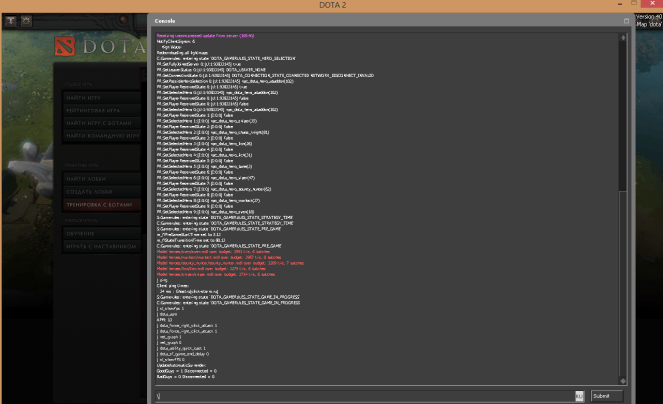
As mentioned earlier, packet loss can be minimized through using the SDR console command sdr SDRClient_ForceRelayCluster. When you use this command your connection is optimized to prefer the server region closest to you. To access Dota 2 console, add -console in Steam Dota 2 launch options. In game type “” (the default hotkey) to open the console. The next step is putting in the code sdr SDRClient_ForceRelayCluster <region code> replacing <region code> with that of your nearest location’s. For example, if you live in Atlanta then put in “sdr SDRClient_ForceRelayCluster atl”. Thus this adjustment prevents unnecessary global travels of data used for gaming purposes and solves several issues with connections and packet losses.
Packet loss in Dota 2 occurs when data being sent and received by your computer during gameplay does not reach its destination. This can be due to various factors, including issues with your internet connection, game servers being overloaded, or the use of VPN and proxy services.
Remember, packet loss can seriously impact your gaming experience, causing stuttering gameplay, lag, and response issues. If you have identified packet loss, it is recommended to take steps to rectify this issue, as outlined in the previous sections of this guide.
Packet loss may prove to be a challenging concern for any Dota 2 gamer but it is not an insurmountable one. By knowing how to detect packet loss, looking at your internet connection, rebooting the router, thinking about cable, checking on server status, turning off VPNs or proxies, validating game files and applying SDR console command.