Your Ultimate Guide to Creating and Verifying Your Account
Author: Hawk Live LLC
Last updated:

To join this thrilling world of gaming, the first step is to create and verify your Dota 2 account. This process not only allows you to play the game but also keeps you safe while gaming. It is like a passport to the Dota 2 world that gives you access to numerous exciting features as well as a huge player community.
How to create Account in Dota 2
Setting up a Steam account since Dota 2 is available on Steam platform is one way to create a Dota 2 account. These are some of the steps involved:
Go to the website of Steam and then click on 'Join Steam' button. You will need to use email again so ensure that it’s one that you can access since there will be need for account verification later on.
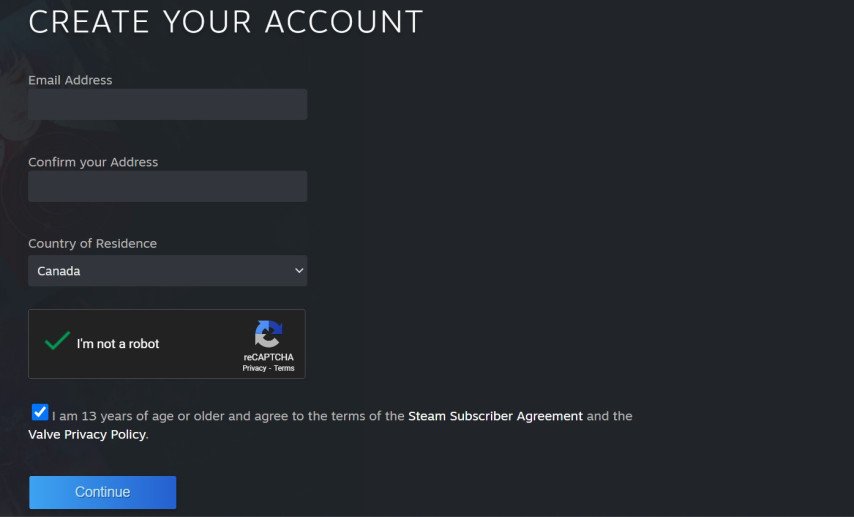 If your email address was already used by another steam account, you may choose between recovering that old steam account or creating a new steam account.
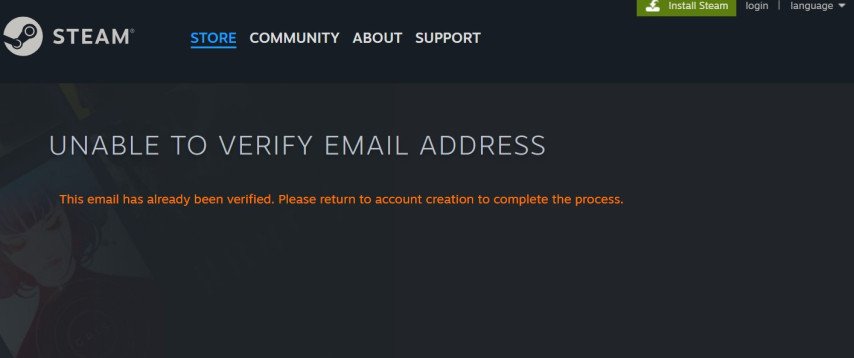 Afterwards, fill in other required details such as password and username.
 For those who are under sixteen years of age their parent or guardian should give permission by giving out his or her email address. After putting all these details check in your email an email from steam should be there which will enable you complete setting up your account. Sometime emails could be late, kindly wait for few minutes or if not check spam mail or trash folder.
How to Verify Account Dota 2
The next thing after creating this account would be verifying it. The reason for verification is because when playing all match statistics would have been fetched by the game if accounts were synced with dota.
Here are the steps to verify your Dota 2 account:
You need to have the Steam client installed, and Dota 2 client installed.


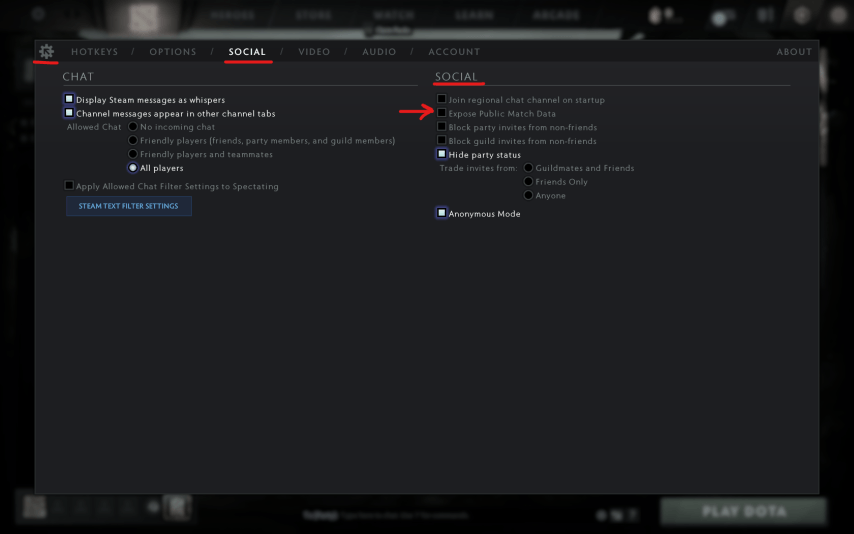
You need to enable the "Expose Public Match Data" setting in the Dota 2 game. This process might take up to 48 hours to take effect.
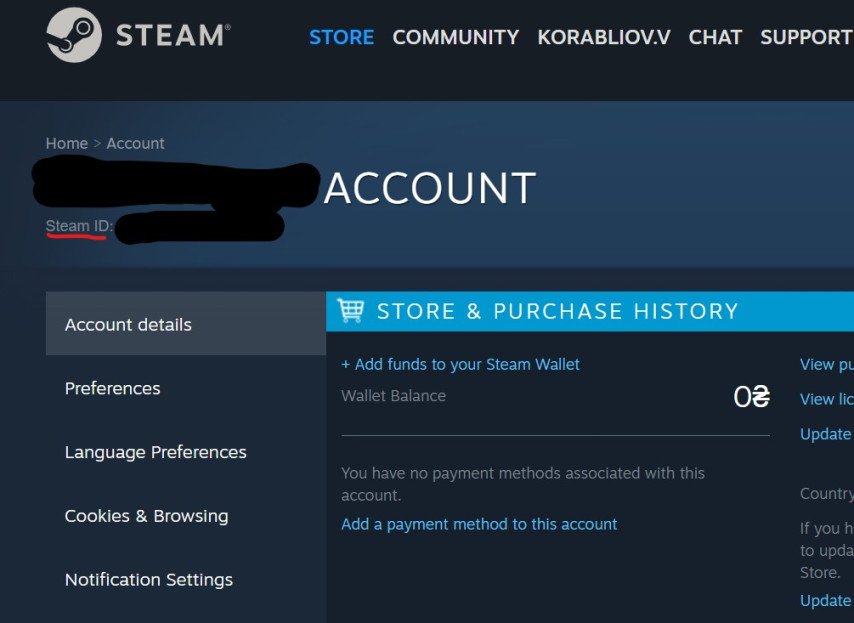
 To sync your account locate either friend id or steam id.besides custom url field,you can also find this in steam profile settings Note that your Steam ID or Friend ID is different from your profile name.
 Once you have your id, click “Add New” to confirm. At that point, the Dota 2 platform will synchronize with your Steam account depending on the server’s connection.
Frequently Asked Questions
In this section, we address some common questions about Dota 2 account creation and verification:
Q: Why haven't I received an email to verify my account?
A: Check your spam or junk mail folder. If you still can't find the email, check if your email provider is compatible with Steam. If you still can't find the email, try using a different email address.
Q: Where can I find my Steam ID?
A: Your Steam ID can be found in your Steam profile settingsor through the Custom URL field.
Q: Why can't I verify my account in Dota 2?
A: It could be because the "Expose Public Match Data" setting in Dota 2 is not enabled. This setting needs to be turned on for the platform to retrieve your match statistics. The change usually takes up to 48 hours to take effect.
Conclusion
Setting up and verifying your Dota 2 account is relatively simple, but it must be done to ensure a seamless gaming experience. Your account is what opens the door for you into the thrilling realm of Dota 2 where you will engage in mind blowing battles, meet different players on the platform and display your tactician skills as well. Remember that every account stands alone in Dota 2 universe by representing you personally. So, buckle up, sign up and step into the world of Dota 2 now before it’s too late.