How to fix error "Unable to establish a connection with the game server" in CS 2
Author: Hawk Live LLC
Last updated:
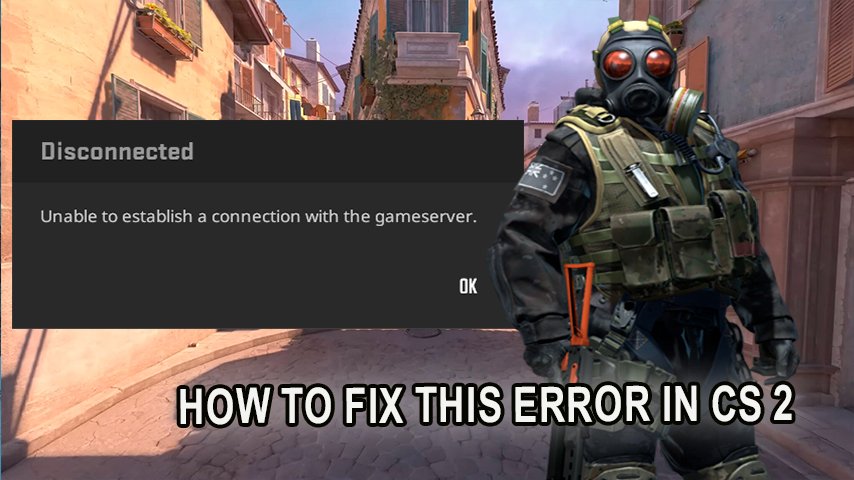
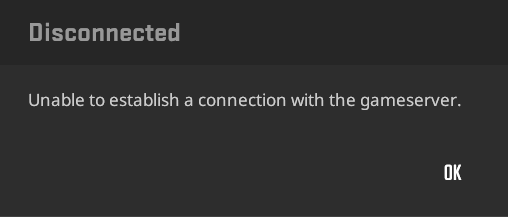
The primary strength of Counter-Strike 2 (CS2) lies in its online orientation at the same time it turns out to be a weakness. Players struggle significantly to connect with the game in cases where there are issues with the internet or a server. A common mistake that players encounter is the error that reads “Unable to establish a connection with the game server CS2.” This article will cover the reasons for this and provide remedial measures.
Why does the error "Unable to establish a connection with the game server CS2" occur?
Credit: Valve Corporation
This error comes up when the computer is unable to make a decent connection to the CS2 game server. There can be multiple reasons for that, starting with disruption in internet connectivity all the way to port blockage or a software issue on the server end.
Main Causes of the Error
Network issues
An unstable internet connection, temporary disruptions, or slow data transfer speeds can prevent connection to the CS2 server.
Port blocking
Some routers or firewalls may block the ports necessary for connecting to CS2 servers.
CS2 server issues
Technical maintenance or issues on the game server's side can also result in failure to establish a connection.
How to Fix the Error "Unable to establish a connection with the game server CS2"
In case you are seeing this specific error make sure to use the following suggestions :
Make sure to review your internet connection.
A strong and stable internet connection is required. You can attempt to restart your router or modem if your internet is having sporadic network issues.
Firewall and routers
Ensure that CS2 is not already being prohibited by your firewall or through your router. You can also attempt to disable your firewall altogether and then reconnect into the game.
Game has to be reinstalled or updated.
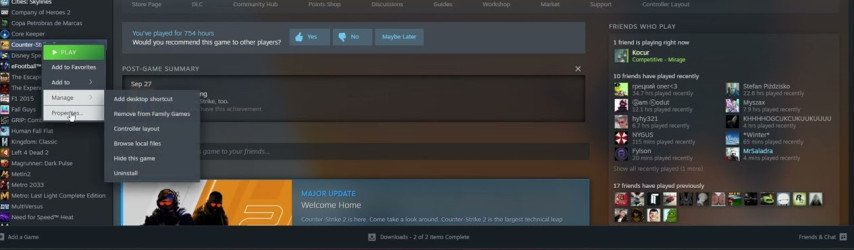
Most likely the game files may have been corrupted or are quite old. In this case, reiinstall CS2, or use steam to update your game files.
 Credit: Valve Corporation
Steam- CS2 validating files.
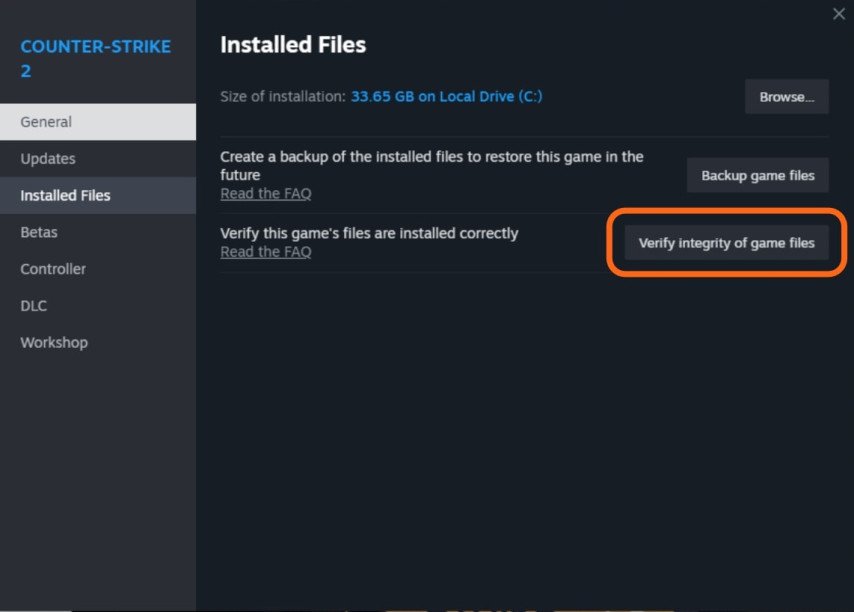
For Windows users: Steam, My Games and Applications, find CS2, right click the game, select Properties. In the new window open “Content” – “Installed Files”, and click on the four fifth options “check the integrity of the game files”.
 Credit: Valve Corporation
Clear Steam cache and restart the software.
Enter the following commands using the Command Prompt (use ’run as administrator’ option):
ipconfig /flushdns
netsh winsock reset
netsh int ip reset
After this, launch steam, go to settings, clicked on downloads and pressed on the option that allows you clear the Steam download cache. This will enable steam to restart and solve the chances of any download errors.
Contact Steam Support
If none of the above works, you may want to try contacting CS2 support. They may be able to assist you with specific recommendations to resolve the issue.
Conclusion
The error stating “cannot be able to connect into game servers CS2” might source from different causes but most of them can be rectified by easily troubleshooting such as linking the game assets, repairing the game files or even checking your internet connectivity. Were the issues to be unresolved, the CS2 support staff are always standby to support.