The Ultimate Guide to CS2 Pro Audio Settings
Author: Hawk Live LLC
Last updated:
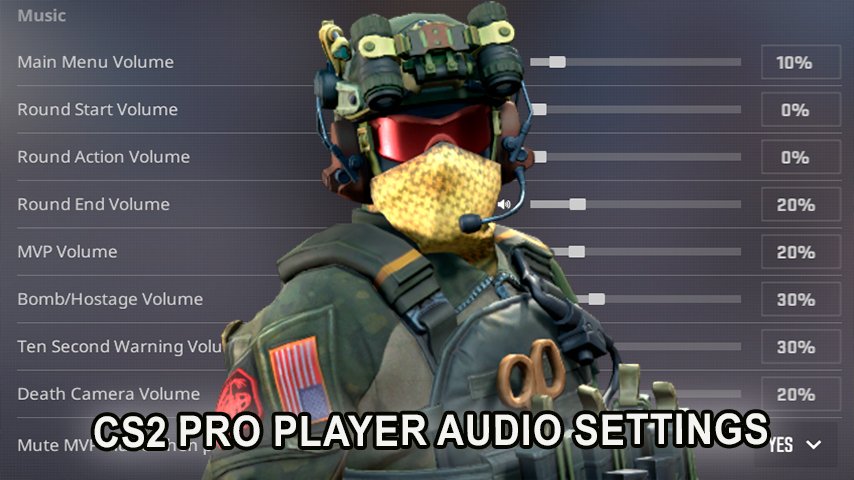
Counter Strike 2 or better known as CS2 has been gathering e sports fans who devote their time and effort to improving their skills in game. A game always has possibilities to evolve and gameplay is one of them. So what’s the audio setting for CS2 pro players? In this article we will examine the audio settings of CS2 pro players, describe the configuration of audio settings applicable to real players as well as provide a list for cs2 pro audio settings.
Why Audio Settings Are Crucial in CS2
 Credit: Valve Corporation
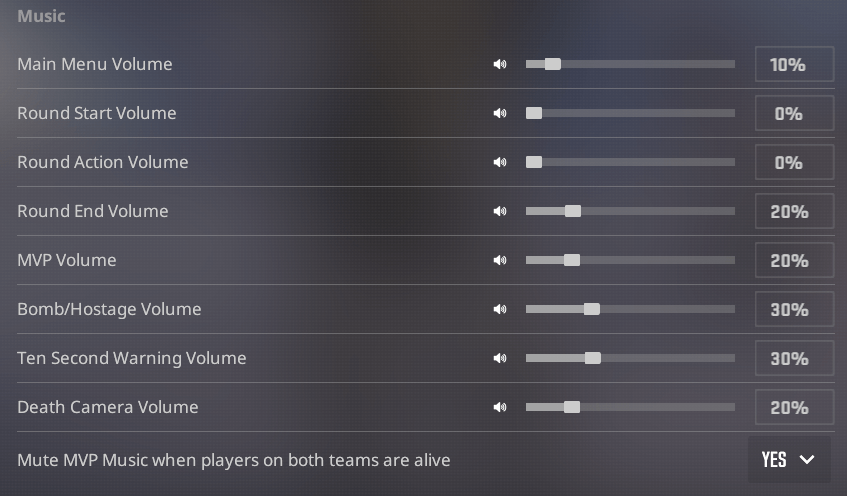
Despite being classified as FPS games, audio cues make the game more versatile. Sounds such as the footstep and weapon reloads act as sounds of frustration not only to the enemies but to the person who is behind the microphone as well. For optimal performance, one has to make their audio settings like professional players.
CS2 Pro Players and Their Audio Settings
 Credit: Valve Corporation
Below are the names and some images of many professional CS2 players who provided their audio configuration settings. These configurations include but are not limited to, the EQ Profile, Left/ right Isolation percentage as well as perspective correction.
CS2 Pro Audio Settings List
Name | EQ Profile | L/R Isolation (%) | Perspective Correction |
|---|---|---|---|
br0 | Natural | 0 | Yes |
Bymas | Natural | 0 | Yes |
CacaNito | Natural | 100 | No |
donk | Natural | 0 | Yes |
doto | Crisp | 59 | Yes |
eraa | Natural | 0 | Yes |
F1KU | Natural | 0 | Yes |
flamie | Natural | 0 | Yes |
Ganginho | Natural | 0 | Yes |
headtr1ck | Natural | 0 | Yes |
HeavyGod | Crisp | 50 | No |
isak | Crisp | 65 | No |
interz | Crisp | 100 | No |
KaiRON- | Natural | 0 | Yes |
KalubeR | Crisp | 100 | No |
Kirby | Crisp | 70 | Yes |
Lekr0 | Crisp | 70 | Yes |
LNZ | Crisp | 50 | No |
Makazin | Crisp | 70 | Yes |
meztal | Natural | 0 | Yes |
MightyMax | Natural | 0 | Yes |
MoDo | Natural | 0 | Yes |
mopoz | Crisp | 50 | No |
NertZ | Natural | 0 | Yes |
npl | Natural | 0 | Yes |
PlesseN | Natural | 0 | Yes |
shushan | Natural | 0 | Yes |
szejn | Natural | 0 | Yes |
t0rick | Crisp | 0 | Yes |
tizian | Crisp | 50 | No |
TMB | Natural | 0 | Yes |
xertioN | Crisp | 100 | Yes |
xfl0ud | Natural | 0 | No |
ZyWoo | Natural | 0 | Yes |
Understanding the Audio Settings
EQ Profile
Natural: Offers a balanced sound, preserving the game's original audio.
Crisp: Enhances higher frequencies, making sounds like footsteps and gunfire more pronounced.
L/R Isolation (%)
0%: Standard stereo sound with no isolation.
50%-100%: Increases separation between left and right audio channels, improving directional sound cues.
Perspective Correction
Yes: Adjusts audio to match the player's in-game perspective, providing a more immersive experience.
No: Disables perspective adjustments, maintaining traditional audio cues.
Insights from the Pros
The only restrictions for EQ profile are L/R Isolation 0 and Perspective Correction on. This is precisely what propels literally every professional player into doing it. Players like br0, Bymas, donk, F1KU, flamie, headtr1ck, MightyMax, NertZ, npl, PlesseN, shushan, szejn, TMB, and ZyWoo 0 PC are all power followers of this ideology. It tells us that the players enjoy sound with plenty of detail and no embellishments.
L/R Isolation High Impedance: In depth, detail not much flotation. Just some players like CacaNito (100), interz (100), KalubeR (100) and xertioN (100) are indicative of this point. This means that the priority has been laid to utilize maximum directionality to know the enemy locations.
Dotted does rely on a Crisp profile which works around 59 LP and 30 AP. Setting was an initial recommendation by the team manager.
Isak simply joined fast sound waves meaning 65 LP, 30 AP. Suggestions made by email communication with the admin had been broad. There was no reference to any plugins in detail.
Kirby and Lekr0 are in agreement about the center frequency policy, sitting at 70 LP. This indicates that ringing has been the more likely bright sound to be utilized.
How to Adjust Your Audio Settings Like the Pros
To replicate the said settings:
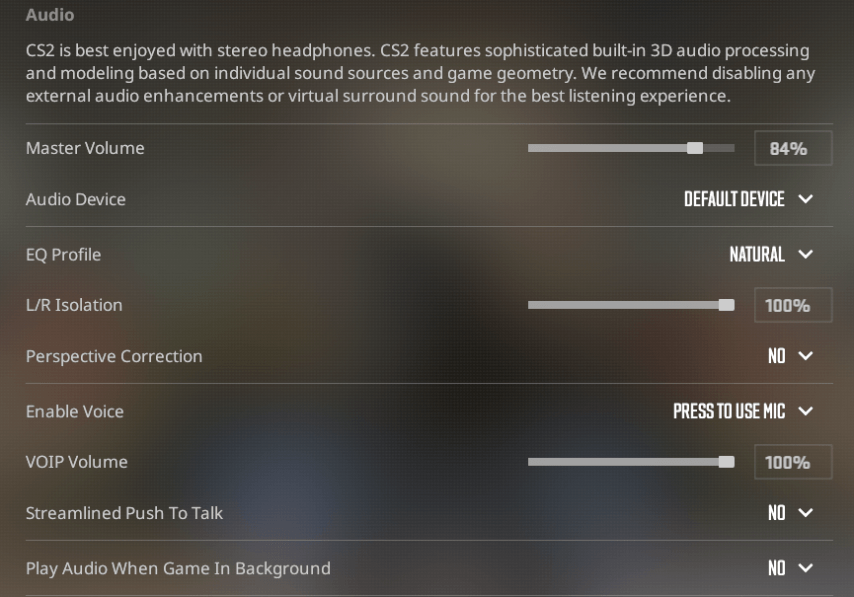
Open Audio Settings: In CS2, click on ‘Settings’ – ‘Audio.’
Select EQ Profile:
Select a natural or crisp.
Set L/R Isolation:
Move the scrollbar to the percentage used by the pro player you base off.
Turn On or Off Perspective Correction:
Use this option according to the pro player’s settings.
Check the Settings:
Play matches to check how these settings impact your game and modify them accordingly.
Frequently Asked Questions
What Does L/R Isolation Do?
With L/R Isolation, the audio channels are able to be separated out to a greater extent and sounds can easily be localized.
Is Perspective Correction Good?
Perspective Correction serves to give a sense of volume relative to the player’s view, making things sound more realistic and immersive. Its usefulness it context specific and differs from one player to the other.
Should I Use Natural or Crisp EQ Profile?
Natural is what you would go for when you want no enhancement and seek for balance.
Crisp is used when you try to focus on higher frequency sounds such as footsteps.
Suggestions for Improving Your Audio Settings
Always remember to use good quality stereo headphones as they are best for directional audio.
Settings adjustment: Even though it might be impossible for amateurs to quite attain the level of professional players, aspiring players should change the controls in order to find out which set of configurations works best for them.
Watch professional gamers: There are professional gamers who change or modify settings and get used to the new ones very often. They like to share about their gaming on platforms like Twitch or Twitter.
Conclusion
Getting educated about the audio settings and adjusting them would, as a rule, increase a player’s efficiency in CS2. For instance, how about finding out how Codec Pro players configure the sound settings, to use it to their advantage during the game. As you know, the best settings for different players will always be different, so the recommendation will be to set up the configuration and AVG what gives the best outlines for you.