How to Bind Quickswitch CS2
Author: Hawk Live LLC
Last updated:
Players, in a bid to adapt old skills and incorporate new ones in Counter-Strike 2 (CS2), have demonstrated great agility as the competitive scene of Counter-Strike evolves. One such technique, the quickswitch bind, remains a topic of intense interest.
Quickswitch Bind in CS2
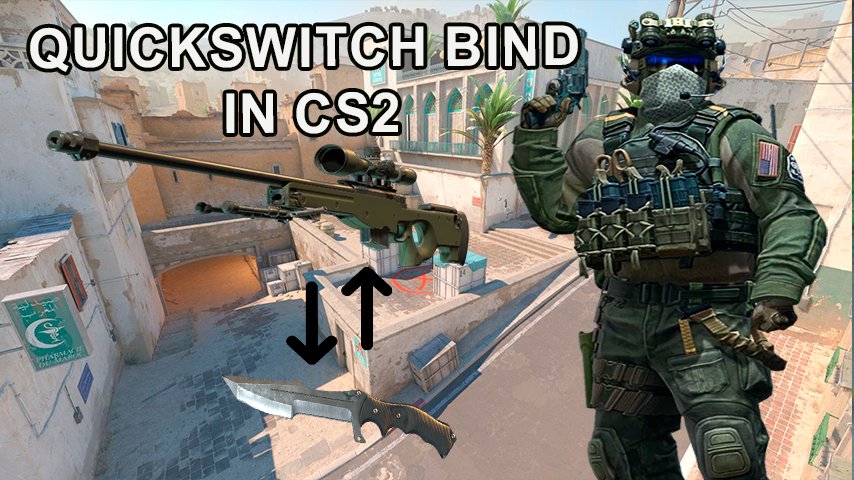
The quickswitch bind is a custom keybind primarily used by players who handle sniper rifles like the AWP or scout as well as Deagle: Desert Eagle. The bind lets players switch to their knife and then quickly back to their primary weapon. This is important for players who want to maximize their movement speed after shooting since switching to a knife temporarily increases movement speed.
Benefits of the Quickswitch Bind
Although it doesn’t reduce recoil or decrease shot times, using this method avoids automatic rescoping with weapons such as AWP and SSG-08 that can be very crucial during high-stakes engagements. Furthermore, it gives aesthetic satisfaction especially for those with custom knife skins while offering faster positional reset after missed shots or while scouting.
Technical Insights
The implementation o fquickswicth binds has been slightly changed in CS2 due to game’s updated engine and mechanics. Unlike CS:GO where you could make multiple actions on one key, this game takes another approach since inability to support multiple commands on one key. Binds setting process in-game console has been therefore adjusted accordingly.
How to Set Up Quickswitch Bind in CS2
For players looking to implement the quickswitch bind in CS2, the process involves a few simple commands:
Open the console window using the '~' key.
Enter the following commands:
alias +switchw "slot3" – This command switches to your knife.
alias -switchw "lastinv" – This command switches back to your previously equipped weapon.
bind "G" +switchw – This binds the above commands to the 'G' key.
Problems and Workarounds
The binding of multiple actions to a single key may give challenges to CS2 players when setting up the quickswitch bind, which is not possible in this game. Alternatively, there are manual quickswitch commands done sequentially or other keys or commands that can be set up to have similar effects.
As the game is still in its early stages, it may introduce features like persistent bind settings as well as more advanced command integrations in future updates. The ongoing development by Valve Corporation and community feedback are expected to iron out these fine points whereby some of the favorite functionalities from CS:GO could be revived.
Conclusion
Talented players who specialize in CS2 cannot ignore the importance of quickswitch binds. By understanding and getting used to the new mechanics in CS2, gamers are able to ameliorate their gameplay efficiency and keep themselves competitive at this dynamic level. This would mean that strategic gaming in Counter-Strike remains intact for years ahead as its player base develops and evolves with it.