Best Deadlock Settings to Boost FPS and Performance
Author: Hawk Live LLC
Last updated:
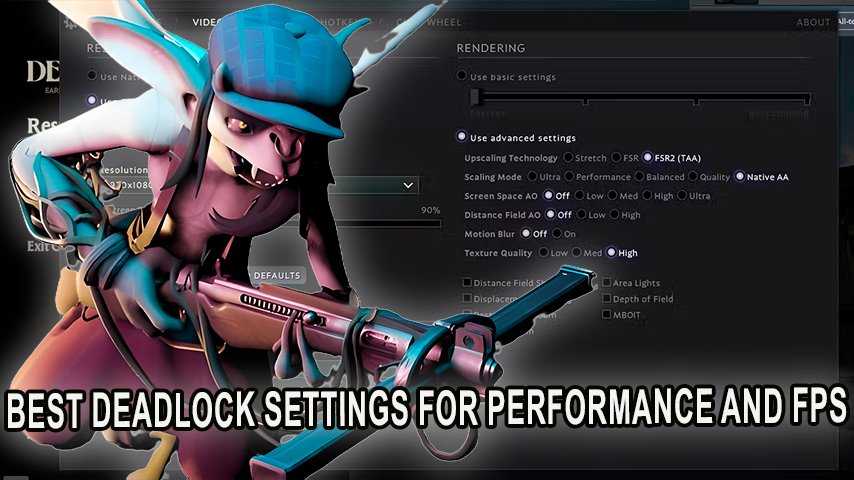
For competitive gamers, every single frame can affect the outcomes of every seat when playing in a hybrid shooter/ Moba such as Deadlock, which was created by Valve, meaning that there are a lot of other users trying hard – and seamlessly to get the best gamimg experience, this means you too should focus on your PC settings.
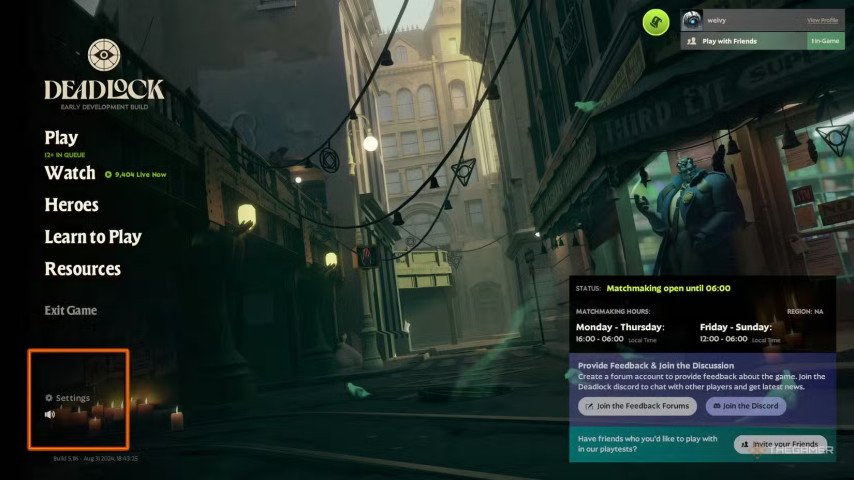
Best Settings for Low-End PCs
 Credit: Valve Corporation
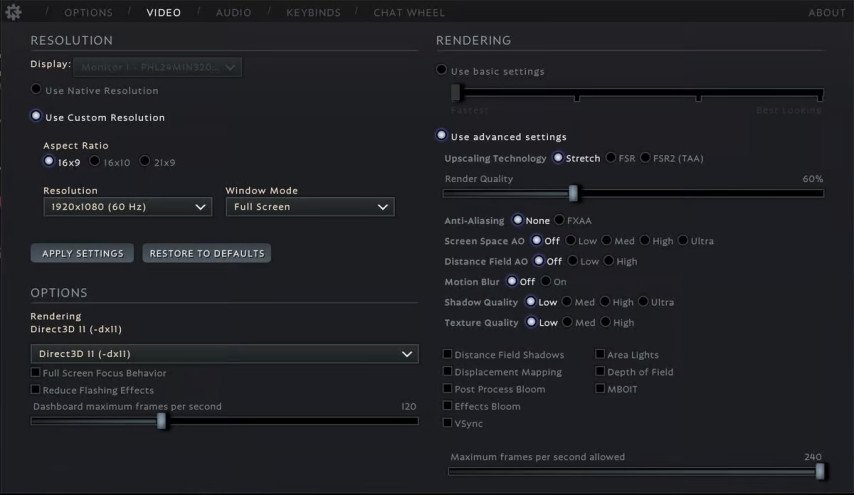
For users that possess a low or older computer, limiting frame rates may be necessary for seamless gameplay. Through these settings, we will be looking at maintaining performance although visual may not be the same.
Setting | Value |
|---|---|
Window Mode | Borderless |
Aspect Ratio | 16×9 |
Resolution | 1920 x 1080 (or lower) |
Upscaling | Stretch |
Render Quality | 60-70% |
Anti-Aliasing | Off |
Screen Space AO | Off |
Distance Field AO | Off |
Motion Blur | Off |
Shadow Quality | Low |
Texture Quality | Low |
VSync | Off |
Distance Field Shadows | Off |
Displacement Mapping | Off |
Post Process Bloom | Off |
Effects Bloom | Off |
Max FPS allowed | 240 |
Once you apply these settings, the quality of game play is expect to achieve a range of 60 FPS which is great easily allows for better the effective use of combat options for older gaming systems.
 Credit: Valve Corporation
Custom Configurations for Mid-Range PCs
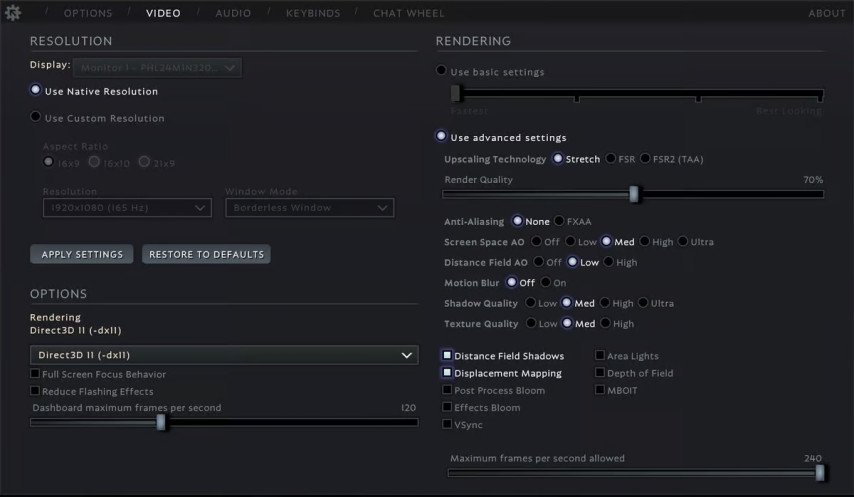
If you have mid-tiered gaming systems, your aim is to balance between frame rates and graphics settings. With the settings given, you can be able to maintain good performance while still enjoying the visuals:
Setting | Value |
|---|---|
Window Mode | Borderless |
Aspect Ratio | 16×9 |
Resolution | 1920 x 1080 (144 Hz or higher) |
Upscaling | Stretch |
Render Quality | 70-80% |
Anti-Aliasing | FXAA |
Screen Space AO | Low |
Distance Field AO | Low |
Motion Blur | Off |
Shadow Quality | Medium |
Texture Quality | Medium |
VSync | Off |
Distance Field Shadows | On |
Displacement Mapping | On |
Post Process Bloom | Off |
Effects Bloom | Off |
Max FPS allowed | 240 |
When aiming for a reasonable target, typically these settings will give you 80-120 fps which makes it possible to play the game without lagging and still take full advantage of the better graphics.
 Credit: Valve Corporation
Best settings for all the High Playing Computers
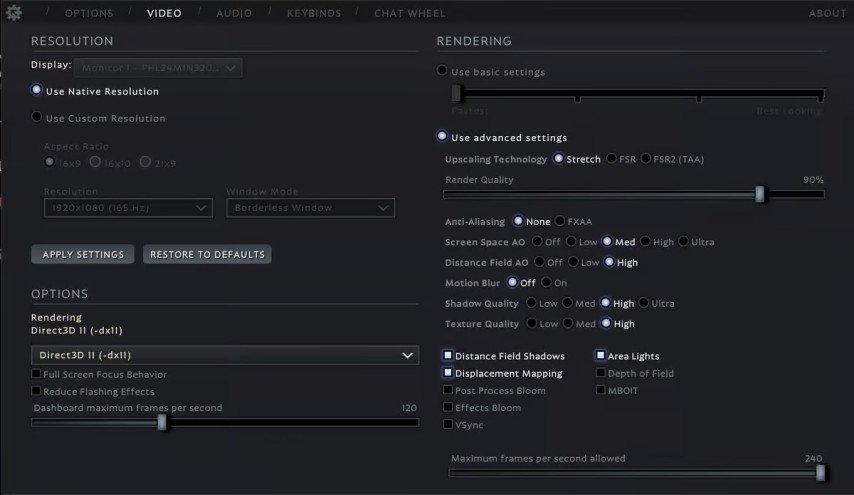
If you have superb gaming systems then applying these settings will allow you to experience the best visual quality and highest FPS possible.
Setting | Value |
|---|---|
Window Mode | Fullscreen |
Aspect Ratio | 16×9 |
Resolution | 1920 x 1080 (or higher) |
Upscaling | Stretch |
Render Quality | 90% |
Anti-Aliasing | FXAA |
Screen Space AO | Medium |
Distance Field AO | High |
Motion Blur | Off |
Shadow Quality | High |
Texture Quality | High |
VSync | Off |
Distance Field Shadows | On |
Displacement Mapping | On |
Post Process Bloom | On |
Effects Bloom | Off |
Max FPS allowed | 240 |
Using these settings, players should expect fluid gameplay ranging 120-200 FPS depending with their hardware while high visual quality is maintained. This setup allows you to fully enjoy the visual beauty that Deadlock offers without compromising on performance foot you to put in the competitive gameplay.
 Credit: Valve Corporation
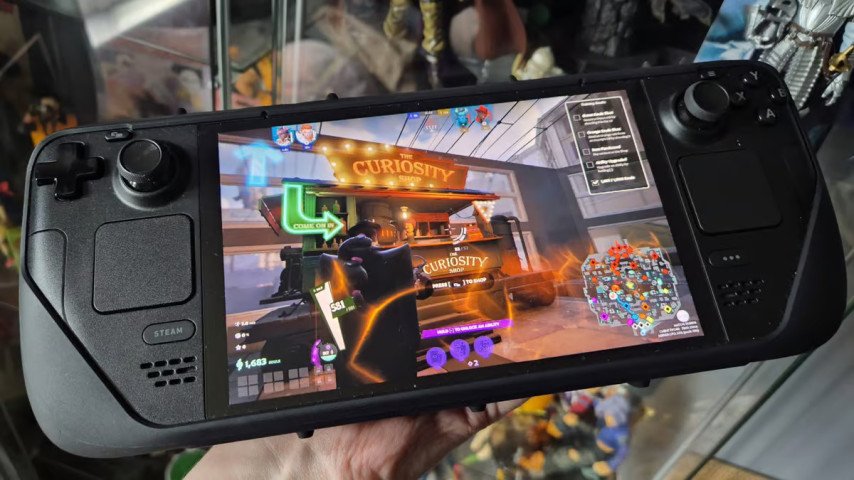
How To Increase FPS On Steam Deck
Additionally you can still improve your performance for the device using these settings even if Deadlock is not fully optimized for Steam Deck.
Setting | Value |
|---|---|
Resolution | Native |
Rendering | Direct3D 11 (-dx11) |
Upscaling | Stretch |
Render Quality | 70% |
Anti-Aliasing | FXAA |
Texture Quality | Medium |
VSync | Off |
Applying these settings can allow FPS to increase by around 45 to 50 which increases the enjoyment on playing the game on the handheld platform.
 Credit: Dexerto
Conclusion
Tweaking Deadlock’s options so that it performs at its best gives you an edge over any opponent. If you have a weaker system, or a stronger one, these settings will alleviate input lag and increase salings to enhance your overall game. As Valve progresses in the game, more optimizations more likely than not will come to be, but for the time being, these are the best settings available in Deadlock.