Best CS2 PC build: budget, mid-range and top configurations
Author: Hawk Live LLC
Last updated:
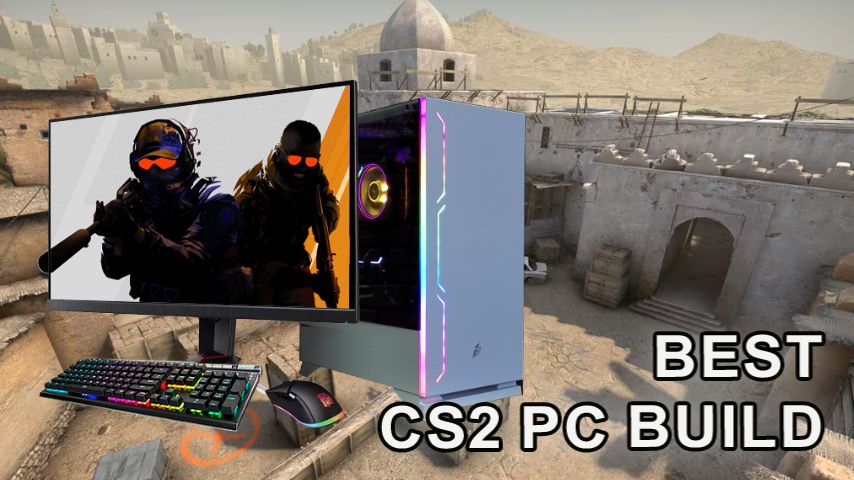
Counter-Strike 2 is a fairly optimized game, because of which it can run even on a budget PC. Nevertheless, for comfortable gameplay, it is important to choose a suitable build capable of running the game with a cyber-sporting FPS. In this article, let's take a look at how to build a PC to comfortably play CS2 regardless of the size of your budget.
How to build a budget PC for CS2?
To play Counter-Strike 2 in Full HD resolution at low graphics settings, you need a quad-core processor and a budget gaming graphics card like NVIDIA GeForce GTX 1650.
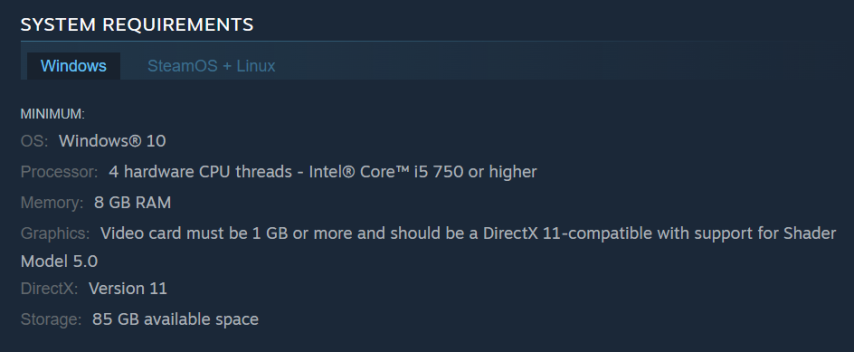 Credit: Steam
To avoid freezes during gameplay, it is better to install at least 16 GB of RAM. For a comfortable game in CS2 without lags and freezes, it is better to choose components no weaker than those presented below.
Recommended budget assembly
Component | Option 1 | Option 2 | Cost (USD) |
|---|---|---|---|
Processor | Intel Core i3-12100 | AMD Ryzen 3 3200G | ~110 |
Video card | NVIDIA GeForce GTX 1650 | AMD Radeon RX 6500 XT | ~150 |
RAM | 16GB DDR4 (2×8GB) | 16GB DDR4 (1×16GB) | ~50 |
Motherboard | MSI H610M | ASUS Prime A320M | ~70 |
Drive | SSD 500GB | SSD 480GB | ~40 |
Power supply | 450W | 500W | ~40 |
Case | Budget ATX | Budget Micro-ATX | ~30 |
Budget CS2 PC price
The total cost of building a budget system for playing CS2 will cost from 450 to 500 dollars. This system will provide a stable frame rate at minimum graphics settings, as well as give the opportunity to comfortably play many modern games characterized by low system requirements.
If your budget is too limited even for such a build, you can pick up an inexpensive processor with relatively powerful integrated graphics, and the graphics card to buy later. Nevertheless, in such a situation you should be ready for performance sags. Earlier we wrote how to optimize Counter-Strike 2 for weak systems.
How to build a gaming PC for CS2 of medium price category?
A gaming build of medium price category will allow you to play Counter-Strike 2 in cybersport FPS from 120 frames per second. It will also be possible to increase graphics settings and set Quad HD resolution for sharper images. Moreover, such a PC will allow you to comfortably play most modern games, but not at high settings. Such a PC needs more modern processes, as well as a productive graphics card from past generations, like NVIDIA GeForce RTX 3060.
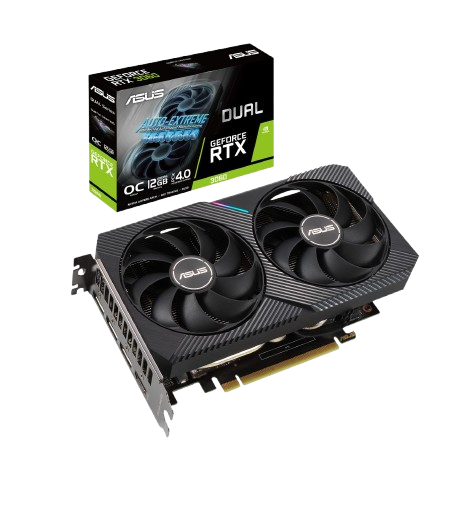
Credit: Asus
Recommended mid-range build
Component | Option 1 | Option 2 | Cost (USD) |
|---|---|---|---|
Processor | Intel Core i5-12400F | AMD Ryzen 5 5600 | ~190 |
Video card | NVIDIA GeForce RTX 3060 | AMD Radeon RX 6600 XT | ~300 |
RAM | 16GB DDR4 (2×8GB, 3200 MHz) | 32GB DDR4 (2×16GB, 3200 MHz) | ~80-120 |
Motherboard | MSI B660M | ASUS TUF B450M | ~100 |
Storage | SSD 1TB | SSD 1TB | ~70 |
Power supply | 650W | 700W | ~60 |
Case | Medium ATX with cooling | Premium Micro-ATX | ~50 |
The cost of building a gaming PC for CS2 medium price category
The assembly of such a computer will cost from 900 to 1200 dollars, depending on the selected components. A significant part of the presented equipment can be bought on the secondary market, which will reduce the cost of assembly by 200 - 300 dollars, but in this situation you need to carefully check the quality of components.
How to build a top PC for CS2?
To play Counter-Strike 2 with cybersport frame rate and at high graphics settings, it is better to collect a TOP assembly. PCs of this level are used by professional players and streamers who need to process streaming video of high quality in parallel with the game.
For such a system it is better to choose a processor from 12 cores with high performance per core. Such a processor will provide smooth gameplay, while performing other tasks in parallel. As a video card in such a system, it is better to use top gaming models like RTX 4070 Ti and above.
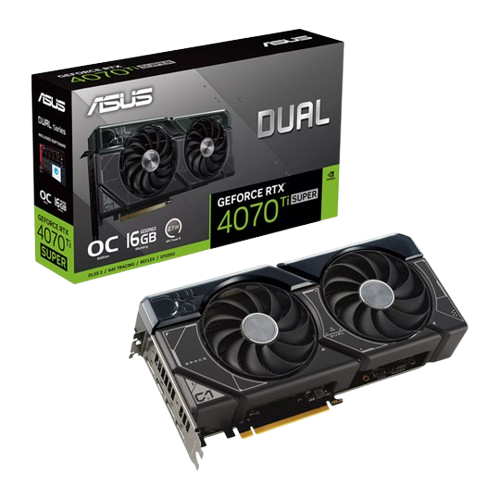
Credit: Asus
Recommended top assembly
Component | Option 1 | Option 2 | Cost (USD) |
|---|---|---|---|
Processor | Intel Core i7-13700K | AMD Ryzen 7 7800X3D | ~450 |
Video card | NVIDIA GeForce RTX 4070 Ti | AMD Radeon RX 7900 XT | ~800-1,000 |
RAM | 32GB DDR5 (2×16GB, 5200 MHz) | 32GB DDR5 (2×16GB, 6000 MHz) | ~150-200 |
Motherboard | MSI Z790 | ASUS ROG X670E | ~250 |
Drive | NVMe 2TB SSD | SSD NVMe 2TB | ~130 |
Power supply | 850W | 1000W | ~120 |
Case | Premium ATX with RGB | Premium ATX | ~120 |
TOP CS2 PC price
Building the most modern PC for CS2 will cost from 2000 to 2300 dollars. Nevertheless, such a system will remain relevant, at least for the next few years, without requiring upgrades.
Collecting the top PC for playing Counter-Strike 2, you can also buy all the components, except for the graphics card, and its purchase later. Modern built-in graphics performance is comparable to budget discrete graphics cards, so even in this variant you can get comfortable gameplay, even if not with the best graphics.
Should I buy a ready-made PC or assemble it myself?
If you buy components separately and then assemble the computer yourself, you can save up to 20% of the cost. However, this approach requires serious technical knowledge. Although all instructions are available on the Internet, we recommend choosing this method only for experienced PC users who are confident in their abilities. In such a situation, before ordering hardware to build, we recommend checking its performance in CS2 through a special service to evaluate FPS in games.
Where to buy a PC for CS2?
For gamers who prefer to buy a ready-made build, we recommend to carefully check the PC supplier, choosing only trusted sellers. There are many scammers in the gaming PC market who sell outdated hardware under the guise of gaming hardware, taking advantage of the trust of buyers, so it is better to choose suppliers that are recognized in the international market. Examples of such companies that deliver gaming PCs internationally are:
Apex Gaming PCs;
Conclusion
It is possible to assemble a computer for a comfortable game of Counter-Strike 2 under almost any budget. Nevertheless, an inexpensive PC will allow you to play only at low graphics settings, and a top system, in addition to high-quality images, will also provide additional features such as real-time broadcasting of gameplay on streaming platforms.