Why are some heroes locked in dota 2
Author: Hawk Live LLC
Last updated:
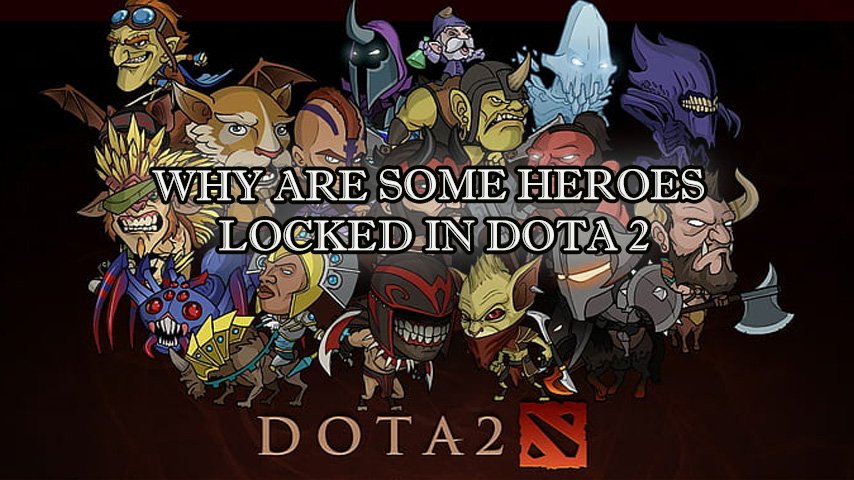
Dota 2 boasts a vast array of heroes, as well as their combinations with items and cosmetic skins. Thanks to this, each game is unique, and interest in the game doesn't wane even after several years of active gameplay.
However, new players may find that not all heroes are available to them, which can disappoint some beginners. But this is not done without reason. The reason behind this is that the high complexity of the game poses challenges for players at the initial stages when they are learning the rules and characters. That's why Valve developers decided to implement some restrictions.
Why are not all heroes unlocked?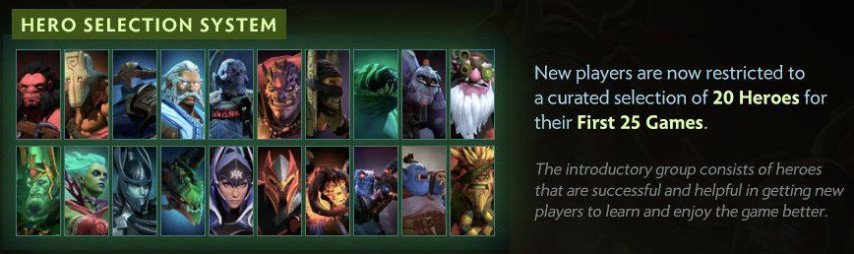
To make the initial steps easier for beginners, the game developers have restricted the list of heroes available for selection at the initial stages. This way, it achieves a smoother introduction for inexperienced players to Dota 2. Initially, you can only choose heroes for whom the game's complexity is low.
How to remove this restriction?
In most cases, the limitation on hero selection is a sensible and correct decision on the part of the developer. However, it doesn't account for situations where an experienced player temporarily plays on a different account. If you find yourself in such a situation, you can unlock all the heroes through the console.
Hidden game data contains a record of whether the player is a novice, and it looks like this: "dota_new_player 1." To change this value, you need to access the console:
- Launch Steam and find Dota 2 in your library.
- Right-click on the game.
- Open "Properties," go to the "General" tab, find the "Set launch options" item, and then enter the necessary commands.
- Enter "-console" (with a hyphen, without quotes).
Upon entering the game, you can reassign a hotkey to open the console in the menu ("Settings — Controls — Interface"). Initially, the key with the "slash" (/) symbol is designated for this action. Now you can start searching for a game and then accept it. Right after the game loads, you should open the console and type "dota_new_player false" or "dota_new_player 0."

There's no need to input these commands before the hero selection phase, as the automatic change of the field value to "true / 1" occurs during the match loading process.




![No[o]ne spoke about PARIVISION’s goals](https://hawk.live/storage/images/posts/noone-named-best-mid-laners-24002.jpg)