Best League of Legends Settings: Pro Players' Secrets Revealed
Author: Hawk Live LLC
Last updated:
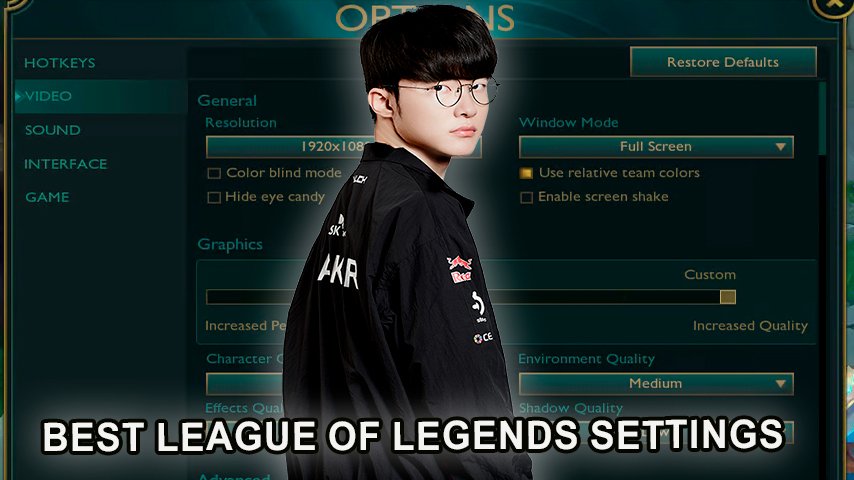
League of Legends is known to be the most trending esports discipline where every small detail can change the direction of the match. The proper game settings not only improve the performance on a specifically weak foot but they also give you a competitive advantage. In this article comprehensively examine some of the best League of Legends settings including video, audio, interface and provide some exact settings used by famous professional players.
Best Video Settings for League of Legends
 Credit: Riot Games
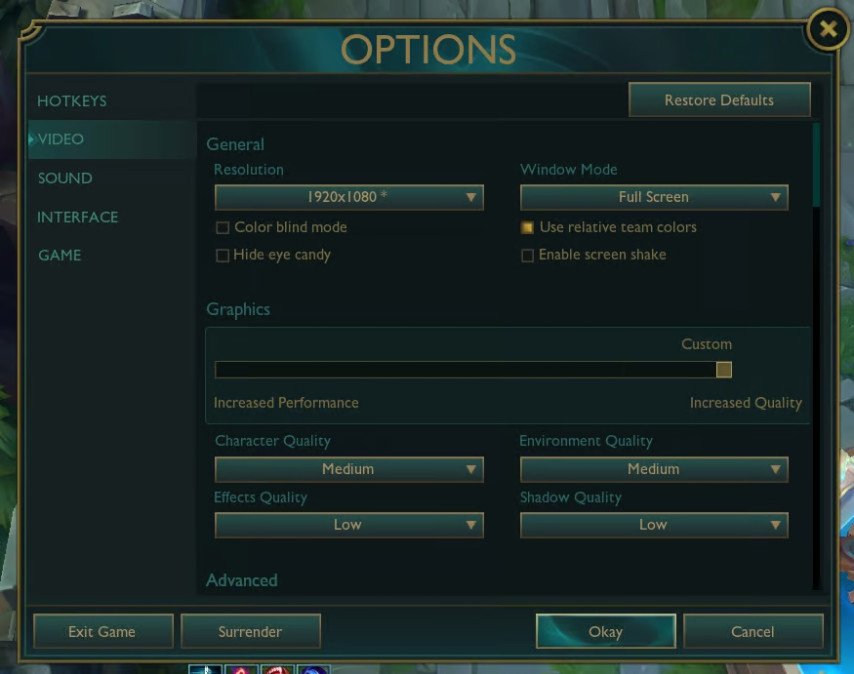
There are some advanced features that have to be optimized for video settings, these would include resolution targets, texture quality, among many others. The right configurations go a long way in ensuring lag is not present and maximum game unmatched responsiveness is provided.
Recommended Video Settings
Parameter | Recommended Value |
|---|---|
Screen Resolution | Native resolution of your monitor (e.g., 1920x1080) |
Display Mode | Full Screen |
Character Quality | Low |
Environment Quality | Low |
Shadows | Off |
Effects Quality | Low |
Particles Quality | Low |
Vertical Sync (VSync) | Off |
Frame Rate Cap | Match your monitor's refresh rate (e.g., 144 FPS for 144 Hz) |
Using these settings ensures maximum performance and smooth gameplay.
Best Audio Settings for League of Legends
Credit: Riot Games
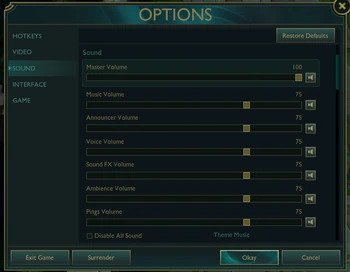
Audio is an important aspect in League of Legends as it assists in operating in the game and responding to various enemies activities. Knowing the best audio settings would also guarantee the normalizing of important sounds and communication being clearly heard.
Recommended Audio Settings
Parameter | Recommended Value |
|---|---|
Sound Effects Volume | 70% (loud enough for clear perception) |
Music Volume | 0% (disabled for maximum concentration) |
Voice Chat | Enabled and configured for clear team communication |
Proper audio settings ensure you don't miss important in-game sound cues.
Best Interface Settings for League of Legends
 Credit: Riot Games
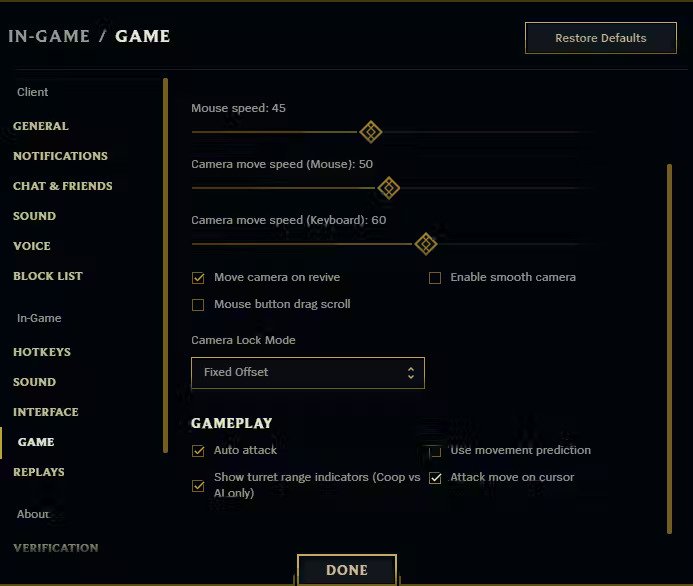
The interface should not be so advanced as to disrupt the gamer and should not be too basic as to impede the functions that are necessary. Personalizing the interface is quite useful as one can improve their in-game performance strategies.
Recommended Interface Settings
Parameter | Recommended Value |
|---|---|
Minimap Size | 100% (maximum for better visibility) |
Cursor Size | 50% (standard size for comfortable play) |
Show Enemy Spell Indicators | Enabled |
Quick Cast | Enabled on all abilities and items |
Custom Hotkeys | Adjusted to personal preferences |
Setting up the interface helps you react faster to events and make better decisions.
Professional Players' Settings in League of Legends
Great professionals playing this big championship might help you a lot and their last settings could be a brilliant help to your own focus. You can find the precise settings of some of the top professional players below.
Faker (Lee Sang-hyeok)
Role: Mid Laner for T1
Video Settings:
Parameter | Value |
|---|---|
Screen Resolution | 1920x1080 |
Display Mode | Full Screen |
Character Quality | Low |
Environment Quality | Low |
Shadows | Off |
Effects Quality | Low |
Particles Quality | Low |
Frame Rate Cap | Uncapped |
VSync | Off |
Hotkeys and Interface:
Uses Quick Cast on all abilities and items.
Minimap Size: 100%
Cursor Size: 50%
Show Enemy Spell Indicators: Enabled
Audio Settings:
Sound Effects Volume: 70%
Music Volume: 0% (disabled)
Faker prefers minimalist settings for maximum in-game concentration.
Showmaker (Heo Su)
Role: Mid Laner for DAMWON Gaming
Video Settings:
Parameter | Value |
|---|---|
Screen Resolution | 1920x1080 |
Display Mode | Full Screen |
Character Quality | Medium |
Environment Quality | Low |
Shadows | Off |
Effects Quality | Low |
Particles Quality | Medium |
Frame Rate Cap | 144 FPS |
VSync | Off |
Hotkeys and Interface:
Uses a combination of Quick Cast and Quick Cast with Indicator.
Minimap Size: 100%
Audio Settings:
Sound Effects Volume: 50%
Music Volume: 0%
Showmaker balances between performance and visual informativeness.
Chovy (Jeong Ji-hoon)
Role: Mid Laner for Gen.G
Video Settings:
Parameter | Value |
|---|---|
Screen Resolution | 2560x1440 |
Display Mode | Full Screen |
Character Quality | Low |
Environment Quality | Low |
Shadows | Off |
Effects Quality | Low |
Particles Quality | Low |
Frame Rate Cap | 240 FPS |
VSync | Off |
Hotkeys and Interface:
Uses Quick Cast.
Frequently customizes hotkeys to his preferences.
Audio Settings:
Sound Effects Volume: 80%
Music Volume: 0%
Chovy focuses on maximum game responsiveness and high frame rates.
Zeus (Choi Woo-je)
Role: Top Laner for T1
Video Settings:
Parameter | Value |
|---|---|
Screen Resolution | 1920x1080 |
Display Mode | Full Screen |
All Graphic Settings | Low |
Frame Rate Cap | Uncapped |
VSync | Off |
Hotkeys:
Uses standard hotkeys with Quick Cast.
Oner (Moon Hyeon-joon)
Role: Jungler for T1
Video Settings:
Parameter | Value |
|---|---|
Screen Resolution | 1920x1080 |
Display Mode | Full Screen |
All Graphic Settings | Low |
Frame Rate Cap | Uncapped |
VSync | Off |
Hotkeys:
Uses Quick Cast and custom keybindings.
Rekkles (Martin Larsson)
Role: ADC for G2
Video Settings:
Parameter | Value |
|---|---|
Screen Resolution | 1920x1080 |
Display Mode | Borderless Windowed |
Character Quality | Medium |
Environment Quality | Low |
Shadows | Off |
Effects Quality | Medium |
Particles Quality | Low |
Frame Rate Cap | 144 FPS |
VSync | Off |
Hotkeys and Interface:
Uses a mix of standard and custom settings.
Quick Cast on abilities.
Rekkles emphasizes comfort and stability in his gameplay.
Additional Tips for Optimizing League of Legends
For most effective achievement, the following recommendations can be considered:
Upgrade Your Gaming Equipment: The gameplay can be improved with a better quality mouse and keyboard with adjustable DPI and macros.
High Refresh Rate Monitor: Enables faster reactions and smoother motion display.
Conclusion
The right League of Legends settings can help you enjoy the game more and perform better in matches. Learning from professional players and using their settings is a learning process and can always be adjusted according to your needs. Settings are always individual so it is very important to set them up correctly for the best immersion.