Master Chat Wheel in Deadlock: Communicate Like a Pro in Seconds
Author: Hawk Live LLC
Last updated:
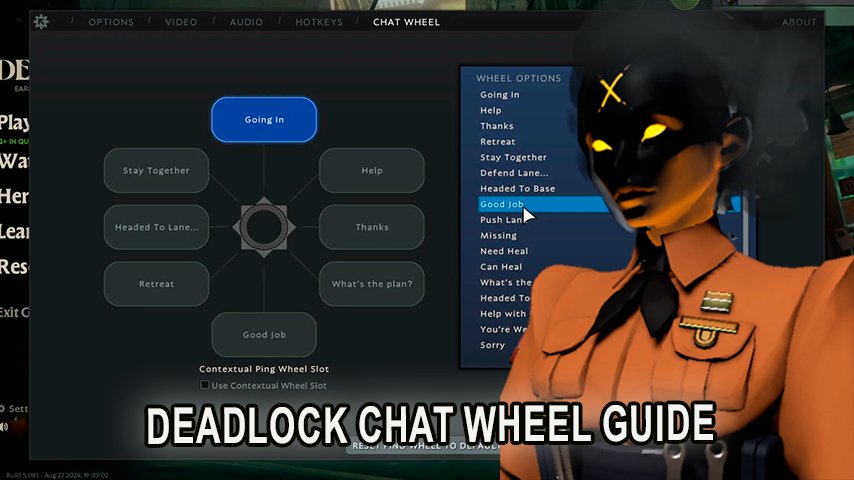
In Valve’s new competitive game Deadlock, communication is essential as the teamwork with teammates can win or lose a match. The players are provided with multiple communication options, where one of the most useful is the Chat Wheel that allows them to send short messages without interrupting the flow of the game.
This guide will explain step by step how to use the Chat Wheel in Deadlock from modification in various situations to its use in order to enable players to communicate effectively even in the heat of the game.
What is the Chat Wheel in Deadlock?
 Credit: Valve Corporation
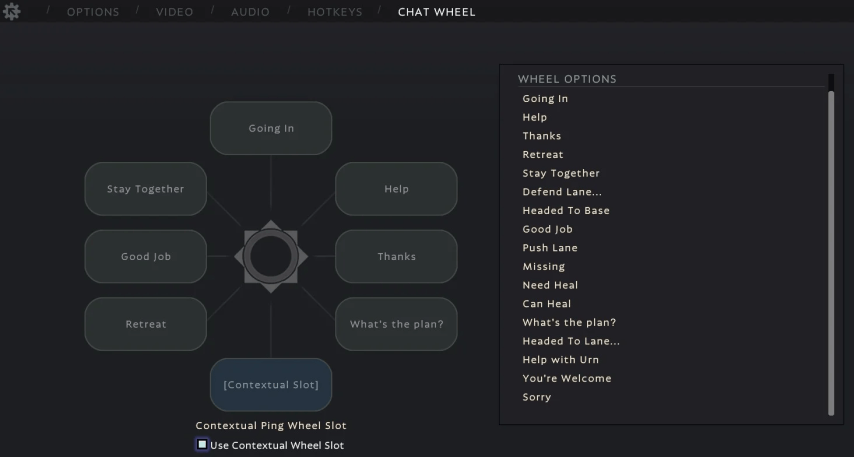
Chat Wheel in Deadlock serves the same purpose as in Dota 2, which is to allow the players to rapidly relay a number of specific messages by simply turning the wheel interface. This feature is aimed the gamers who do not enjoy talking on a mic or typing chats but need to communicate with the team with important pieces of context.
Setting Up the Chat Wheel
Here are the instructions to follow in order to find and set up your Chat Wheel in Deadlock:
 Credit: Valve Corporation
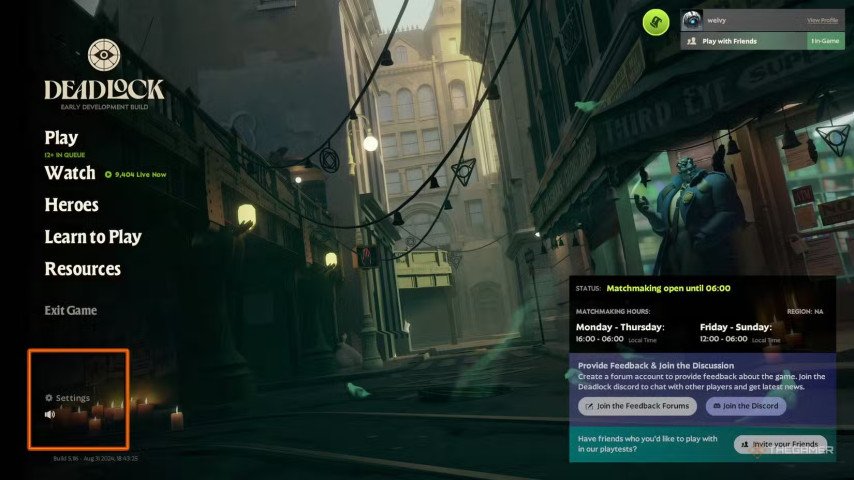
Open Settings: At the start menu, go through the Settings area.
Hotkeys can be found on the options page: In the settings, there is a menu called "Hotkeys" which contains all control parameters, including communication ones.
Control over the chat such wheel: The default configuration for the Chat Wheel is assigned to the letter Y but you can change that. If the Chat Wheel is too far away, for example, many players prefer to just bind it to their mouse buttons.
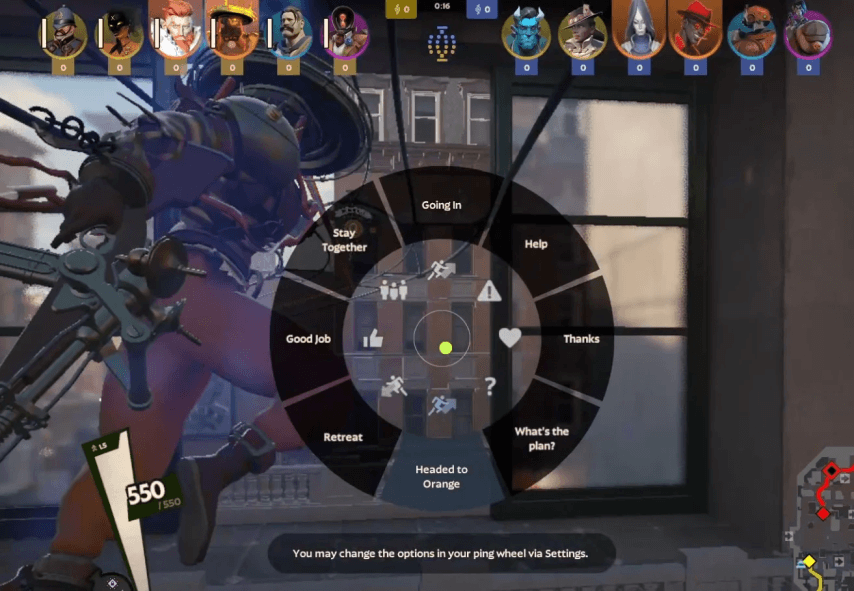
When you have settled on a key to be the chat wheel button, pressing it will show a round interface and you will notice it has 8 different regions each representing a specific command and one of them can be “Attack here” while another can be “Defend this place”. All these commands can also be customized according to the players’ needs.
How to Customize Chat Wheel
One thing that the Chat wheel is heavily reliant on is customizations, in Deadlock, any player can customize the wheel by allocating their preferred commands to different sections of the wheel. Here's how you can do it easily.
Navigate Settings > Chat Wheel: In the menu that has settings, look for something called “Chat Wheel” subsection.
Select a Section to Customize: You can make use of any of the sections available in the chat wheel to fill it with ready made phrases for example “On my way!” or “Enemy spotted!” just click on the section and select the desired message command out of the list available to you.
Save and Test Your Customization: However, once commands are assigned, it is important that you practice break it in the practice match otherwise it will be hard for you to remember which phrase is where.
How to Use the Chat Wheel in a Match
Using the Chat Wheel during a match is quite simple. Once you bind your preferences, press the designated key and hold it to display the wheel. With the key held down, place the cursor over the part of the wheel that corresponds to the command that you want to issue and then release the key to issue that command. The command will be sent to your team as soon as you release the key.
 Credit: Valve Corporation
For the Locational static dial, the chat wheel in deadlock is effective for situations that require fast actions without the need to write or switch to speaking. This is useful for many situations and here are a few examples:
For assistance: When overpowered by opponents, quickly call for assistance from your teammates.
Strategic Instructions: Point out where the opponents are and where their goals are located that are to be defended.
To retreat or for an attack: Make sure these important messages are never missed, so let them be integrated into the game, e.g., “Let’s pull back” or “Let’s attack now.”
Frequently Asked Questions (FAQ)
Q: In Deadlock, is it possible to include my phrase in the Chat Wheel? A: For the time being, it is not possible to add custom phrases onto the Chat Wheel on Deadlock. It is enough to use the chat system that is already built in the game.
Q: Is speaking and using the voice chat necessary in the game, or what about the Chat Wheel? A: The Chat Wheel can be considered to be a great replacement for voice chat, especially for those players who feel it is not necessary to talk, and while they play in an environment where it is not necessary to talk. However, voice communication is more effective towards accomplishing more complex tasks, such as team coordination.
Q: When watching a certain match in Deadlock, can I still have access to the Chat Wheel? A: Yes, Deadlock permits users access to the Chat Wheel even when they are spectating a match. This makes it easier for users to provide comments or reactions using the Chat Wheel, rather than having to type it out.
Conclusion
It could be somewhat hard to manage all of the different aspects in Deadlock, particularly working with a team. It is quite clear therefore Mastering the Chat Wheel in Deadlock puts players in a great position to cope even during the most complex of comms, what may be the hardest part in fast-paced matches such as Deadlock. Overreliance on the volume of messages or the act of communicating too late means that damage has most likely been done. All of these depend on the proper usage of the chat wheel while being in contact with the team.