Master the Perfect Aim: How to Hold Scope in Counter-Strike 2
Author: Hawk Live LLC
Last updated:
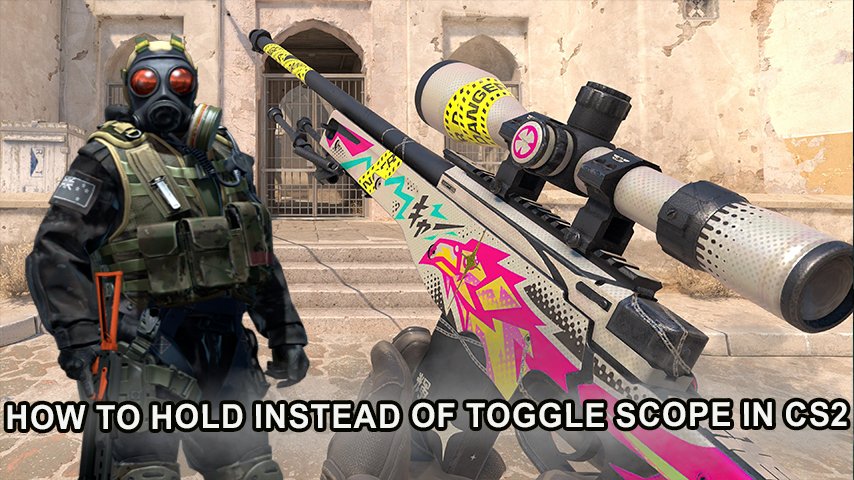
Aiming has always seemed as one of the most popular subjects among the members of the Counter-Strike community. The game allows uh… players to decide how to use the scope on sniper rifles and a few other scoped weapons. On one hand, some players opt for a toggle zoom, while others prefer a hold-to-zoom method which lets them un-zoom and quickly swing their view to any direction.
Why is Choosing Between Hold and Toggle Zoom Important in CS2?
One of the core elements that has always set Counter-Strike apart from other games like VALORANT or Call of Duty are its stylish shooting and its fundamental mechanics. The majority of weapons on CS2 don’t allow for players to aim using iron sights, or a scope, however the AUG, SG553 sniper, AWP, and SSG 08 do allow for more precision since it utilizes scoped aim mechanics and it changed the effectiveness in the game drastically.
In the CS community it is a matter of how much you care for the toggle and hold zoom methods or what tactics you want to use as you zoom in. For example, if the plan is to shoot via “flicking” then the hold to zoom will be most ideal, yet if the plan is to aim directly at one specific point then toggle zoom will be far superior.
How to Enable Hold-to-Zoom in Counter-Strike 2
Toggling the zoom in and out or Hold It ZOOM In or out is one of the unique feature that counter strike 2 offers to its players. The game allows players to function with ease since zooming in is only needed while the key is pressed down. In order to switch between toggling the zoom feature or holding to activate the zoom feature.
Instructions on how to switch to toggling the hold zoom option are mentioned below:
Access the in-game Settings: While playing Close CS2 Press “Esc” and you will enter the settings.
Switch to Keyboard/Mouse controls: Select the “Keyboard/Mouse” Tab.
Locate the section regarding zoom: Use the scroll bar to navigate to “Zoom” section.
Enable ‘Zoom Button Hold’ Option: Go to ‘Zoom Button Hold’ and turn it ON.
Finally in case you want to zoom out all you have to do is release the key instead of clicking which adds an entire new aspect of control and flexibility over the battlefield.
Toggle Zoom: The Classic Method
In case you're one of those players who enjoys clicking the button to zoom in and out instead using hold zoom, fear not as you can go back to normal settings in CSGO. All you have to do is navigate to the settings tab again and toggle ‘Zoom Button Hold’ feature to enable it case you want to zoom in.
Advantages and Disadvantages of Hold-to-Zoom and Toggle Zoom in CS2
Each zooming method in CS2 has its pros and cons, which can influence gameplay style. Here’s a breakdown of the main benefits and limitations of each approach.
Method | Advantages | Disadvantages |
|---|---|---|
Hold-to-Zoom | Allows quick unscoping for increased situational awareness | May require more practice and fine sensitivity adjustments |
Toggle Zoom | Provides steady scope aiming and smoother aiming control | May slightly slow down reaction time due to the extra click needed to unscope |
In the case of Pro players or advanced users, Hold to Zoom works much better as it offers them greater freedom for example featuring quick reflexes. For those who rather likes toggle zooming than this is suitable for them as they focus on one scoped target remaining still.
Tips for Optimizing Zoom Sensitivity and Mouse Settings
In order to excel in CS2, it becomes crucial that one not only chooses the right option for zooming methods but zooming sensitivity’s guidance. Zoom sensitivity is the Cross hair movement adjustment when scoped in and that’s just a part of the general mouse sensitivity. It is wise to set the zoom sensitivity multiplier to maintain the same velocity while being scoped or unscoped. A lot of pro players go for a one to one ratio of zoom to normal mouse sensitivity.
Try checking the box for “Raw Input” as well. This allows every input from the mouse to be implemented into the game, without the operating system adjusting how moves are made. This should be done in practice mode first and not beforehand before playing competitive matches.
Conclusion
The question of whether one would use toggle zoom or hold to zoom in can be decided based on a player’s diversity in CS2 One is encouraged to try both methods since your strategies vary with your weapon. For example, someone looking for accuracy when using a sniper rifle may find that the toggle zoom provides more stability, whereas someone with just snapped reflexes would prefer the hold to zoom.