How to create a private match in CS 2
Author: Hawk Live LLC
Last updated:
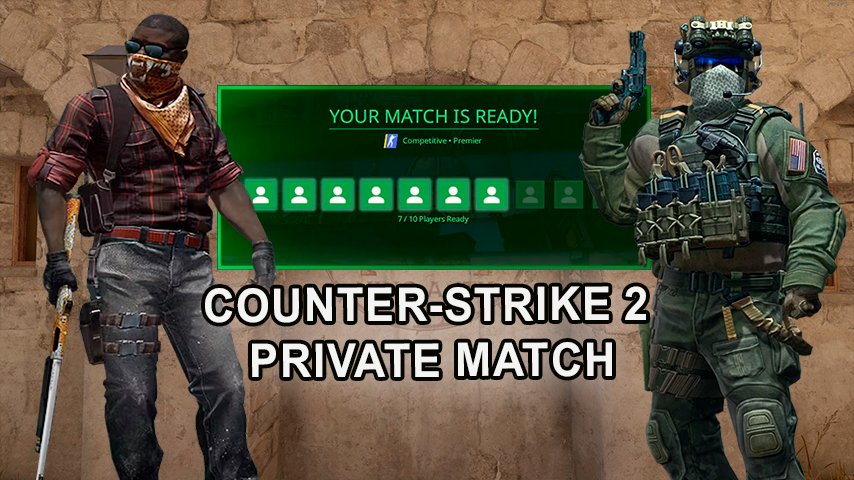
It is not only possible but also exciting. The match becomes your own, allowing you to adjust the gameplay as it pleases you. Here’s how to create a private match in CS 2
How to Create a Private Match in CS 2
Creating a private match in CS 2 begins with accessing the private lobby feature, which gives you full control over the gameplay. Here's a step-by-step guide:
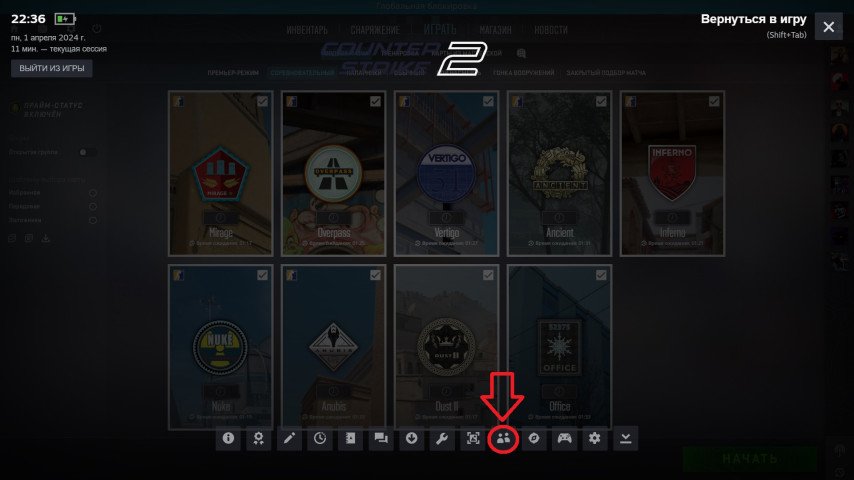
Opening a private lobby: The first step is to navigate to the Matchmaking tab in the game's main menu. Then select the Private Matchmaking option, which will open access to creating a private lobby.
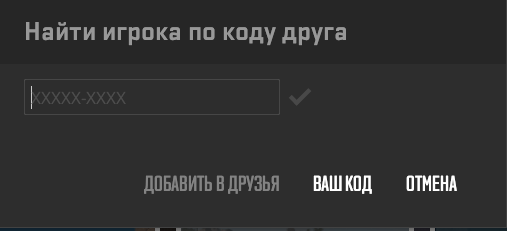
Inviting friends: After creating the lobby, you need to invite your friends to join the match. You can do this by using the "Shift + Tab" command to open the Steam friends list and selecting the desired participants.
Credit: Valve Corporation
Adjusting match parameters: Once your friends have joined the lobby, you can customize various match parameters such as map selection, rule settings, determining the number of rounds, and time for each round.
Choosing the game mode: Select the appropriate game mode from the available options, considering the players' experience level and preferences. Remember, different game modes offer different types of gameplay experiences, from competitive to more relaxed ones.
Confirming settings and starting the match: After all match parameters are set according to your preferences, confirm them and start the match. Your friends will be automatically invited and able to join the game.
Creating a private match in CS 2 allows you to enjoy the game with friends on your own terms, making the gameplay even more exciting and personalized.
Creating a Private Lobby
Creating a private match in CS 2 starts with creating a private lobby. Go to the Matchmaking tab and open Private Matchmaking. Then invite your friends using the "Shift + Tab" command and selecting them from the Steam friends list.
 Credit: Valve Corporation
Once in the custom lobby, you can adjust the map, tournament rules, and conditions for the private match.
Choosing the Game Mode
Currently, the following game modes are available in CS 2:
Premier: The main platform for competitive 5v5 matches with a map pick/ban phase.
Matchmaking: Similar to Premier Mode, but without the map pick/ban phase.
Duos: Operates in a 2v2 mode.
Casual: A more relaxed alternative for those who prefer a laid-back gaming atmosphere.
The choice of mode depends on your experience and preferences.
How to Customize a Private Match in CS 2
After creating private lobby in CS 2, you can modify various aspects of game play so that it suits you and your friends. Here is how you can do it:
Map selection: You're given the option to choose the map for the match. Choose a map from the available list or upload your own if supported by the game.
Rule settings: Determine the game rules, including the number of rounds, round time, game modes (e.g., bomb or hostage scenarios), and any other features you want to include or exclude from the game.
Determining the number of players: Decide how many players will participate in the match. CS 2 supports various team compositions, from 1v1 to 5v5, so choose what best fits your preferences and game plans.
Time constraints: Set time limits for each round or for the entire game to ensure balance and intensity in gameplay.
Choosing the game mode: CS 2 offers various game modes, including competitive, casual, and alternative options. Choose a mode that suits your goals and preferences to make the game more exciting and diverse.
Customization process in CS 2 private match allows you to tailor a gameplay experience that precisely satisfies your desires and fancies. Employ these choices to have unique matches which are unforgettable for everyone involved.
Custom Game Settings
The assortment of custom game settings provided by CS 2 for private matches include launch parameters, video settings, mouse settings, and network performance settings that may be personalized depending on the user’s preference.
Private matches in CS2 allow players to set their own rules, making them ideal for 1v1 duels. If you're interested in setting up competitive 1v1 matches, check out our detailed guide on 1v1 maps, where we explain the best maps and formats for duels. Additionally, before jumping into a match, consider warming up with the best CS2 warm-up maps to fine-tune your aim and reaction time.