How to Buy Items in Dota 2?
Author: Hawk Live LLC
Last updated:

Knowing how to buy items in Dota 2 is a skill that every player, from beginners to seasoned veterans, needs to possess. The structure of the game’s shop (including the Base Shop and Secret Shop) makes getting items for your hero strategically more important than just buying them off-hand here is a step by step guide to purchasing these items.
Where find the shops in Dota 2
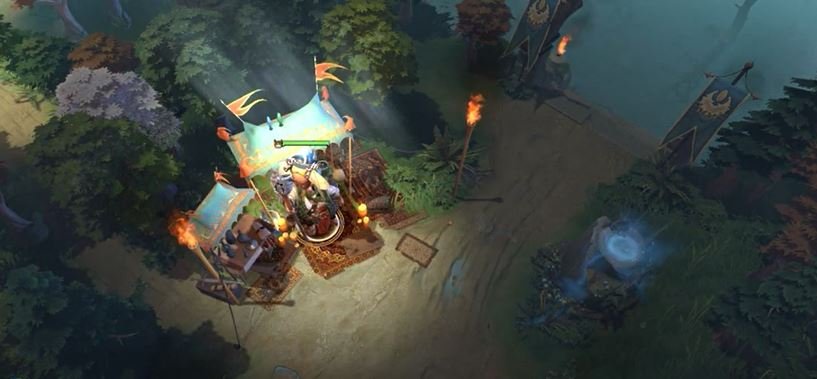
Where find the shops in Dota 2The two types of shops found in Dota 2 include: the Base Shop and the Secret Shop. The Base Shop is located within your base where heroes respawn; however, the Secret shop is somewhere near the first tower at top lane for Radiant and bottom tower for Dire.
 Credit: Valve Corporation
Opening the Shop Interface
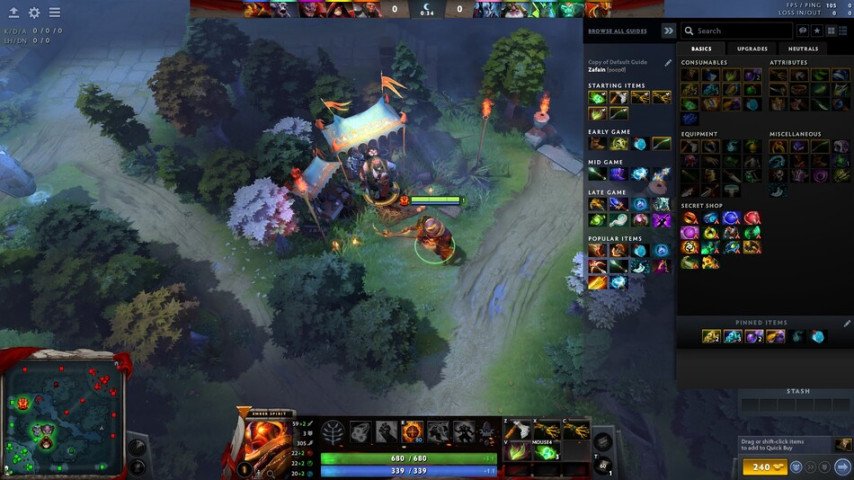
To access shop interface click on F4 or click on gold located at below right side corner of your screen. In this interface you can see all available items, which are categorized into ones sold either at Base or Secret Shop.
Base Shop Items: These are outlined in gold or not, depending on your gold availability.
Secret Shop Items: Items glow red when you are outside the shop, and a Secret Shop symbol is featured at the bottom right of each item icon.
 Credit: Valve Corporation
Purchasing from the Secret Shop
For example, if an item exists only in a secret store, it should be at that place physically by hero or courier he controls. If far away use your courier by selecting and clicking “Go to Secret Shop.”
Completing the Purchase
To buy an item, right-click it, ensuring you have the required gold. If purchasing through a courier, don't forget to have the items delivered by clicking the "Courier Deliver Items" button.
 Credit: Valve Corporation
How to Add Multiple Items in Quick Buy in Dota 2
 Credit: Valve Corporation
The quick buy feature in Dota 2 allows players to queue up items for future purchase, streamlining the buying process and ensuring critical items are not overlooked during the heat of battle.
Selecting Items for Quick Buy: To add an item to your quick buy list, shift-click the item in the shop interface. This action places the item in the quick buy area at the bottom right of your screen.
Queueing Multiple Items: For a more strategic approach, you can queue multiple items in the quick buy. This is particularly useful for planning item builds in advance or ensuring you don't miss purchasing key components for item recipes.
Purchasing from Quick Buy: As you accumulate sufficient gold, items in your quick buy queue can be purchased directly by clicking the quick buy icon or using a designated hotkey. This method ensures efficient use of gold and reduces downtime.
Conclusion
Being a pro in the business of listing goods is a vital art that might go a long way to shaping the fate of your game. Understanding how the shop system works and using the quick buy feature effectively, you will guarantee that your hero is armed with necessary items at the most right moment thereby gaining strategic positions compared to other contenders. Dota 2 domination greatly relies on proper item management, be it about purchasing early-game consumables or late-game artifacts.