How to Play Deadlock on Steam Deck: Tips and Tricks for Smooth Gaming
Author: Hawk Live LLC
Last updated:
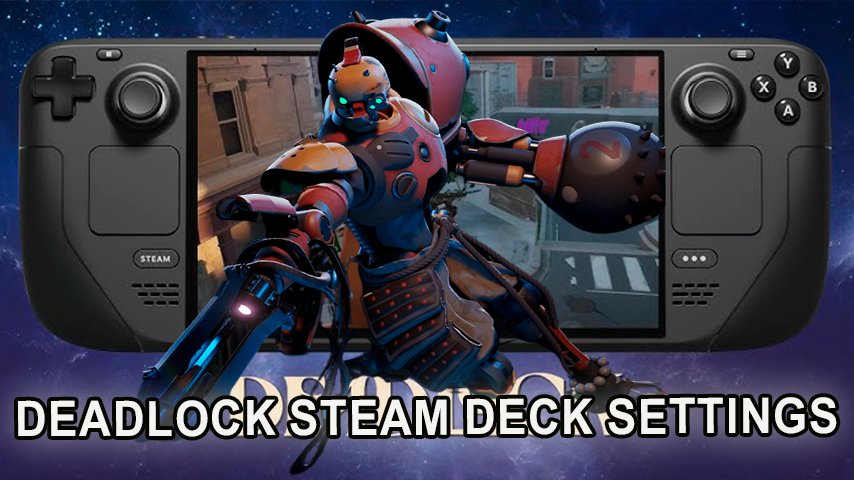
Deadlock is a team-based MOBA which is the latest title developed by Valve. However, many gamers are concerned whether or not it can run on a steam device. Although Deadlock is still “work in progress” hence does not have Steam as one of its supported devices, there are some alternatives that let a person enjoy this game on a handheld device.
Can You Play Deadlock on Steam Deck?
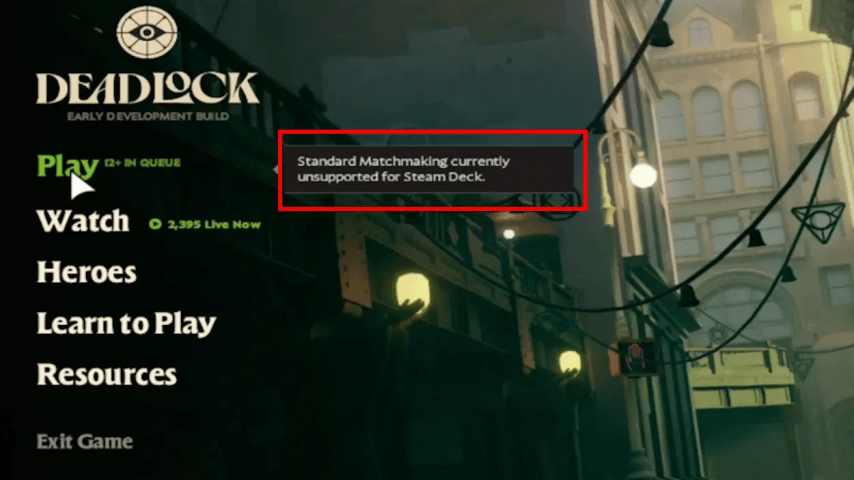
Yes! It’s possible to play deadlock right from steam deck although it is not officially referred as steam deck ready. The game can be run through Steam input nonetheless. However, that said matchmaking isn’t officially supported on the Deck and thus returns an error message – “Matchmaking unsupported for Steam Deck.”
 Credit: Valve Corporation
The good news is with several adjustments and alternative ways to go around this problem; we can get into action.
Methods: How to Play Deadlock on Steam Deck
There are two main methods of playing deadlock on steam deck each offering a solution to the matchmaking issue.
Modified Way (Preferred option)
This approach requires tweaking the launch settings of Deadlock within Steam. After doing that, you won't have any more worries about matchmaking.
Here's how to do it:
Open your steam library and locate Deadlock
Open the properties by clicking on the gear icon.
Find launch options under general tab.
Type this command into the text box: SteamDeck=0 %command%
By making this small change, Deadlock will be able to run through the Steam deck without matchmaking errors, thus providing better gaming experience.
Spectate Method
For those who don’t want to customize their settings, there is another way of playing it on steam deck known as spectate though it’s a little more complicated.
Here is how you can do it:
Go to “watch” from main menu of the game.
Pick a game with few viewers to avoid timeouts
Clicking on play button and going to first player menu starts spectating
It doesn’t enable one have an entire gameplay feel but serves as a good alternative until Valve optimizes Steam Deck for Deadlock.
Best Steam Deck Settings for Deadlock
Steam Deck is not optimized for Deadlock, but it can be played on the game. However, the default settings allow the game to operate at 25-30 FPS which is not good for a first person shooter. Moreover there are no controls support for Deadlock hence making it hard to play as tutorials still refer to PC controls thus adding more complexity.
Nevertheless, changing specific settings in Steam Deck can greatly improve performance of this game. Below are recommended settings:
Resolution: Native
Rendering: Direct3D 11 (-dx11)
Upscaling Technology: Stretch
Render Quality: 70%
Anti-Aliasing: FXAA
Screen Space AO: Off
Distance Field AO: Off
Texture Quality: Medium
VSync: Off
These settings increase average frame rate of the game by 45-50 FPS and make it much smoother to play on Steam Deck. However, keep in mind that Deadlock has not been fully developed yet so you may experience different performance levels and a fast battery drain especially in OLED Steam Decks.
Custom Controller Layout for Steam Deck
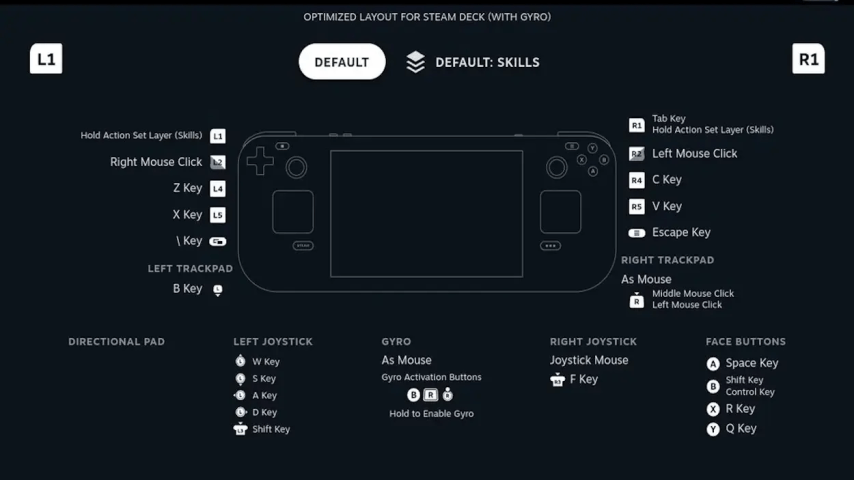
It’s complicated, to get the effective button layout in Deadlock in Steam deck, as the game does not seem to support controllers on this system. Luckily some layouts are proposed by the community that you can try out.
 Credit: Valve Corporation
The best configuration has the left joystick to be used for movement and the right joystick for aiming, with gyro integration for better accuracy. When you rebind the buttons, Deadlock will tend to be like other third-person shooters, through this the experience of playing this game improves.
Conclusion
Even though the game is not housed to be set in the steam deck perfectly yet there are efficient settings and techniques that make it possible to run. You can use the recommended settings and the launch or spectator method in order to experience the game with better control and high FPS on this device. Do keep in mind that this is early development stage of the game, so glitches can be expected. This guide should assist you in experiencing the fantastic world of Deadlock!