How to Report in CS2: A Complete Guide to Keeping the Game Fair and Clean
Author: Hawk Live LLC
Last updated:
The latest edition of the long-time game franchise known as Counter Strike, Counter Strike 2 (CS2) has over the span of a few week also exploded in its player base. With every game and its increasing popularity, comes the challenge of making sure fair play is maintained, as with so many players comes the issue of cheaters, hackers and toxic players.
In this guide, we will first outline what you should look for in a player before accusing them of cheating, the different types of reports which one is able to file as well as the most detailed procedure on how to do this both in the game and the steam's interface.
What Violations Can Be Reported in CS2?
To their best, Valve gives the opportunity to gamers to report countless abnormalities or rule violations and with them gaming has been made much better. Of course these varied on the gravity of the infringement:
Cheating: Hacking or other game mods that give players advantages is regarded as a type of violation in gaming. Permanent bans in matchmaking are usually dished out to these players in order to hinder their chances ofcompeting fairly again.
Abusive Communication or Profile: Indeed players who racially abuse others or use profanities within the game can be reported. Depending on the seriousness of the issue the punishments can range from communication block to a lifelong exodus.
Griefing: Deliberately sabotaging a game by disrupting teammates or intentionally throwing a match is considered griefing. These players can face temporary suspensions or loss of matchmaking privileges.
Once you’ve identified a violation, it's essential to gather evidence, such as screenshots or video clips, to support your claim. This evidence strengthens the case and helps Valve's anti-cheat team investigate faster.
How to Report a Player in CS2: Step-by-Step
Reporting via In-Game Tool
One of the easiest ways to report cheaters or toxic players is through the in-game tool:
 Credit: Valve Corporation
Access the Scoreboard: Press the "Tab" key to bring up the scoreboard during the match.
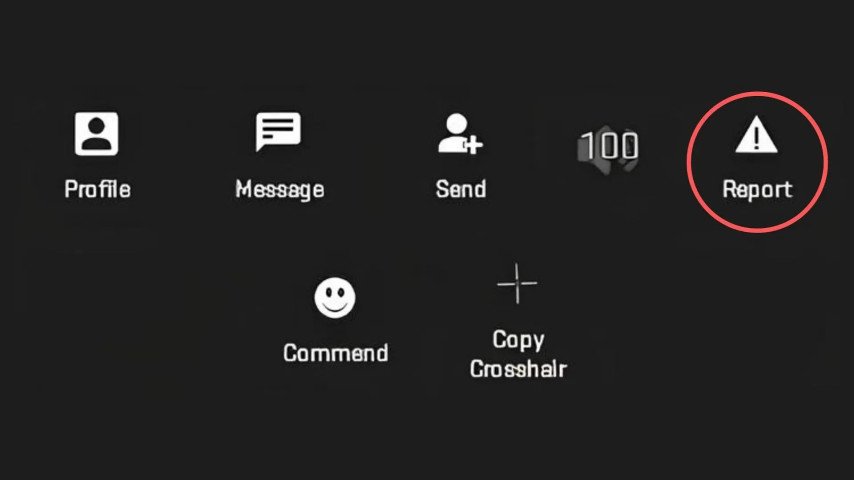
Select the Offending Player: Right-click on the player’s name, which will open a menu with different options.
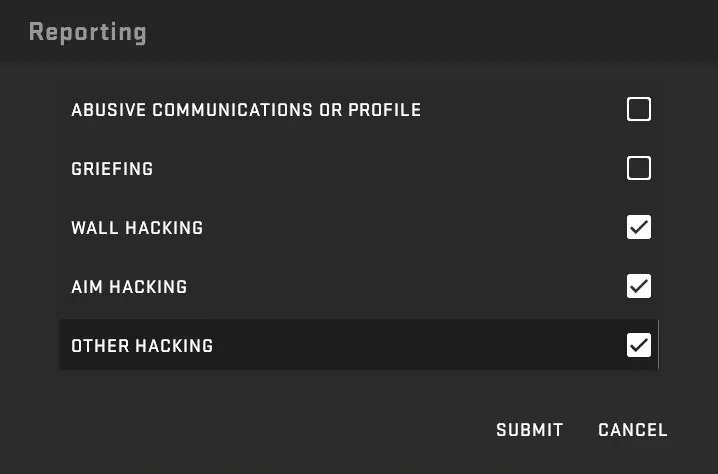
Submit the Report: Choose the "Report" option and select the type of violation (cheating, griefing, or abusive communication). Attach any relevant evidence to strengthen your report.
 Credit: Valve Corporation
Reports filed will go to the anti-cheat technology that is used by Valve and Overwatch team. This report will be evaluated and if it is verified that a violation was indeed committed then action will be initiated.
Reporting via Steam Profile
 Credit: Valve Corporation
Some more serious issues or to report players after a game, letting your team mates know sailor mouth that you have fouled them might be done after a match through steam as well:
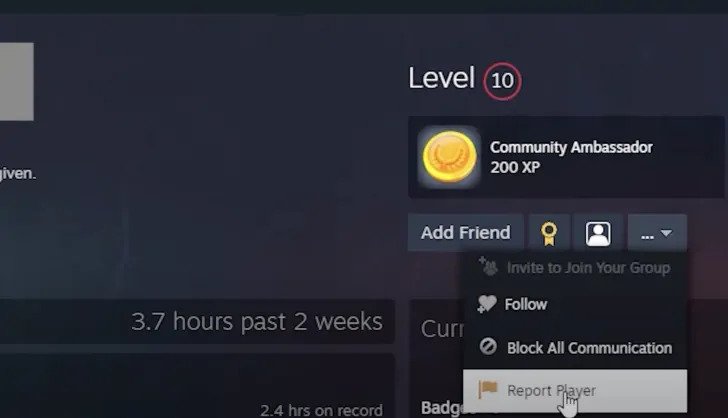
Step 1: Steam Profile of the Player: Push shift and tab in the game to activate steam overlay and then Click “view players” to locate the player who you wish to report.
Click "Report Player": In the upper-right corner of the player’s profile, click on the "..." button and select "Report Player."
Choose the Offense: Select "They are cheating in a game" or another relevant option, fill out the report with details of the incident, and click "Submit."
Using this method allows Valve to investigate the player’s behavior across multiple games and servers, especially if they are repeat offenders.
Reporting Bot-Boosting Lobbies
 Credit: Reddit
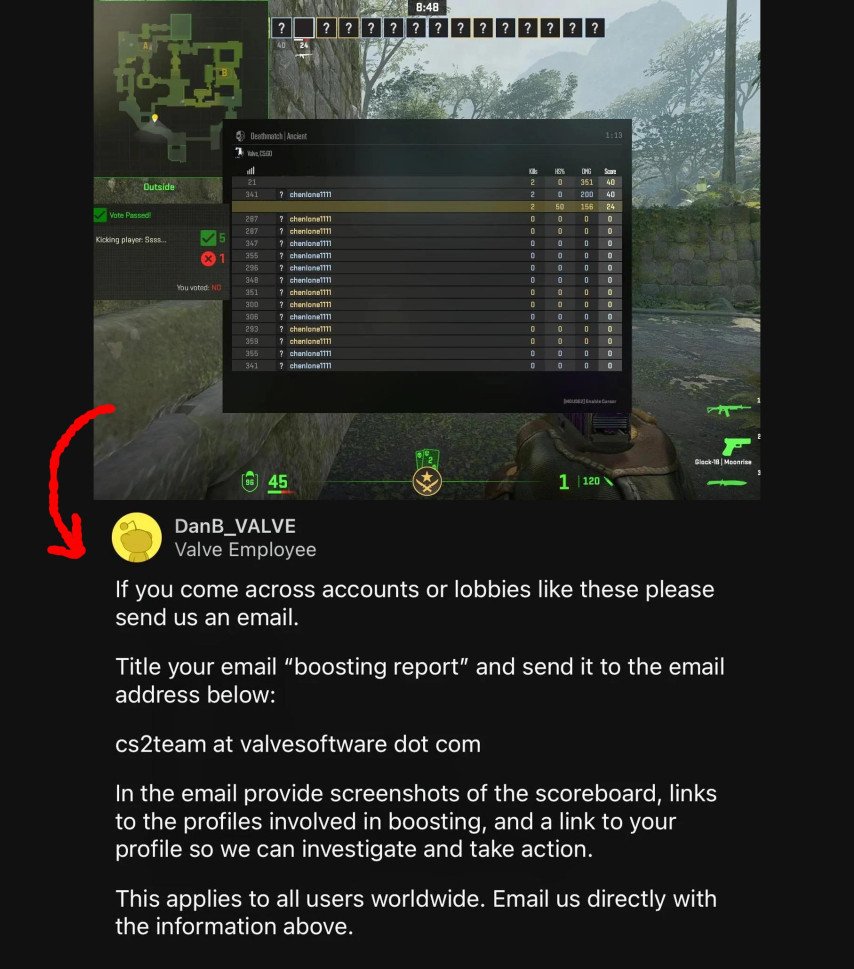
With in rise of CS2, a new challenge has arose, a bot-boosting lobbies challenge that allows players to rank themselves by using bots or smurf accounts, when they should understand what rewarding your rank is. Valve has counters that rising problem with a detailed step to go about with reporting boosting lobbies:
Step 1: Gather Evidence Take a photo of the match scoreboard and then note down the accounts you believe were boosting.
Valve's Email: Send the evidence to [email protected] and write in the subject “Boosting Report.” By doing so, you in a way opt out from the standard reporting system and get directly in touch with Valve team which can speed up the investigation.
What Happens After Submitting a Report?
Once a report is submitted, it enters a queue for review. If the report is made in-game, Valve's anti-cheat team or the Overwatch system will analyze the case. For reports submitted through Steam, you will receive updates on the investigation via email, including whether action was taken against the reported player.
It’s important to note that Valve takes cheating seriously. Players found guilty of using cheats, such as aimbots or wallhacks, often face permanent bans from official matchmaking.
Why Reporting Matters
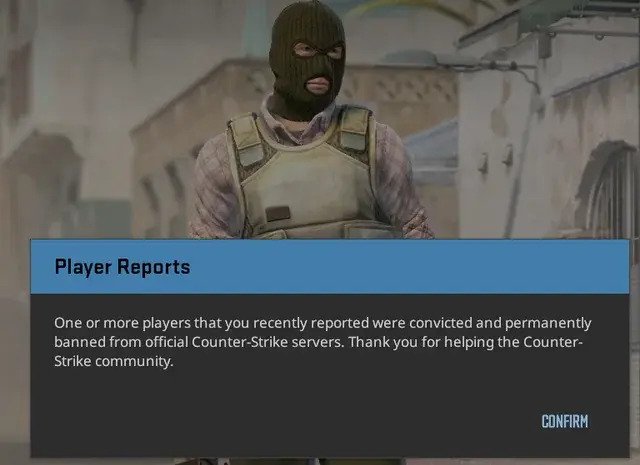
Reporting players who sabotage the game by using cheats, their real CS2 account or using kind of booster – software tools is one of the means of protecting the game from disintegration. Valve works hand in hand with the community and the community needs to forgo or report any form of disruptive behavior. By doing this the players sanitize the environment and for all those involved the gaming experience becomes better and enjoyable.
Credit: Valve Corporation
Reporting should be done appropriately and not otherwise. For example, blaming a player just because they have beaten you or have terms with someone else makes the system weak. If there are real violations expedite your reporting so that valve issues solutions to major problems.
Conclusion
The tools to report players in CS2 are robust and accessible, allowing the community to actively participate in keeping the game fair. Whether you’re dealing with a hacker, toxic teammate, or a bot-boosting lobby, you now have the knowledge to submit detailed reports through in-game systems or via Steam. By staying vigilant and reporting violations appropriately, you help ensure that CS2 remains a competitive and enjoyable experience for all.